http://www.davidleeking.com/wp-content/themes/thesis_151

From the monthly archives:

January 2006

posting from my treo

by davidleeking on January 31, 2006

Just testing out the Treo. Did you know you can actually reach blogger’s web-based admin area using the Treo Blazer web browser? Of course that also means that I’m hunched over and typing on a thumb keyboard… very slowly. But a successful test, nonetheless.

Share:
  • del.icio.us
  • Digg
  • Technorati
  • BlinkList
  • Reddit
  • E-mail this story to a friend!
  • Facebook
  • Google Bookmarks
  • LinkedIn
  • StumbleUpon
  • TwitThis
  • Ma.gnolia
  • MySpace
  • Netvibes
  • Ping.fm
  • Print this article!
  • Tumblr

{ 0 comments }

Videoblogging with a Treo

by davidleeking on January 30, 2006

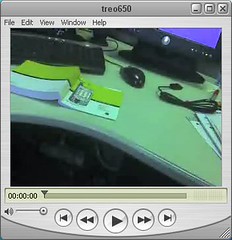
treo 650 videoI’m playing with my new Treo 650 – and discovered that it takes video. So of course, what do I do when I discover that? Immediately play with it… here’s the result of my experiment

Ok – very silly test video, I know. Nonetheless:

  • I can capture video on the go
  • It’s poor quality video, so probably not useful for “professional” consumption
  • Great if I want to share an idea, capture a quick interview, or capture an event
  • Hmm… show management a particularly successful library event?

Reading all these, I can see a way to sum it up – cheap video is capable of capturing the moment – it will capture the relevant info, so you can use it later as supplementary material (for whatever you’re doing).

Update: Gee, Dave… it helps to actually include the link to the video…

vlog, videoblog

Share:
  • del.icio.us
  • Digg
  • Technorati
  • BlinkList
  • Reddit
  • E-mail this story to a friend!
  • Facebook
  • Google Bookmarks
  • LinkedIn
  • StumbleUpon
  • TwitThis
  • Ma.gnolia
  • MySpace
  • Netvibes
  • Ping.fm
  • Print this article!
  • Tumblr

{ 0 comments }

I’ve Been Tagged…

by davidleeking on January 27, 2006

Robin at A Passion for ‘Puters tagged me, so here goes: 

4 Jobs I’ve had in my life:

  • DJ at my undergrad college radio station
  • Consession stand worker at a little league ball park
  • Pizza delivery dude
  • freelance recording engineer (translation = unpaid coffee-maker / errand boy)

4 Movies I can watch over and over:

  • It’s a Wonderful Life
  • Hmm… surely there’s another one…
  • …somewhere…
  • nope. nothing…

4 TV Shows I love to watch:

4 Places I have lived:

  • Liberty, MO
  • Blue Springs, MO
  • Hattiesburg, MS
  • Nashville, TN

4 Places I have been on holiday:

Holiday? Not sure about that one, but – four places I have been:

  • Denver, CO
  • Washington, DC
  • Haiti
  • Branson, MO

4 of my favorite dishes:

  • Anything oriental
  • Most any seafood
  • Fazoli’s breadsticks…
  • Lasagna at Mom’s Italian Villa in Chattanooga, TN – it’s AWESOME.

4 Websites I visit daily:

  • Bloglines
  • Kansas City Public Library
  • KCPL Staff Intranet
  • Google

4 Places I would rather be right now:

  • Home… in my basement
  • .. playing drums
  • Or on a hike somewhere
  • Or with my family

4 Bloggers I am tagging:

Share:
  • del.icio.us
  • Digg
  • Technorati
  • BlinkList
  • Reddit
  • E-mail this story to a friend!
  • Facebook
  • Google Bookmarks
  • LinkedIn
  • StumbleUpon
  • TwitThis
  • Ma.gnolia
  • MySpace
  • Netvibes
  • Ping.fm
  • Print this article!
  • Tumblr

{ 0 comments }

Gaming Taskforce at my Library

by davidleeking on January 26, 2006

We now have a gaming taskforce at my library! The taskforce’s goal is to create a gaming plan for our library system, and report back to our management group… then the management group will decide where to go from there.

So we now have a gaming taskforce group email account, and I have a couple of email and computer gaming folders… wow.

And I also did some brainstorming on gaming at the library today, and thought I’d share it. It’s not neccessarily what we’ll be doing – just my thoughts. But some of you might be interested in them, nonetheless… so:

David’s Gaming Goals

  • console gaming 
    • set up networked game system at each location
    • it should be movable
    • create programming around the equipment
      • game nights
      • parent/kid game challenges/learning
      • branch/location challenge tournaments
      • how to play types of training
      • health DDR programming
    • train staff in use
    • create web help guides for console gaming
      • how to play
      • where to play – highlight programming
      • cheats and other online pointers
  • online gaming
    • create web guides for popular games
    • i.e., Runescape
      • basics of play
      • cheats and other online pointers
    • create programming around games
      • how to play
      • introduction to online gaming – what they are
  • Little Kid’s gaming
    • provide clear pointers to games like Neopets.com
    • create web guides for popular games
      • how to play
      • cheats and other online pointers
      • where the games can be found
  • circulating games
    • buy top 25 games in one format
    • same format of equipment we purchase
    • some for each branch
  • patron gamers
    • books on games 
      • game theory (everything bad is good for you)
      • how to play (Dummies guides, etc)
      • young adult novels with gaming plots
    • movies?
    • Magazines
  • phase two
    • Challenge other libraries 
      • challenge other library system to a tournament
      • see if they can be networked tournaments
    • Teen Center in Central
      • “The Game Vault”
    • Take gaming to the community
      • Set up mobile gaming unit
      • create school programming/learning opportunities
      • take it to community groups
      • take it to church youth groups in KCPL area?
      • have a library component, too
        • one idea – to play, you have to have a library card
        • or you have to sign up for a library card
Share:
  • del.icio.us
  • Digg
  • Technorati
  • BlinkList
  • Reddit
  • E-mail this story to a friend!
  • Facebook
  • Google Bookmarks
  • LinkedIn
  • StumbleUpon
  • TwitThis
  • Ma.gnolia
  • MySpace
  • Netvibes
  • Ping.fm
  • Print this article!
  • Tumblr

{ 4 comments }

Opera Mini Simulator

by davidleeking on January 26, 2006

Update: In the comments area, Paul provides the actual URL – thanks, Paul! And Paul – for the . hit the 1 key.
opera mini simulatorJust poking around more on the Opera Mini site – and found an Opera Mini simulator! Pretty cool – I was able to test what Kansas City Public Library’s website looks like using the Opera Mini browser. 

What did I discover? Our way cool horizontal menu bar? Doesn’t work. Normal links DO work, though. I was able to click through to an image and an article in one of our subject guides.

Thankfully, we’re working on a redesign – we’ll have to focus on STANDARDS… CSS, XHTML, etc. so the world can browse us. Even those using cell phones!

opera, opera mini

Share:
  • del.icio.us
  • Digg
  • Technorati
  • BlinkList
  • Reddit
  • E-mail this story to a friend!
  • Facebook
  • Google Bookmarks
  • LinkedIn
  • StumbleUpon
  • TwitThis
  • Ma.gnolia
  • MySpace
  • Netvibes
  • Ping.fm
  • Print this article!
  • Tumblr

{ 2 comments }

Opera Mini Browser is Out of Beta!!!!!

by davidleeking on January 25, 2006

Seen on Bill Drew’s blog – Opera just realeased their Opera Mini Browser that installs on most cell phones (Bill installed in on his Cingular phone)!

And like Bill says – this isn’t WAP – it’s real, live HTML (via some crazy magic java thing). From the Opera Mini site “Instead of requiring the phone to process Web pages, it uses a remote server to pre-process the page before sending it to the phone. This makes Opera Mini™ perfect for phones with very low resources, or low bandwidth connections.”

OK – we all know that cool pricey smart phones like a Treos, PDA-enabled things, and Blackberrys get web. And some cell phones… but Opera? And not WAP? From this blog (the Toronto Palm OS Group) – “Opera Mini offers the same speed and usability as the renowned Opera mobile browser, and uses Opera’s Small Screen Rendering technology to provide access to the Web. It has all the features expected of a browser, and more, such as bookmarks, browsing history, and ability to split large pages into smaller sections for faster browsing. ”

If this works easily, and accesses the web quickly… we could be in for quite a ride in 2006.

Share:
  • del.icio.us
  • Digg
  • Technorati
  • BlinkList
  • Reddit
  • E-mail this story to a friend!
  • Facebook
  • Google Bookmarks
  • LinkedIn
  • StumbleUpon
  • TwitThis
  • Ma.gnolia
  • MySpace
  • Netvibes
  • Ping.fm
  • Print this article!
  • Tumblr

{ 0 comments }

David’s First Webcast Presentation

by davidleeking on January 24, 2006

webcasting EquipmentI just finished my first webcast – it was a blast! The webcast was for the Education Institute, and was on creating library website subject guides. 

For those of you who might venture into doing a webcast sometime, a few pointers:

  • If possible, have a backup phone. See the nice Polycom conference phone in the photo? I didn’t use it because of some “ocean like” static. It worked great the day before… go figure.
  • Make sure you have a good internet connection.
  • Make sure to pace yourself – since you are, in essence, talking to yourself in an empty room (that’s what it feels like anyway), you might ramble on, rush through slides, etc – just pretend you’re in a room full of people. Not too much of a problem for me, since I’ve been a radio dj in the past – same concept.
  • Set up early. I set up everything about 30 minutes before, then went online about 15 minutes before the start of my presentation. Since I had “phone issues,” I had to call in about three times on different phones. Last minute testing, well, needs time! (which I had, thankfully)
  • Have fun!
Share:
  • del.icio.us
  • Digg
  • Technorati
  • BlinkList
  • Reddit
  • E-mail this story to a friend!
  • Facebook
  • Google Bookmarks
  • LinkedIn
  • StumbleUpon
  • TwitThis
  • Ma.gnolia
  • MySpace
  • Netvibes
  • Ping.fm
  • Print this article!
  • Tumblr

{ 0 comments }

Part of all Three Places

by davidleeking on January 20, 2006

Have you familiar with the concept of Third Place? As far as I can tell, the concept came from the book, The Great Good Place, written by Ray Oldenburg. His concept is this: most people have about three places in their life that in some way define them – usually home, work/school, and one other place (ie., the Third Place). Third Place can be many things, including church,
a bar or coffee shop, etc.  

A Third Place can even be digital – here’s a cool article discussing MMOGs (Massively Multiplayer Online Games) as a third place, and even mentions a paper (currently under review) written by Constance Steinkuehler called “The New Third Space: Massively Multiplayer Online Gaming in American Youth Culture.” Wow.

Ok, so there’s a very brief Third Place background. Obviously, the physical library space can act as a Third Place for patrons – and that’s all well and good. But did you know that libraries can also infiltrate other Third Places, and possibly even people’s First and Second Places? Think about it – home and work/school. If you tweak your thinking about libraries, websites, and virtual services just a little, you can then start thinking about how a library can offer library services in people’s homes, at their workplaces, and at their schools – in essence, being available in people’s First and Second Places.

One way to get in those places, short of a physical Outreach Services type of thing where we physically take books to people, is to focus on our digital services. What digital services do you have now? Do you offer services like virtual reference, IM reference, phone reference, useful and usable web content, RSS feeds, etc? All those digital services get our digital foot in the digital doors of First and Second Places.

Just a braindump/thought process of going where your patrons already are – at their first, second and third places… libraries can be there, too!

Library 2.0

Share:
  • del.icio.us
  • Digg
  • Technorati
  • BlinkList
  • Reddit
  • E-mail this story to a friend!
  • Facebook
  • Google Bookmarks
  • LinkedIn
  • StumbleUpon
  • TwitThis
  • Ma.gnolia
  • MySpace
  • Netvibes
  • Ping.fm
  • Print this article!
  • Tumblr

{ 4 comments }

Interesting Job Ad

by davidleeking on January 18, 2006

Has anyone seen this job ad? The job title is NextGen Librarian – wow. It could also be titled the “Library 2.0 Librarian,” I think. Look at some of the duties involved: 

  • provide leadership and vision for “transformative technologies” in the provision of library resources and services
  • Creates communication venues and distributes content via digital tools such as blogs and wikis for the library system website
  • Develops and delivers library instruction through podcasts and multimedia webcasts
  • promotes community via new technologies within the library and virtually via IM and other emerging communication mechanisms
  • enhances the WSU Library System web presence with current content and methods for distribution such as RSS
  • investigates and implements new technologies that may enhance the Library System’s web presence
  • provides training and support for other librarians on new technologies (this is gonna be a big one, I think)

And some of the qualifications:

  • working knowledge of blogs, wikis, online gaming environments, podcasting, RSS and other Web-related technologies

Just… wow. What a completely interesting job! I think hiring one person to tackle Library 2.0 is certainly one way to do it. Hopefully, the library ALSO plans to work on their mission, their strategy and goals – otherwise, one person won’t make much of a dent.

Either way – should be a fun time for the person who gets the job.

Library 2.0, web 2.0

Share:
  • del.icio.us
  • Digg
  • Technorati
  • BlinkList
  • Reddit
  • E-mail this story to a friend!
  • Facebook
  • Google Bookmarks
  • LinkedIn
  • StumbleUpon
  • TwitThis
  • Ma.gnolia
  • MySpace
  • Netvibes
  • Ping.fm
  • Print this article!
  • Tumblr

{ 6 comments }

Rocketboom linked to me

by davidleeking on January 10, 2006

rocketboomSome of you will get a kick out of this. I just got a mention on Rocketboom, a techie, newsie videoblog (an extremely popular one, too).

Remember those Blogging Delivered billboards I posted about a day or two ago? The Rocketboom folks also found them interesting – and included one of my pics in their January 10 videoblog! They linked to my flickr account, too.

My wife just chuckled, and accused me of blogging about a videoblog that blogged about my flickr feed blogging billboards… that I blogged about… (ahem – sorry – just a little giddy with squeamish videoblogging delight).

Share:
  • del.icio.us
  • Digg
  • Technorati
  • BlinkList
  • Reddit
  • E-mail this story to a friend!
  • Facebook
  • Google Bookmarks
  • LinkedIn
  • StumbleUpon
  • TwitThis
  • Ma.gnolia
  • MySpace
  • Netvibes
  • Ping.fm
  • Print this article!
  • Tumblr

{ 4 comments }