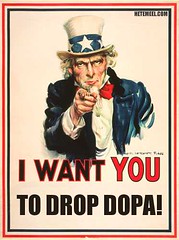
by davidleeking on July 27, 2006
I don’t usually spout off about governmental things or politics. But this time…
The “Deleting Online Predators Act” or DOPA, is scary, to say the least. Yes, grown-ups should protect kids from bad people. Yes, bad people shouldn’t have access to kids, even in digital form. However, DOPA isn’t the way to do it. Here are a few snippets (taken from here):
“… and `(II) protects against access by minors without parental authorization to a commercial social networking website or chat room …”
OK. That’s like everything these days. That can mean … gee … Amazon, Yahoo, Flickr, Runescape, EVERY forum/chat room, even potentially some library websites (the ones that allow commenting and discussion). That’s bad.
“…Within 120 days after the date of enactment of the Deleting Online Predators Act of 2006, the Commission shall by rule define the terms `social networking website’ and `chat room’ for purposes of this subsection …”
That’s bad too, since Congress thinks “the internets” are made of “tubes.”
“… In determining the definition of a social networking website, the Commission shall take into consideration the extent to which a website– `(i) is offered by a commercial entity; `(ii) permits registered users to create an on-line profile that includes detailed personal information; `(iii) permits registered users to create an on-line journal and share such a journal with other users; `(iv) elicits highly-personalized information from users; and `(v) enables communication among users …”
Again, think of your library’s digital services (ok – not every library is doing these things. But some are, and many others are thinking about and discussing these types of digital initiatives): Flickr access to library programs, the budding Myspace page that’s connecting teens to the library, the communication taking place even within library websites, the online book discussion forums, the teen gaming blogs that allow user-to-user communication, etc, etc. etc. This bill – if it becomes law – has the potential to revert a library’s digital space (the libraries that depend on federal funding, anyway) back into nothing more than a virtual brochure for the library. That’s bad.
DOPA? I say DOPEY. Hopefully the Senate (or at least the Supreme Court) is a bit more intelligent about this issue.
dopa
by davidleeking on July 26, 2006
Really – go check Gliffy out (also mentioned by Stephen Abram and the Librarian in Black). Now. Especially if you are in charge of your library’s website or mess around with web design.
What is Gliffy? Gliffy is a free, online version of Microsoft’s Visio, which is a flowchart, diagramming, layout, floorplan designing kind of software. Visio, while useful, has a definite learning curve, is pricey, and if probably overkill for most of us library website managers. All we really need (if we’re interested in wireframing a website) is a simple illustration or graphics application, and it’d sure be dandy if it had built-in presets for things like search buttons, textboxes, and other normal web thingies.
And that’s where Gliffy comes into play. It’s a great and easy online tool for wireframe, user interface, and web layout. Here’s a quick example to the right – this was done using Gliffy. I know it’s basic – but that’s me, not Gliffy’s fault. Here’s a link to a screencast showing how to use Gliffy to create a wireframe. It’s really pretty simple.
Also, here’s a link showing Gliffy’s wireframe example, and a link showing a web layout example.
So – go try it out!
gliffy
by davidleeking on July 24, 2006

This is interesting – the photos actually change once in awhile (I chose random interestingness for the photo background).
by davidleeking on July 19, 2006
I’m working on a videoblog presentation I’ll be giving this fall, and discovered this cool list of “common genres” of videoblogs on Wikipedia. Here’s Wikipedia’s list and their definition of each videoblog genre, followed by my ideas for those videoblog genres in a library setting.
Personal – Vlogs documenting the author’s life, the recounting stories from their past, or the airing of their opinions on various topics.
- Any local or regional authors? Why not invite them in to talk about their lives, discuss their writing styles, etc?
- Oral Histories from the community.
- Topic-based histories – why not have three people talk about a common experience from their past or the region’s past (i.e., civil rights, the sixties), capturing different perspectives?
News – Vlogs covering news events.
- Library news in video format (hmm… possibly a bit on the droll side). But how about capturing patron’s opinions of local news events? How abot providing the background, current happenings, and “where can you go for more” types of information about current local events as a community service?
- Why not cover “extreme local events” that the normal news outlets might not pick up (and that highlight the library, if possible)? Examples: librarians picking up trash on the side of a highway, a library-sponsored charity event, librarians working in a soup kitchen, etc… things that draw positive attention to your library (all peppered with sneaky mentions of appropriate library materials that can be checked out).
Collaborative (also collective or group) – Vlogs with a collaborative nature.
- Give your teens a cheap videocamera, and let them create. Then “publish” their creations on the teen’s library videoblog.
- How about the librarians AND the teens working together to create something unique?
Political – Vlogs discussing political issues.
- Politics can be a hot topic that libraries might not want to mess with. But how about this idea: gather short videos of all local candidates for mayor explaining why they love the library and why you should vote for them (again, as a community service). People will definitely watch.
- Provide background information on issues, explaining how to find out more (ie., push those library materials again
.
Environmental – Vlogs discussing environmental issues, nature, and natural history.
- Do you ever have a zoo give presentations at the library? Why not capture the moment on video and turn it into a videoblog post?
- Same thing with seminars for adults – capture those naturalists discussing regional natural history, and drop the video on your library’s videoblog.
- Or go one better – a library might, for example, have a list of hiking trails in the area. Why not send a librarian out to each of them with a video camera, capturing the highlights of each one? That way, your library can provide a great value-added service to the community, and possibly partner with some local organizations, too.
Media – Vlogs analyzing television, documentaries and other mass media.
- This one’s easy – NEW BOOKS, MOVIES, ETC – that the library has. It would be a pretty easy task to gather the library’s best new fiction, for example, and quickly describe the plot and why someone might want to read it.
- For universities – New [insert subject discipline here] materials this month at the library
Entertainment – Vlogs producing “shows” or short films.
- Anyone ever watch Rocketboom or listen to Inside the Net? Both are “this week in cool geek technology” types of shows. Libraries can do this type of show for their customers by creating small video snippets showing cool online tools like Flickr. Focus on how your patrons can use the tools (i.e., how Grandma can use it to see photos of her lovely grandkids).
- How about tech troubleshooting topics, like how to burn a CD, or how to hook up a digital camera to a PC (so Grandma can see those grandkid pics)?
- Teens could probably have a blast creating a monthly short film. Your library could even partner with a high school, and have the videoblog show be an assignment, complete with writing, scripting, casting, etc.
Third party collections – Vlogs collecting videos from third parties.
- Hmm… movie trailers…. of movies your library just received…
- Short segments of music videos… of bands in your library’s CD collection
- Maybe even something goofy like a “best viral video” feature, just for kicks
Educational – Schools and universities using vlogs as a teaching and creative medium.
- There’s that partnering with the school thing again …
- Capture all library events (author talks, seminars, etc) on video and drop them on your videoblog. That way, more patrons can “attend” the session (and you can count new fun statistics like downloads, visits, and hits in your annual “who attended our sessions” report).
- Library tours fit here, as well.
Behind the scenes – Vlogs showcasing backstage activities of film production or other arts and skills.
- OK – I just mentioned library tours in the Education genre above. But go one further with it – create a “what happens to the book I just returned” video to show how a library works, then advertise that video to schools (or make sure teachers have subscribed to your “just for teachers” RSS feed so they receive the video automatically).
- Highlight library departments and staff
- Why not expand this idea into the local community? Show backstage activities at other local cultural institutions (theater, ballet, etc). That could be great info to provide to your patrons.
Tutorial – Vlogs offering advice, demonstrations, how-to’s, and tutorials.
- This is another easy one: bibliographic instruction. Put your classes online.
- This is also where you can add some screencasting – actually walking customers through search engines, library databases, the library catalog, etc.
Travel – Vlogs serving as a travelogue, exploring different places around the world.
- Explore your local area, and put that info online. You can go all out – list area attractions, include library materials related to that attraction, and include a short video of what you can do/see there.
- Is a librarian taking a trip out of the country? Let him/her take the videocamera along (and make sure to add an extra day or two to their vacation time, too) and shoot something fun and unique about their travels, with commentary.
Religious – Vlogs discussing religious topics.
- Libraries like to be neutral, and religion can be a hot topic. This genre is here primarily because churches and such tape their worship services, place them online, and some are even aggregating those services – it’s a great way for church members to participate when they missed the service.
- But how about capturing different viewpoints on topics of interest (like I mentioned in the politics genre listed above), then surrounding those videoblog segments with some comparative religion readings from your collections?
- For example, during Christmas… libraries like to have a display with Christmas, Kwanza, and Hannakuh books, right? Why not do the same, but with video on your library’s blog? Invite someone of each holiday persuasion to discuss what they like best, to point out differences, etc. (and still surround those videos with links to library materials about each tradition).
Magazine type or lifestyles – Vlogs discussing lifestyles and hobbies in a television magazine format.
- Collaborate with your patrons here – highlight patron hobbies and collections in a short video magazine format. Remember to include pointers to library materials about the topic, too.
- At least one of my library’s branches highlights kid’s collections in-house, in a display case. Why not go one step further, and create a video that highlights the collection AND mentions when the collection can be seen at the library?
Assignment-based – Vlogs consisting of assignments.
- This one is talking about how some of the more news-style blogs that have “field reporters” who shoot video “on assignment.” Hmm… I’ll need to think about that one some… Anyone have any ideas?
- Ooh. I have one. No, it’s gone. Dang.
Vlog Anarchy – Vlogs covering all or multiple genres.
- Mix and match a couple of the above ideas, and you have what Wikipedia calls a “vlog anarchy.”
So you see, there are many ways a library can use video, RSS, and a little bit of creativity to create a library-based videoblog. Read the Wikipedia article about videoblogging – videoblogging and online video are growing like gangbusters, as more people realize there’s some cool video out there (i.e., they discover YouTube), as more people buy video-ready gadgets (like iPods), and as more people create and share their own videos online.
Your patrons are already discovering other cool online services (blogs, RSS feeds, bookmark managers, Flickr, Instant Messaging, connecting and communicating like they never have before… will your library be ready when a patron asks if you are planning a video feed of library programs?
vlog, videoblog
by davidleeking on July 17, 2006
Just a funny for everyone. Yesterday, my 9-year old son wanted to show me something. He held up a toy that had a round wheel, and pointed out to me that it reminded him of a computer mouse (even though he’s not really been around those old fashioned trackball mouses…
Then he said ” I thought you’d like that, since you’re a librarian…” !!!!
Yes, he knows daddy is a techie geek librarian… but nonetheless, it struck me as one of those HUH! moments when a 9-year old equates librarians and techie things.
by davidleeking on July 13, 2006
So far, I’ve seen four libraries that are videoblogging:
- Westerville Public Library, which I mentioned yesterday. They seem to be focusing on videos of programming right now.
- Manchester Public Library’s Teen Matrix – “a video podcast about books.” Not sure if they plan to update this (all three videos are from Nov 2005).
- Orange County Library System is also offering videoblogs. They have set up their videoblogs to be compatible with iTunes – wow.
- Public Library Delft is videoblogging, podcasting, and blogging. Whew!
- Kenton County Public Library’s Off the Shelf program: “airs every week on Monday and Wednesday at 9:30 pm, and then again on Saturday at 4:30 pm on Insight Channel 21. You can also subscribe using iTunes or our RSS feed.” Found via Librarystuff.net
Now… anyone else? Does anyone know of any other library-oriented videoblogs not mentioned here? Tell me about them please!
vlog
videoblog
by davidleeking on July 12, 2006
Westerville Public Library is shooting video! I just saw this (via Library Stuff): Westerville Public Library is doing a few pretty hip things:
- They have created something called castr, that they claim is their “podcast delivery system” (more on that in a sec). So far, they have three videos (a zoo visit, story time, and spanish class).
- They have made their castr page look like a web 2.0 site, complete with large text, a simple design, a gradiated image for the page background, and a large image (and they have also left out the “e” in castr, and given it a flickr-like color combination).
- They are using Ajax (cool geek web coding language)
- They feature one of the videos in the large ad on their main page, with a big “watch this movie” link (in fact, their whole site looks nice… I might have to do another Cup ‘o Java review of it)
This is the second attempt at library videocasting I’ve seen – the first one being Manchester Public Library’s Teen Matrix site. See? I’ve been saying video will be coming… and it is… and it’s pretty cool!
OK – so why am I saying “attempt at videocasting?” Because, technically speaking, Westerville hasn’t really created a podcast/videocast. They have created a blog that links to videos. Sounds picky, but it’s not – a true videocast/podcast has the video/audio file embedded with the blog post, so a podcast aggregator can automatically download the media file. That’s what makes a pod/videocast so cool. So I’d humbly ask Westerville Public to go that one extra step – then they’d be extremely cool (and have their wording right, too).
Update: Aaron, the guy who created Castr, emailed me and commented on this post. Castr is now a true videocast. Cool beans!
All that aside, I find it exciting to see online video slowly becoming part of a library’s digital outreach tools. We’ll definitely be seeing more of this type of service!
vlog, videoblog
by davidleeking on July 10, 2006
I’ve been looking at some library myspace accounts lately, notably Steele Creek Library and Denver Public Library’s eVolver Myspace accounts. Both are way cool. Steele Creek, especially, has a nifty background on the page that I think rocks.
And both sites have great content – they both use the blog part of Myspace, so any of their myspace “friends” will be updated on events and new stuff when the libraries decide to update. And both use the Blurbs section for different things: Denver points to their Ask a Librarian service, their teen website, and includes a catalog search interface right in Myspace!
Steele Creek Library includes Youtube videos of library events – which is an amazingly cool way to use Youtube… and Myspace… simultaneously.
Then there’s the usual comments section where kids say stuff like “We heart you for the freinds addy”…
I think both these libraries are really going for it, and getting a lot of mileage out of their myspace accounts. I also think they could go one or two steps further. Denver’s Myspace account includes popular music – some band called Hot IQs plays when you go to the page. But as far as I can tell, Denver Public Library doesn’t own a copy of the CD (it doesn’t show up in their catalog, anyway). You have the option to pick songs on myspace – so why not pick things that teens can check out, and even link from myspace directly to the catalog record? That’d be one cooler, for sure.
My other idea is this – Myspace has two types of accounts: the normal one, and one for musicians/bands. The added benefit of registering as a band? You can upload your original songs to your myspace site for everyone to listen to download to their iPods, etc. Pretty cool for bands.
But wait! Can’t a library be slightly devious, and register as a band? Heck – right now we’re registering as a teenager (ex – Denver Public Library is described as an 18 year old female). So why not register as a band? That way, you can download an audio file (I think up to 4 of them, actually). And what could those files be? How about:
- A compilation of 30-second samples of new music at the library?
- Your hip library podcast on upcoming teen books
- A regular what’s hot at the library podcast
- original music from local bands
- etc
This type of thing provides the library with another way to get into your teen’s iPod… which is a good thing!
by davidleeking on July 10, 2006
I just finished playing around with ebuddy, at ebuddy.com. It’s a web-based IM service, like meebo. But the thing I was interested in is this – they offer a mobile version of their ebuddy service!
I haven’t wanted to actually PAY for IM on my treo, which I could do through services like VeriChat or Mundu Messenger (here’s great article about Treo-based IM clients). I’m cheap – what can I say? And honestly, I’m surprised there aren’t more free offerings on such a basic mobile-based service (that would also send periodic ads for sustainability…).
Anyways, the mobile version of ebuddy works ok. The screenshot to the right shows me chatting with the infamous LibrarianInBlack. The chat functions are pretty easy to figure out… but I quickly noticed one huge drawback: I had to hit the reload link to see the conversation! I could type my message easily enough and hit the Sned button… but then nothing would happen after that. But when I hit the Reload link, then I’d see that the good LIB had been chatting back…
So. It’s free! It’s web-based! It doesn’t automatically screen refresh!
ebuddy im meebo
by davidleeking on July 7, 2006
For those interested in learning more about videoblogging, here are some great books for starters:
Videoblogging For Dummies
Have you ever felt the urge to share the entertaining and insightful things that happen in your everyday world? Got a message you’d like to get across to others? A cause you want people to support? A videoblog allows you to share whatever you choose in a colorful, interesting way that gets attention—and furthermore, videoblogging is fun!
Secrets of Videoblogging
Here’s the perfect introduction to the art of the videoblog, or vlog, whatever your subject. Filled with both technical and creative tips, this fun, fast, full-color guide provides everything you need to get started vlogging … Vlogging pioneers Michael Verdi and Ryanne Hodson are co-founders of NODE101, an international network of videoblog classrooms, and FreeVlog.org, NO DE101’s online equivalent. Verdi also vlogs at www.michaelverdi.com, while Hodson produces vlogs at http://ryanedit.blogspot.com and http://revlog.blogspot.com.
Videoblogging
Amazing, isn’t it? You’re on equal footing with multibillion-dollar TVand movie producers. Videoblogging lets your audience see your cause,your story, or your personal creations—and you can distribute your showto anyone with Internet access. And since the videobloggingcommunity is all about sharing, more than 20 expertshave kicked in tips and ideasto make this book the ultimatevideoblogging crash course. So head for the checkout, grabfresh batteries for your videocamera, and let’s get started!
Hands-On Guide to Video Blogging and Podcasting : Emerging Media Tools for Business Communication
In The Hands-On Guide Video Blogging and Podcasting industry experts explain these emerging media tools from a professional perspective. Quickly learn the technical aspects of video blogging and podcasting along with their business and financial ramifications.