September 2008

The Book is Printed!

by David Lee King on September 29, 2008

The book is printed!

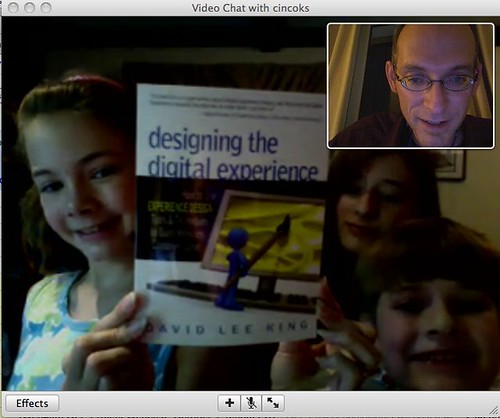
I’m still in Spain, getting ready to speak at SEDIC. But I thought I’d pass this along for those interested… my book has been printed! Found out a few days ago. This pic is of my kids showing me what came in the mail while I was away from home (and yes, we’re video chatting with Apple’s iChat).

So those of you that have pre-ordered it – I’m guessing they’ll start shipping soon. Yippie!
4 comments

Web 2.0 in Spanish Libraries

by David Lee King on September 27, 2008

Two days ago, I spoke at the IV Congreso Nacional de Bibliotecas Publicas, or the 4th National Congress of Public Libraries, a conference put on by the Spanish government in La Coruna, Spain. I was in the “web accessibility” track, and each of the speakers discussed using 2.0 tools and services to make the web more accessible to library patrons. It was pretty cool hearing about 2.0 and libraries in Spain!

Jordi Graells, who works at the Department of Justice in Catalunya, spoke first. For those who are interested, his slides are up on Slideshare, in Spanish and in English. Here are some snippets from his talk (realize these snippets came from him via a translator who I was listening to through a headset, so it’s probably not exact!):

  • He’s not a librarian (I don’t think), but works for the local government. How cool that government employees are talking about web 2.0 uses!
  • His local government is doing some neat 2.0 things, including using wikis (I think for staff), flickr, delicious, Facebook, and YouTube.
  • Yes, you heard that right – his Department of Justice has a Facebook page. Neat. Why? Because “our customers can get to know us better.” I wish more government organizations had this same viewpoint.
  • He also talked a bit about organizational improvement. Apparently, they decided to improve how they do things, so they held a set of brainstorming sessions (that over 500 employees participated in) to figure out how to improve their organization.

Didac Margaix, who works at (sorry, this is in Spanish) Biblioteca Central de la Universidad Politecnica de Valencia, spoke next about the Social OPAC. Points that stood out to me:

- What is a social opac?

  • we make use of collective intelligence
  • through user participation

- Why do we buy books that users like?

  • Because the user is right
  • We can go further and let patrons participate, too

- We standardize way too much (showed a bunch of standards manuals)

- How does Google organize results?

  • popularity
  • what’s important isn’t the document you find, but what people THINK about the document
  • the point was that libraries need to treat search the same way

- Social networks

  • what’s a social network? Didac gave an example of friends recommending books to each other to read
  • that’s a type of social network

- Open OPAC – should include these things:

  • RSS
  • the ability to save bookmarks or links in another product – i.e., saving a link to a book record in the catalog in my delicious account (some catalog URLs don’t work this way)
  • ability to create and use OPAC apps in other services, like Facebook
  • Allow users the ability to publish lists of books on their blogs, in their MySpace or Facebook accounts, etc – let the user control their content and their privacy levels, instead of having the library control it for them

Remember that we’re speaking to humans. Speak as humans do, not as an institution.

If we let our patrons participate, we need to accept what they do!

Final quote from Thomas Edison (he wasn’t sure of this) – “Those who think something’s impossible shouldn’t bother those who are trying.” Nice quote!

Finally, Ibon Idoiaga from Biblioteca Municipal de Leioa spoke:

Great point: a 2.0 attitude is different from a 1.0 attitude:

  • 1.0 – find content
  • 2.0 – change content

Then he spoke about goal setting, and how to get there.

[and then I did my shtick on 2.0 and transformation [link to slideshare pres]]

I was amazed seeing what these librarians are working towards, while realizing their library websites have to be bi-lingual: there are 4-5 official languages in Spain. So participation and community and conversation – all great things… but for them, there are a few extra steps than I’m used to.

6 comments

Designing the Digital Experience: the Foreword

by David Lee King on September 19, 2008

Designing the Digital ExperienceDavid Armano, the guy who writes the Logic + Emotion blog, was kind enough to write the foreword to my new book, Designing the Digital Experience: How to Use Experience Design Tools & Techniques to Build Websites Customers Love.

Want to see a sample of it? Here’s one paragraph: “So if you went out and bought this book, you’re heading in the right direction. The reason why social networks are such a big deal these days is that they act as both the great equalizer and amplifier. Customers who have a crappy experience with a company’s products or services now have a virtual arsenal of communication methods to be heard.  Often times the search engine’s powerful algorithms (Google) finds their content and links to their complaints.  When a certain “power consumer” couldn’t cancel his AOL account despite several pleas with the voice on the other end of the phone, he decided to take matters into his own hands and record the horrendous experience.  What resulted was a PR nightmare for AOL that started online, gained momentum and was quickly reported on several national news stations. What starts digital becomes something much bigger, and it all starts with an experience.”

David has a bit more on his blog … so this is still a teaser – you’ll need to get the book to read the rest!

2 comments

ACPL Library Camp Presentation Links

by David Lee King on September 18, 2008

I spoke at the Allen County Public Library’s Library Camp 2008 on Tuesday – what a blast! It was a good day – full of learning, speaking, and great ideas being discussed.

I also enjoyed hanging out with some cool people – a mix of Allen County staff and some people I know from other conferences.

Want to get a feel for what happened? Check out the ACPLLibraryCamp twitter feed or photos tagged acpllibrarycamp08 in flickr.

Here are the two presentations I did (and also the first two presentations I’ve dumped into SlideShare):

and my second presentation – this was a shorter presentation followed by a group project / discussion:

Thanks, Allen County, for a great day!

Be the first to comment

My New Book: Designing the Digital Experience

by David Lee King on September 12, 2008

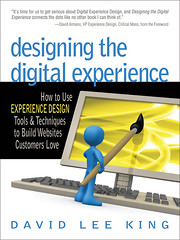
Designing the Digital ExperienceI wrote a book! The title is: Designing the Digital Experience: How to Use Experience Design Tools & Techniques to Build Websites Customers Love. It should be out this October.

What’s the book about? Here’s a snippet from the Introduction:

“Visitors to an organization’s digital space don’t want to think about interacting with its website. They want to — quickly and easily — make a purchase, find information, or do research. It helps if they can be engaged and enchanted in the process. How can we facilitate this excellent experience? It’s all about intentional design.

Consider the concept of “experience design.” Nathan Shedroff describes it as designing the “sensation of interaction with a product, service, or event, through all of our senses, over time, and on both physical and cognitive levels.”1 Simply stated, experience design is “an approach to creating successful experiences for people in any medium.”2

Designing digital experience is similar, yet unique. That’s because in a digital space, experience designers have to “compensate for the absence of a sales professional who stands ready to greet customers as they arrive [and] to cheerfully help them accomplish their goal.”3

This book introduces digital experience design for websites. I have seen great information on parts and pieces of experience design. For example, B. Joseph Pine II and James H. Gilmore’s book, The Experience Economy: Work Is Theatre & Every Business a Stage, does a great job of exploring experience generally but really doesn’t focus on digital experiences. Other books are great at helping improve the user experience on websites but miss the broader picture of designing digital experiences. This book connects the dots. It explains how website structure, community, and customers are all parts of the total digital experience.” (Read the rest of the introduction).

Want more? There are a couple of places you can follow along with book happenings and thoughts related to the book:

Bear with me – I’ll be posting book-related updates (along with my usual posts) for the next couple of months. I’m excited about it! More later…

11 comments

Patrons Use Social Media Tools, Part 2 – The Rotary Club

by David Lee King on September 12, 2008

The Rotary Club of Topeka on Ustream.TVI love finding emerging tools and services in use outside of the library. Why? Some librarians I’ve met aren’t sure if “normal people” use these things… they tend to think that only techie types use them.

Pointing these uses out also helps libraries see 1. what our customers are using, and 2. provide ideas for how WE as libraries can reach out to our communities, using tools and services the community is already using.

So what’s our local Rotary Club doing? They are live streaming their events, using ustream.tv – how cool is that?

FYI – they also have a twitter account.

Libraries – anyone live streaming events using tools like ustream.tv or justin.tv? Let us know!

4 comments

Why Did I Start Blogging?

by David Lee King on September 8, 2008

Meredith included me in a cool meme – How I got started blogging. I thought I’d answer… and looking back, I just realized it’s my 5 year Blogiversary! I’ve been blogging for 5 whole years… wow!

Onto Meredith’s questions:

1. How did you get into blogging?

It’s Gary Price‘s fault, ultimately. On May 6, 2003, I moderated Gary Price’s session on “Blogging for the Greater Good of Researchers” at the InfoToday 2003 (National Online 2003) conference. Gary used Blogger to create his presentation. At the time, what Gary was doing honestly didn’t make much sense to me. I remember thinking “why would I use Blogger when my web developer just built a CMS from scratch?” But I thought I should try out the new interesting tool to see what it could do for me and my library.

Sometime after that presentation, I started reading a couple of blogs, and started using some social tools like Bloglines and IM.

I also started fooling around with Blogger. I wasn’t about to start a personal blog – I’m just not that interesting! However, I realized that I wasn’t seeing much in the way of library website-focused blogs, and thought I might be able to pull that topic off… so I started tentatively posting stuff. My first “real” post was on September 12, 2003 (I think I deleted some older “just testing this stupid blog thing out” posts).

By October 2004, I had fallen into my “what’s in David’s head” groove, writing about stuff that was… well… floating around in my head. Ideas I decided to develop “out loud,” so to speak – in front of you – in a blog format.

And by February 2005, I had started videoblogging, too. Again, primarily because I needed a way to test new ideas, and couldn’t test them off my library’s website.

2. How did you gain an audience?

Hmm… Ultimately, I think my audience grew because of three things:

  • good content (y’all read it, anyway :-)
  • networking – At Computers in Libraries 2004, I met Jenny Levine, Steven Cohen, and Michael Stephens. This was my first “try not to be a complete wallflower” conference – and I eventually worked up the courage to comment on their blogs, and share my blog with them in the process.
  • marketing – I’m no marketer, but I’m no dummy either. At every speaking and writing gig, I started mentioning my blog. I can vividly remember when Bloglines told me there were a whopping 30 people subscribed to my blog :-)

3. What advice would you give to new bloggers who want to make a name for themselves in the biblioblogosphere?

First off, don’t try to “make a name for yourselves.” That’s the wrong approach (I’ll delete your email and ignore your blog, anyway). Instead, do this:

  • Start a blog, and write good content. Figure out what other “popular” bloggers are writing about, and write about the same thing. Add your own spin to it.
  • Or, write about innovative or new things your library is doing.
  • make sure to link to other blogger’s posts when writing your own post (making sure the link is actually relevant, of course) … cause we’ll notice. Most of us have vanity feeds set up to monitor what others say about us.
  • start commenting on blog posts (and leave your blog URL in the comments). That gets you noticed in two ways: 1. if you comment on my blog, I’ll notice (well, duh David) and 2. people interested in the topic will notice – they’ll comment, they’ll see your comment, and they’ll very likely check your blog post out, as well.
  • Speaking or writing anywhere? Make sure to mention your blog.
  • And then keep it up. Again – I’ve been doing it for 5 years. Building up an audience takes time.

that’s it. That’s my secret sauce… and now… who to pick next? How about Jessamyn, Jenny, Steven, and Michael?

9 comments

Tech Tuesdays Webinars at the Education Institute

by David Lee King on September 5, 2008

Check out the fall lineup of online courses and Tech Tuesday webinars for the Education Institute:

Online Courses:

Technology Tuesday Series:

2009

3 comments

Continental Airlines Wants More Money

by David Lee King on September 5, 2008

Gotta love airlines. Take Continental, for example. They’ve decided (along with a few others) to start charging people for checked luggage. Here’s what they say: “Continental has implemented a $15 fee for a customer’s first checked bag when traveling on Economy fare tickets…”

And then, this: “The service fee will not apply to EliteAccess customers, including those seated in First or BusinessFirst, OnePass Elite and SkyTeam Elite members, customers traveling on full-fare economy (Y) class tickets, or active military personnel traveling on official orders.”

Translation – rich people and businesses, we won’t stiff you the $15 bucks (even though you can afford it). We’re only going to stiff THE MAJORITY OF OUR CUSTOMERS.”

But remember… they really do think we’re important – they say so: “Our OnePass® members are important to us” (from the email they sent me).

Really? Then I’d think they would tell me WHY they decided to charge more. They DO have a FAQ – but it didn’t address the first two questions that popped into my head (why did they decide to charge for luggage? and Why not EliteAccess and First Class customers? Why make the Econo types pay?”).

If you don’t like paying more for luggage, check out airfarewatchdog’s checked bag fees chart.

8 comments

Presentation Tips

by David Lee King on September 5, 2008

My intro notesBrenda Hough asked me to come up with some presentation tips for online and “normal” presentations… and I decided to post them! So…

When I’m planning out a presentation, here’s what I generally do:

  • Use a mind mapping program to outline the presentation. I use MindJet’s MindManager Pro, but any will do. I like the more “visual” way mind maps work – I can randomly come up with ideas around a topic, then easily arrange those ideas into points and sections as needed.
  • Turn the mind map into slides. Most of what I have on the mind map ends up being dumped into the presenter notes of Keynote.
  • Customize the slides. I’ll find a slide template I like, then hack away at it – usually, the default bullet points/text/ sizes/etc don’t match what’s in my head, so I pretty much make each slide from scratch, moving text around, adding images, etc until I like what I see.
  • Make sure I have strong intros, transitions, and an ending.
  • By this point, the topic is stuck in my head, so I don’t rehearse much at all. Usually the night before my presentation, I’ll run through it once – and customize if I need to (ie., “dang! It’s WAY TOO LONG – I’d better cut stuff”).

Other tips:

For any presentation:

  • Don’t read your outline – your audience can do that! Instead, talk around the outline
  • tell stories to make a point
  • use graphics that enhance that story or point
  • if you can, use the presenter notes part of Powerpoint or Keynote. This helps you still “feel” like you’re reading from a script (if you need the safety net or have specific points to remember), while at the same time not having that “I’m reading my outline to you” sound.
  • Transitions are important! So – make sure to have a strong intro, a strong finish, and make transitions between segments obvious.
  • If you can be humorous, do it. If you aren’t that humorous, DON’T TRY.
  • Nerves – everyone gets nervous before a presentation. Remember – attendees did not come to critique you or laugh at your choice of clothes. They are attending your session because they thought the topic sounded interesting, and want (or hope) to learn something.
  • Spell check! Remember – we’re speaking to librarians. They will notice. I know… I once left out the “L” in “Public.” I was told. <how embarrasing>
  • Make sure your talk covers whatever was listed in the presentation description.
  • speak clearly. Slow down.

For online, “webinar” presentations:

  • All the stuff above still applies
  • test out all the technology the day before! You need to make sure that you can actually deliver the presentation.
  • If using a microphone instead of the telephone to deliver audio, if you can, invest in a better-quality USB mic. You will sound better.
  • Pace yourself! When you’re presenting by yourself, in an empty room, it can feel weird – like you’re practicing instead of actually presenting.
  • Turn your phone, email alerts, twitter alerts, etc off if they make noise – your microphone will hear it!
  • Shut your door, if you have one. If not, use a meeting room with a door if possible.
  • Pretend that you’re speaking to someone who is captivated by your presentation. You most likely really are… but you can’t see them, so it helps to visualize the person.
  • if you can use interactive components, like a polling system, a raising hands system, or even a Q&A at the end, do it.

For training sessions:

  • make sure attendees know they can ask questions. I usually pause between each major section and ask “any questions?” Then pause. For what seems like a long time.
  • let people interrupt you – and tell them it’s ok to do it. They’re attending to learn – not to hear you speak.
  • at the same time, if you have a “needy” trainee who just isn’t getting it, you might have to tell that person to hold off on more questions, so you can finish a section on time – then get with him/her on break or after the session to go more in-depth.

Anyone else have thoughts? Add ‘em in the comments!

14 comments