September 2010

Open Leadership on Transparency

by David Lee King on September 30, 2010

One more post on Open Leadership: How Social Technology Can Transform the Way You Lead, by Charlene Li. This time on transparency.

I hear librarians talk about making the library “more transparent.” Or library staff saying “management needs to be more transparent.” What does that mean, exactly? Posting minutes from a meeting? having an “open door” policy?

I like how Charlene redefines transparency. She says (on pg. 193):

Rather than actually using the word “transparency,” which implies complete openness and candor, I prefer to describe this skill as making information and processes “visible.”

Maybe it’s just semantics, but visible makes a lot more sense to me than transparency. Transparency seems passive, visibleness seems active.

So, how does my library make our information and processes visible?

  • all our policies posted online (actually, you’d be surprised how many libraries don’t do this), as are our financial and board meeting minutes.
  • most of our website’s pages include a comment box and/or multiple ways to connect with us … and we answer those comments promptly.
  • Our weekly management meeting notes are shared with staff on our staff intranet (again, with a comment box).
  • We tend to include all levels of staff in workgroups. For example, I head a digital branch taskforce – members range from deputy directors to paraprofessionals, and pretty much everything in-between. And we share out our notes with staff.

What are ways YOU make your information and processes visible to staff and to customers?
Be the first to comment

Open Mindsets

by David Lee King on September 28, 2010

I recently read Open Leadership: How Social Technology Can Transform the Way You Lead, by Charlene Li (she also co-wrote Groundswell). It was an interesting book… some really good thoughts. [Charlene/her publisher sent me the book - thanks Charlene!]

Before I get into those thoughts, a couple of things I didn’t like about the book:

  • The title is misleading – the book really isn’t about social technology. At all. It’s about transforming the way you lead through open leadership. Social media and technology is mentioned a time or two … but it’s not the tech that makes the examples and the stories in the book work – it’s the leaders and the way they manage.
  • Charlene pretty much focuses on really large, international corporations. Sure, a couple of smaller (but highly visible) companies are mentioned, like Zappos. But mostly, the examples involve for-profit corporations with thousands of employees, branches in 30 different countries, etc. For those of us who don’t work in large corporations (i.e., most of you reading my blog) – you’ll have to do a bit of translation work while reading.

Otherwise, a pretty good book on a tough topic – that of guiding leaders to be “open.” Which leads me to the title of this post – Open Mindsets. From page 8 – “… the biggest indicator of success has been an open mind-set – the ability of leaders to let go of control at the right time, in the right place, and in the right amount.”

Wow. Easy to say, hard to do, huh? She goes on to list some rules of open leadership (pgs. 14-15):

  1. respect that your customers and employees have power
  2. share constantly to build trust
  3. nurture curiosity and humility
  4. hold openness accountable
  5. forgive failure

… and the rest of the book gives plenty of examples for accomplishing leadership in a more open way.

Definitely worth a read! Did you read it? If so, what did you think?

1 comment

One More on The Networked Nonprofit: Social Media Guidelines

by David Lee King on September 24, 2010

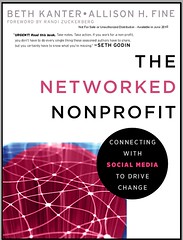
One more post on The Networked Nonprofit: Connecting with Social Media to Drive Change, by Beth Kanter and Allison H. Fine. I like the book – good read, and much to think about. I had to do a little “translation” work – non-profits and libraries are similar in some ways, different in others.

On to the subject of this post – social media guidelines! Beth and Allison point out some good ideas for “codifying the social culture” by creating social media guidelines for staff.

In the process, they two useful posts:

#1 – 10 Must-Haves for Your Social Media Policy, from Mashable. Their points are really good, and include: Be Responsible for What You Write, Consider Your Audience, and Bring Value. Go read the post – good stuff there.

#2 – A Twitterable Twitter Policy, from the Gruntled Employees blog. Again, another great post – go read it. But here’s the tweetable policy: Be professional, kind, discreet, authentic. Represent us well. Remember that you can’t control it once you hit “update.” They call it a Twitter Policy, but I think it works pretty well for any social media.

So – good stuff. Check out the book!

3 comments

#followalibrary Day is Oct 1

by David Lee King on September 23, 2010

October 1st is Follow A Library Day on Twitter!

It’s an easy enough thing to participate in. The Follow a Library website suggests this: “Participating is very simple: tweet on October 1st what your favorite twittering library (or libraries) is (or are). Use in your tweet the hashtag (or keyword) #followalibrary.”

Simple stuff, right?

Why not push that idea 1-2 steps further, to get a bit more bang out of your buck? On Oct 1, do what the organizers suggest – ask your Twitter followers to tweet their favorite Twittering library, using the #followalibrary hashtag.

THEN, do three more things:

  1. Using your library’s Twitter account, actually ASK FOR FOLLOWERS. It IS Follow A Library day, and all. Make sure to use the #gfollowalibrary hashtag.
  2. Then ask your followers to retweet those posts. What’s that do? My library has 1427 followers… what if all of those followers retweeted those messages? And then shared what THEIR favorite library was with all those Twitter followers? Much better reach that way.
  3. Then ask another question using the #followalibrary hashtag – ask “Why are we your favorite library?” Those responses have the potential to be pretty valuable! Use responses as sort of a “check-in” with your library patrons, and share them with staff. Is it what you expected? Listen to what your twitter followers say about you and your library!

OK – one more thing here. You’ve just asked your community to follow your library’s Twitter account on October 1st.

What are you going to do to SUSTAIN that growth on October 2nd?

3 comments

Get to Know your Free Agents

by David Lee King on September 22, 2010

The Networked Nonprofit: Connecting with Social Media to Drive Change, by Beth Kanter and Allison H. Fine. Good book!

In the first part of the book (pgs 15-20 or so) they talk about the rise of “free agents.” In the nonprofit world, free agents “are individuals working outside of organizations to organize, mobilize, raise funds, and communicate with constituents” (pg 15).

As I read that, I thought “you know, with a little tweaking of that definition, it works pretty well as a definition of some of our “super patrons.” You know who they are, right? For libraries, this is the group that “likes” your Facebook status updates, or comments. A lot. They RT you in Twitter. They are the Mayor of you library in Foursquare. And they tend to show up to your on-site events, too.

Beth and Allison suggest a few “rules of engagement” for their free agents – let’s see if these rules work for library “super patrons” too:

Get to know the free agents. the authors suggest really getting to know the free agents – read their blogs, subscribe to their Twitter feeds, friend them on Facebook. Email them, call them, take them to lunch. Find out why they do what they do.

Does this work for our super patrons? I think so. Why? You need to find out why they like your organization so much, and how you can help them like it more – because if they like it, others probably will, too. Plus, it’s a way for you to interact with a very pro-active library user. Think focus groups on steroids.

Break out of silos. The authors’ goal here is to help non profits break out of their usual cliques and interact with people of similar interests who embrace the same cause, but not necessarily your specific formal organization.

Work for libraries? I think so. Think of a fairly normal public library… most of the public services staff will know Joe, who physically visits the library every Tuesday and Thursday and asks questions at the reference desk. But how about Emily, who frequents their Facebook Page? Very possibly not – or at least, fewer staff will know about her. Sounds like a silo that needs breaking out of.

Young people and free agents need to explore and learn about issues and sort out their feelings about them.
The goal here is to get organizations and free agents together, so the formal organizations can be challenged by a new way of thinking.

Work for libraries? It’s certainly worked for my library. We met with approximately 70  community leaders, who helped us create our current strategic plan.

Don’t ignore the newcomer. In the non-profit world, sometimes unknowns do amazing things.

How about in libraries? In Topeka, we have a group of younger professionals who are doing some cool things in Topeka, including doing enough online marketing about Google’s Fiber Internet project that on April Fool’s Day, Google jokingly renamed themselves Topeka. Should the library be networking with that loose-knit group? You betcha.

Keep the welcome sign lit. Free agents don’t always stick around … and that’s ok. We need to stay available and ready to work with them when they come back around, get interested in us again. Definitely works for libraries.

Let them go. OK – this was a lame one – basically another way to say Keep the welcome sign lit…

Don’t be afraid to follow. It doesn’t matter who came up with the idea if it’s a good one. Definitely works for libraries, too!

If I come across some other juicy tidbits from this book, I’ll share it. But go ahead and read it for yourselves, then tell ME what you liked about it!

bookjacket pic by cambodia4kidsorg

5 comments

Playing with Postling

by David Lee King on September 20, 2010

check out postling

Last post, I showed off SocialMention. This time, let’s look at Postling, at postling.com.

Postling is a nice compliment to socialmention. While socialmention scours the web for mentions of a search term, Postling gathers all the different conversations and comments about you from your various social media accounts.

I’m still experimenting with it. Right now, I have added my library’s Facebook Pages (three of them), our main Twitter account, and our Flickr account. What’s this get me? Postling shows me two things – all published posts (think tweets and Facebook status updates), and all comments left on each of those posts and photos.

So it’s one handy place to keep track of comments on social media outposts. I can take it a bit further, and add in our LinkedIn and Yelp accounts, too (though we don’t get too many comments in those places).

Then I get a daily email with all comments in one handy place (as in my email inbox). Links to the comment are included, so I can add responses if needed.

I’d love to add in our Youtube account – we get occasional comments there, too.

Interestingly, Postling captures some Facebook comments that I can’t really do anything with. It seems to go further out than just the discussion on the library’s Facebook Page – it seems to also capture some comments by “friends of friends” that I can’t see, because they aren’t my friend – but they come through in my daily Postling email. And if I can see the actual status update, I still can’t respond, unless I friend the person first. Weird.

Anyone else using Postling? If so – what do you like/dislike about it?

12 comments

Check Out WeAreVisible.com

by David Lee King on September 16, 2010

One of the first times I heard about blogs was around 10 years ago. Homeless people were coming into the library where I worked, and were using our public computers to set up blogs to share their experiences.

I thought it was sorta cool at the time – they were WAY ahead of the techie curve! Well, enter WeAreVisible.com – a creation of Invisible People. According to their press release, they have:

“… launched the WeAreVisible.com social media literacy website to help homeless people learn how to use the Internet to tell their stories, build community and connect with support services.

WeAreVisible.com’s mission is to give people dealing with poverty and homelessness the tools they need to get online and have a voice. The site teaches them how to sign up for email, open a Twitter account, join Facebook, create a blog and, in general, take advantage of the benefits of online social media. It also has the potential to become a model for virtual case management as it helps build a community among homeless people and support service providers.

WeAreVisible.com is a complement to the InvisiblePeople.tv video blog (vlog), which was launched in 2008 to make the “invisible people” in society more visible. Together, the two sites offer homeless people a unique opportunity to take part in the Internet revolution.”

Honestly, the WeAreVisible website has some great, easy-to-use tutorials on how to set up Twitter, facebook, and email accounts – no matter if you’re homeless or not. Good stuff.

Mark Horvath, head of Invisible People, is heading up this project, and is reaching out to public libraries … so check out the WeAreVisible website, and connect with them if you’re interested in finding out more.

Be the first to comment

Social Mentions with socialmention

by David Lee King on September 16, 2010

check out socialmention.com

One social media tracking tool I’ve been using for the library lately is SocialMention, at socialmention.com.

From their about page – “Social Mention … allows you to easily track and measure what people are saying about you, your company, a new product, or any topic across the web’s social media landscape in real-time. Social Mention monitors 100+ social media properties directly including: Twitter, Facebook, FriendFeed, YouTube, Digg, Google etc.”

So how do I use it? In the search box, I did a search for topeka library – that search catches most of the variations of my library’s name (Topeka & Shawnee County Public Library). Most people tend to tweet or Facebook phrases like “headed to Topeka to visit the library” or “Topeka has a great library.” Or they might mention “Topeka Public Library.”

I don’t narrow the search, though you can. If you want, you can create separate searches for blogs, microblogs, networks, bookmarks, comments, etc. And this becomes more important in the next paragraph…

… because each search has an RSS feed and/or an email alert that goes along with it. So what I do is this – I do that topeka library search, then subscribe to the email alerts.

What’s this get me? Every morning, I get an email from Social Mention with a list of mentions of the library with links to the original. I usually get tweets and Facebook status updates, some Foursquare checkins, and some blog mentions. Honestly, there’s a lot of blog spam mentions that appear as well. Also any time we’re mentioned in the media, that comes through, too.

Then I click through each link, answer any questions that appear (not too many), sometimes add a comment to a discussion, and send any interesting media mentions to our marketing manager and maybe our deputy director. I also copy/paste the more interesting mentions into a semi regular staff intranet blog post, so staff can see who’s saying what about us.

So… why am I doing this? I’m a digital branch manager – it helps me keep track of what people are saying about the library via their favorite digital spaces. It also lets me quickly see just what digital spaces people are using (Topekans definitely favor Twitter and Facebook right now).

I recommend checking out socialmention.com – there’s probably a whole lot more you can do with it!

14 comments

Facebook vs Google?

by David Lee King on September 14, 2010

Just saw this post and a couple others that commented on it – Facebook Passes Google in “Time Spent” – What Does it Mean?

What does it mean? Honestly, it could mean any number of things. But let’s take a peek at the accompanying graphic first:

Here’s what I think it might mean:

  1. Well, duh. Facebook is a social place where you connect with people you like. Google’s a search engine. Apples and oranges. ‘Nuf said.
  2. Related to #1 – Google’s main thing – their search engine – has been #1 for a long time. But the web has been morphing from primarily a place you surf and search for content to a place where you connect with people. You can see that in the graphic above – look at the mix of search engines, social places, email, etc.
  3. #2 leads to my last point – not certain the percentages are an accurate reflection of reality. Why? Well – they’re comparing Facebook – where you can do lots of stuff, like chat, watch videos, see pics of people, leave status updates, do Facebook PM emails, etc – to only Google’s search engine. But if you add up all the Google properties in this top 20 list – Google, YouTube, Gmail, and Google Maps – Google still clearly comes out on top.

Just picky this morning!

3 comments

Resistance vs Management

by David Lee King on September 13, 2010

Kathy left a comment on my Posting and Traffic post, saying “I started off being the only one posting to our library blog. Then management decided that everybody contributing to it would be a good idea, so they put out a schedule. People were resistant, and kept “forgetting”. Now it’s back to…just me posting..”

Instead of the volunteer problem in the last post, this time the problem is two-fold:

1: staff not doing what they’re supposed to do
2: managers not doing what they’re supposed to do

Let’s use the reference desk as an example again. Managers – would you let people say “Nah, I’m not going to show up at the ref desk today. It’s just not a priority for me.” Um, no. That person would be booted out the door pretty fast, I’m guessing.

So what’s happening here? Honestly, it could be any number of things, including:

  • managers don’t really think it’s a priority
  • managers think someone’s assigned to monitor it, but no one really is
  • someone really IS assigned to monitor it, but isn’t doing it
  • someone’s not reporting the problem back to the managers
  • there’s no follow-through with staff, as in training, prodding, reminding … and talking to his/her manager as a last resort
  • probably many more possibilities here!

But really, the problem and the solution lies fully on management. Those “resistant” staff? That solution’s easy. Assign the work, then monitor it – just like any other part of the job.

Managers – do your job. And write a few blog posts, too, while you’re at it. Model the way for your staff. But do YOUR job, that of managing people and resources, and see what happens.

pic by eflon

4 comments