Content

Social Media as Place

by David Lee King on January 19, 2012

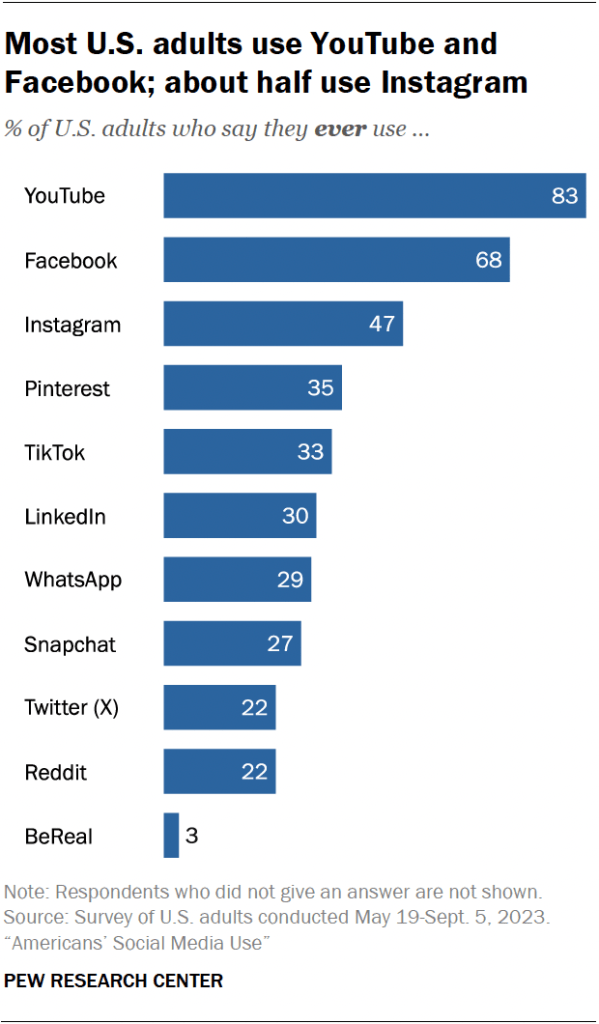
My last post about those billboards reminded me about the difference between a library’s normal forms of content (books, DVDs, music CDs, etc) and social media.

What’s that difference?

  • Content – a book, a video, etc – is something you DO. You read a book, you watch a movie.
  • Social Media is a place you visit in order to DO. You visit Facebook in order to share something with your mom.

Think of social media as a crowded room in a pretty social setting. A bar, a party, hanging out with friends, etc. You go there to talk, to share, to listen. It’s a place you visit so that you can do something.

There are a couple of cool intersections though. Things like this:

  • Go to Twitter (a place) to talk (something to do) about a book that everyone’s reading (content).
  • Visiting the library (a place) to use the computer to access Facebook to reconnect with a friend (something to do).

So librarians … use your mad powers of social media to connect with your customers to talk about your content. Then see what happens.

image by Bigstock

2 comments

Update those Library Policy pages!

by David Lee King on January 3, 2012

This morning, I’ve been watching a small PR fiasco unfold. According to CBS Boston, Charlton Public Library sent a police officer to collect overdue books from a 5-year-old. The story also made the Drudge Report and the UK’s Daily Mail – gotta love that international media attention!

OK – there’s obviously a LOT more to the story that was left out. For example, there’s no mention in the article of the reporter actually talking to library staff, who could have filled in the details (they DID talk to the library – it’s mentioned in the video version of the story).

Via Facebook, the library filled in some pertinent details (i.e., what actually happened) after getting some nasty Facebook comments:

“Library materials are purchased using taxpayer dollars. We feel as library staff that it is our duty to safeguard those tax dollars. We have asked the Charlton Police Dept. to help recover items from those patrons who have been delinquent in returning materials for more than 6 months and who have at least $100 worth of unreturned materials at their homes. We follow our standard procedure of phonecalls and/or emails to remind patrons to return their materials. A bill is sent out once an item is overdue for a month. Sending out the police is a last resort effort to get back some of our most valuable items. The police visited 13 families whose outstanding balance totaled $2634.00 in library materials.” (from Charlton Public Library’s Facebook Page - also just added to the main page of the library’s website).

So good for them for using Facebook and their website to quickly respond to the story.

After I read the article, I first visited the library’s website and tried to find their fines and fees policy. Here’s all I found (until they updated the site and their Facebook Page):

  • Print and audio materials accrue a  10 cent daily overdue fine with a $3.00 maximum fine per item.
  • Dvd and video items accrue a $1.00 daily overdue fine with a maximum fine of $5.00 per item.
  • Patrons are responsible for the repair or replacement of lost or damaged items. Failure to pay fines or damages will result in the loss of borrowing privileges at C/WMARS libraries.
  • from their Library Services page

What’s missing here? Any information about the process, what happens if you don’t pay your late fees, etc – other than the “loss of borrowing privileges” info. That sounds VERY different than explanation from the library quoted above, doesn’t it?

How can this be improved? Simple – if you have a policy, a guideline, a process for fines and fees (or for anything else, for that matter) – put it on your website. Probably in a Library Policies section, or a link to appropriate places on your site. For example, the late fee policy/process could be added to your “get a library card” page.

Then, when the media calls asking why you’re sending police to a poor 5 year old child, you can explain … but you can also email them a link to the appropriate policy and process.

Question – if one of your library customers had a policy-type question, could that question be answered using your  website?

Update button by Bigstock

3 comments

Most Popular Posts and Videos of 2011

by David Lee King on December 30, 2011

Here’s a list of some of my most popular content from 2011, including blog posts, videos, photos, and presentations. I hope you enjoy poking through this list, and more importantly, following along – reading, watching, viewing, etc – in 2012!

Most Popular Blog Posts of 2011:

Most Popular Videos of 2011:

  • i-microphone for the iphone – the Edutige EIM-001 (embedded below) – me testing out an iPhone microphone. Viewed 5574 times and counting, mainly because the US distributor put a link to my video on their website.
  • Testing out my RØDE VideoMic Pro – me testing out another microphone. Viewed 2617 times – proper use of keywords put my video in the first page of hits for “RØDE VideoMic Pro.”
  • Morphwiz – an iPad Music Creation App – me playing with an iPad synthesizer. Viewed 2134 times. Proper use of keywords and tags is the culprit again – this video appears in the first page of hits for “Morphwiz.”
  • OK, and my most popular video ever –  Learning Blues Harp – viewed 63,469 times since 2007. Embarrassingly enough, I’m pretty certain it gets hit so much (and then gets some nasty comments) is because of my poor use of keywords! When I titled the video “Learning Blues harp,” I really meant “I’m just starting to learn blues harp.” Everyone else apparently clicks on the video, thinking “I’m going to learn HOW TO PLAY blues harp from an expert!” Oops.


Most Popular Presentation of 2011:

Most popular photos of 2011:

From Flickr: viewed 289 times…

… and my personal favorite from 2011 in Flickr – my family. Viewed only 16 times, which is actually sorta amazing:

And my most popular pic in Instagram from 2011 (I’m davidleeking on instagram – Instagram is VERY COOL):

Here’s to a great 2011, and to an even better 2012!


Be the first to comment

Content Creation, Media Labs, and Hackerspaces

by David Lee King on December 15, 2011

Skokie Public Library's Digital Media Lab

I’ve been thinking about content creation and libraries lately. Right now, we collect content – hence our shelves of stuff. Yes, we do many other things too. But if you look at our buildings, they have been, by and large, designed for collections of stuff – for collecting content.

Some libraries are changing that focus (or at least adding on to it) by enabling customers to create their own content in a variety of ways … and it’s pretty interesting stuff!

I’ll lump what I’m seeing into three loose categories:

  • Digital Media Labs
  • Hackerspaces
  • Coworking spaces

Digital Media Labs: These spaces have content creation tools that allow customers to create and share video, music, photography, and design projects. Customers have access to computers with editing software, cameras, camcorders, microphones, and musical keyboards.

The best examples I’ve seen of this so far are Skokie Public Library’s Digital Media Lab and Chicago Public Library’s YouMedia project. Skokie’s lab has a greenscreen wall for video projects; Youmedia includes a small recording studio space.

Hackerspaces: ”A hackerspace … is a location where people with common interests, often in computers, technology, science, or digital or electronic art (but also in many other realms) can meet, socialise and/or collaborate … hackers can come together to share resources and knowledge to build and make things” (from Wikipedia).

Basically, hackerspaces tend to be public spaces with tools – 3D printers, drill presses, etc. And people make stuff there. Who’s doing this? Well, Allen County Public Library and Fayetteville Free Library are, for starters.

Coworking Spaces: Coworking is a pretty simple concept. Independent workers, freelancers, small business owners, etc. gather in a shared space to share ideas, team up on projects, and get some work done in a more social setting. It’s an alternative to meeting at home or a local coffee shop.

Libraries have unofficially done this for years (how many of you have heard of a patron who runs his/her business from the library? I’ll bet some of you have). But some libraries are going a step or two further by embedding librarians in these spaces, or even offering coworking spaces as part of their services. Meg Knodl, a librarian at Hennepin County Library, is doing this – here’s an article on what Meg is doing. Helsinki City Library has created some coworking spaces – read more about it here.

For more info, check out these articles:

Question – is your library doing something like this? If so, let me know in the comments!

Photo by Skokie Public Library

6 comments

Amazon, Overdrive, Ebooks … and YOU.

by David Lee King on October 19, 2011

You all read Sarah’s blog, right? (if you’re not, you should be). For those of you that don’t – check out her video rant about Amazon, Overdrive, Kindles, and ebooks (embedded above). There’s a bit of “language” in it … so you have been warned if that bothers you.

Great video, great content. And here’s the deal – Overdrive has basically allowed Amazon to sell their books on YOUR PATRON’S KINDLE. Via the Overdrive Kindle ebooks deal. And you and your library’s tax dollars are … paying for that privilege.

Did Overdrive tell us about that? Nope. Is that cool? Nope. Watch Sarah’s video for the details. And this is besides all the user data/privacy issues that I haven’t seen addressed yet (also discussed in Sarah’s video).

I’m not pointing the finger at Amazon – it’s not their fault. I’d guess they have been planning that functionality for months. Overdrive surely knew about this (I’m guessing here, but we’re talking about normal business practice too). Why didn’t they mention that?

What can you do about this?

  1. For starters - read your contracts/licenses, etc. You don’t have to automatically agree to everything written there – you can actually change things. Or you can try, anyway.
  2. More importantly - if you don’t like what Overdrive “allowed” Amazon to slip in (ie., direct selling and marketing to YOUR PATRONS without your permission) – let them know!
  3. Or … simply don’t buy it.

Overdrive – no more secrets, please! Or if you DID share that and we somehow missed it – could you kindly point out where? Thanks!

14 comments

Internet Librarian 2011, Day 2: Designing for Optimal UX

by David Lee King on October 18, 2011

Nate Hill, Web Librarian, San Jose Public Library

Chris Noll, Noll & Tam Architects

Slide on the screen:

Because of the Internet, access to:
Books and other documents have gone from Read to Read/Write
Photo and video output has gone from View to View/Edit
Music and other audio has gone from Listen to Listen/Remix

Nate is introducing the topic of libraries starting to support content creation, and the models behind that.

Chris:

Contra Costa has used vending machines in shopping malls, etc. Washington County is using reserve boxes.

Boston Chinatown Storefront Library – community driven library

Houston – small small branch…

DC – Kiosk branches…

Greenbridge Library – took a community center, and developed part of it into a library

Idea Stores in London. Mix up libraries, cafes, etc.

Morgan Hill Library – self checkout, check in, self help holds, etc – very self-driven

Nate:

talking about the Digital Public Library or America project and their beta sprint. Realized we will still need physical spaces to create digital content.

LibraryLab idea:

broken into modules like audio and video creation, scanning, collaboration, etc

Chris: talking about creating furniture for these creative types of spaces …

Give people access to tools. Some libraries check out tools or musical instruments. Why not video cameras, microphones, etc?

Why not have design tools – desktop publishing, CAD/CAM tools, 3D printers, etc? The library could support these things.

They want this project to happen … but need funding, etc.

Be the first to comment

Developing a mobile presence: mobile web, usability, and devices

Ebsen Fjord, Nate Hill, Joel Shields

Dissemination with iPads – Ebsen

Boss wanted to spend some money on iPads … They first needed to figure out what they were going to do with them.

Goals for using iPads

  • Strengthen staff knowledge
  • Use as facilitator for interaction in the physical space
  • Educate our patrons
  • Be a tech-savvy library

What did we do?

  • 30 iPad2′s
  • Staff members knowledge and competences
  • Apps from apples AppStore – didn’t want to develop their own things, but just use what was already out there
  • The physical library

activities

  • Playing with music
  • Jane Austen reading club
  • Read the daily news on the iPad
  • Angry birds tournament
  • Book reviews on YouTube
  • Workshops

Playing with music

  • Playing instruments, working with sounds, chords, sheet music and mixing
  • 2-3 iPads with relevant apps
  • 1 iPad with musicquiz

Jane Austin

  • English language reading club for expats
  • iPads with Jane Austin manuscripts, books, analysis, and more
  • They found reading aids, etc – besides just the book

Workshops – patrons exchanging knowledge with each other

Handling and security
Patrons check them out like a book
Some are mounted in a kiosk

************

Nate Hill

San Jose – lessons learned

Scan Jose – historic photos used in a new way

Using google location API for gis stuff

Connected to layar -

Do as I say, not as I’ve done

Obstacles

  • It’s a moving target – platforms change fast
  • Staff changes – completely changed
  • Learned the tech on the fly
  • Content and communication – its not just technology, it’s storytelling. It’s hard!

Used storyboards for interaction prototyping

******************

Joel Shields

Developing a Mobile website for your library

How did I start?

Started by using mobile sites and realizing how not friendly for mobile they were

Created a wish list for the site

App or not – a consideration

  • 4 major platforms, each written in a different language, different developers fees, etc
  • So went with a web app – absolute control, your own standards,and it works on all devices

Used LAMP, written in php

iwebkit – simple framework of help build a mobile interface

Some catalogs have mobile versions too – he used an XML feed, did a bit of development work, and made a mobile version

Audience – targeting students.

M.wrlc.org – demo version

You can log in and make it personal – basically using the catalog account stuff

Now what?

  • Beta testing – find interested people who want to help
  • Advertise
  • Prove it – track use though google analytics

A few things to keep in mind

  • Brevityisthe squalor mobile design
  • Make the URL familiar and easy to typed a mobile device
  • Don’t overdo it
  • Merit personal
  • Ok to leave things out
  • Make it look good
    Plan for the future- leave room for growth
  • Advertise
  • Track usage

Be the first to comment

Internet Librarian 2011: 20 steps to better web services

by David Lee King on October 17, 2011

Sarah Houghton – librarianinblack.net

#1 – where to put your websites.

WordPress. Blogger. Drupal – not really where your website goes… Squarespace – not free, but cheap.

#2 – images.

Gimp. Image editing program.
picasa – edit and host images.
Picnik – simple editing that most people need. Connected to Flickr
Flickr – great place to host, find cc-licensed photos
Pictobrowser – great slideshow for images
Openphoto – free images – high quality

#3 – hot topics

Addictomatic – info gathering place Sarah’s library used this for a local city emergency

#4 – make ur codez priteez

Beautify JavaScript – helps make code pretty – also CSS beautify

#5 – surveys and polls

Google forms – simple and easy
Polldaddy – easy polling

#6 – slider

Wow slider – web based image rotator/slider

#7 – translate

Google translate – easy, adequate.

#8 – remote assistance

Log me in (logmein) – remote access to your pc or Mac – there’s a free version. This is a very quick tool. I sends an email asking for permission to access the other persons computer

#9 – wireframing

Balsamiq – gives pre-made parts and pieces

Wow – 40% of Sarah’s library web traffic is mobile

#10 – testing your mobile stuff

W3c mobileOK Checker

#11 – stats

Google analytics

#12 – Skype

Great place to talk to users, to staff, etc

#13 – social management

Tweetdeck
Namechk – searches dozens of sites to find names that you can use

#14 – webcasts
Slideshares zipcast – works great.

#15 – video

Jaycut – browser based editing tool
YouTube – they have online editing too
Animato
Xtranormal

#16 – audio

Audacity
Podbean – great place to host audio

#17 – learning environments

Moodle

#18 – infographics

Visual.ly

#19 – librarything

#20 – the google

Google plus has some potentially cool stuff…

Helios – from the audience
Cheap calendar … ?

1 comment

Improve your Copywriting!

by David Lee King on September 23, 2011

Smashing magazine logoWant to improve the writing on your library’s website? Check out Five Copywriting Errors That Can Ruin A Company’s Website by Smashing Magazine.

here are their five copywriting errors:

  1. Writing inwardly
  2. Burying the lead
  3. Mediocre meta material
  4. Saying too much
  5. Weak or no Calls to Action

Good stuff – go read it, then work on improving those copywriting skills!

1 comment

Ebook Vendors at #ALA11

by David Lee King on July 5, 2011

I took some time to visit the vendor booths at ALA11 (the annual conference of the American Library Association – over 20,000 librarians descended on New Orleans this year!), and made sure to visit most of the ebook vendors out there – and let me tell you, they are a growing bunch! Here are my observations on the companies and the products I saw.

3M:

3M Cloud3M? Why is a company that makes sticky notes and self-check machines getting into the ebook business? Weird, right? It might be weird, but they also have an interesting-looking product. What are they doing?

  • First off, they are making their own 3M-branded ebook reader. It’s pretty basic, but it works – e-ink and all.
  • They also have a variety of apps for mobile devices and computers.
  • 3M is calling their new service the Cloud Library System because ebooks are stored in two places – on the device and on cloud storage systems. This is handy – you can start reading at your PC, then get on the bus and continue reading via your iPhone, for example – you just have to log into your account, which remembers what page you’re on across hardware devices.
  • What’s it not work on? The Kindle (though they’re in talks with Amazon to change this). It does work on Nooks and iPads, though.
  • 3M also has some pretty cool touch interface kiosks for ebook discovery.
  • Interestingly enough, they’re using one of my blog posts in their presentations! Cool.
  • Find out more…

Blio:

Baker & Taylor is a pretty familiar company to librarians – they’re a book distributor, and many libraries work with them. They have partnered with Blio, a new ebook service. Here’s what I know:

  • Blio is a creation of Ray Kurzweil (yes, THAT Ray Kurzweil) and the National Federation of the Blind, of all things. Baker & Taylor partnered with them to provide content.
  • Blio will read out loud to you (I assume by a computer-generated voice) and lets you take notes, highlight text, etc.
  • Blio’s big selling point is that they are full-color and provide the same graphically-rich experience you’d have reading a print book with pictures. But when I played with their iPad app at their booth,  guess what? The two children’s books I looked at were text-only. Picture Curious George as a text-only book. Not nearly as much fun. I tried to ask their booth people about it, but they were all  busy with other people at the time, so I moved on.
  • I also tried to attend their quick sit-down presentation at the booth – but the exhibit hall was noisy, and the Baker & Taylor people didn’t turn up the speaker’s microphone. I had trouble hearing them, and eventually left the presentation to poke around on my own. Other attendees had the same problem, so I know it wasn’t just me. Guys – it’s a volume knob. Turn it up next time please!
  • Here’s an article on Blio and here’s their website.

Freading:

Freading is the weirdly-named ebook product from Library Ideas, LLC (Freegal is another product of theirs).

  • OK. Can I just say this – they REALLY need to get their web act together. Right now, Library Ideas, LLC has a one-page website that stretches horizontally – sorta odd, if you ask me. They only useful info? An email address. No links, nothing. They could at least install WordPress and put some information out about who they are and what they do – it’s not that hard. Just sayin. [update - Just spoke with Jim Peterson at Library Ideas, and he told me they plan to have a new, marketing-oriented website up in 2-3 weeks. Much needed, so good for them]
  • Freading is an interesting product that’s very different from other models, just like Freegal. They offer patron-driven purchasing of ebooks – a patron picks a book, then the library is charged (the library can set a fee cap).
  • Freading uses a “token” metaphor for patron checkout. The patron gets five tokens a week to “spend” on ebooks. Popular books might “cost” more than one token, and less popular books might be just one token each. That’s all the patron gets to use for that week. I’m not convinced patrons will pick up on the “token” model very fast – we don’t really use tokens for anything else, so not sure how that model will connect with patrons … [update - the library determines the number of tokens their patrons get for the week]
  • Books are checked out for two weeks, then can be renewed once. Who decided two weeks? Not sure.
  • They’re in talks with larger publishers, but right now have some smaller publishers on board.
  • Glad to see a newer company trying to be innovative in a market that’s growing fast!

Overdrive WIN:

Overdrive has overhauled their interface, and their service … and named it Overdrive WIN. Here are some of the changes they’ve made:

  • They have streamlined the Overdrive product – I didn’t’ really play with it, but it’s supposed to be MUCH easier to use
  • They’re offering support for Kindles starting later this year
  • You’ll have immediate access to the first 10% of many ebooks – even if someone else has it checked out. That’s cool.
  • They’ll have patron-driven acquisitions, and a Want it Now feature that goes to online booksellers like Amazon. Just add a library Amazon Affiliates account, and you’ll make a little money every time a patron buys a book for themselves using that link.
  • There are some ebooks with simultaneous access, so no waiting in a virtual line for these titles.
  • Overdrive is also working to get ebook titles and links into library catalogs, so there aren’t two different places patrons have to go for content, which is a much-needed feature.

I didn’t get to eBrary or Recorded Books. There were probably a few other ebook vendors I missed, too!

So – four very different models of library-friendly ebooks out there. Any one model better than another? I don’t really think so. It really depends on the most-needed features your patrons have been requesting, and which of the different pricing models work best for your institution. And remember – the ebook market is growing like gangbusters – next year, it will look very different from what we have now.

23 comments