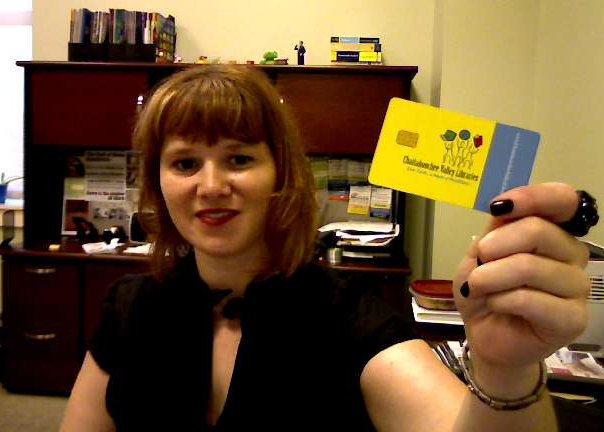
 If you haven’t seen it yet, go read Bobbi Newman’s article on Why Libraries Should Look Beyond Library Card Ownership as a Measure of Support. Bobbi sometimes has a slightly different perspective than me, so her articles make me think.
I left a comment on her post that said this:
Yes … but. It’s also a problem of simple marketing. We aren’t offering something those people want, so they don’t use the library.
Perhaps we should ask them about their information/entertainment/distraction needs, and see if we can meet those?
I wanted to expand that thought a bit more – hence this article! The point that hit me in Bobbi’s post was her last paragraph:
Rather than focusing on the percentage of the community that has a library card, libraries would be better off focusing on public support of the library and accepting that some people don’t use the library for one reason or another.
Do I agree with that? Well, yes and no. Here’s what I mean.
No, I don’t agree with Bobbi:
First off, for my original response. I think many libraries could get more cardholders simply by:
- asking their community what they want, and what’s missing.
- Then working hard to provide those things.
That’s basic marketing and promotion, and most of us library types really don’t do marketing and promotion all that well. Figure it out, and you’ll get more cardholders – simple (well, not really simple. But you get my drift). There are definitely “potential cardholders†out there who want your library’s services … they just haven’t yet bothered to get a library card for one reason or another. With a little nudging, they just might get one.
Yes, Bobbi’s right #1:
Then again, focusing on “people who don’t have library cards†is probably NOT the best approach. Your library should have a strategic plan focused on narrower groups of people.
For example, maybe one of your library’s long-range goals is to attract more kids age 5-10 to the library. In this case, who should you target? Certainly not everyone, and not “people without library cards.†Why? Because not all of those people have kids age 5-10.
Instead, you should focus pretty specifically on young parents. Do that well, and you will attract more library card holders … within that targeted group. In the process, you’ll be working towards achieving that long-range goal.
Yes, Bobbi’s right #2:
Or, for something completely different – don’t work too hard on those people who don’t use your services. Instead, why not focus pretty heavily on your current customers? For example, my library has 92,000 or so library card holders. Why not provide those library users with the most awesome library experience ever? Or even narrow that down further to our most engaged customers (those Library Lovers that Bobbie mentions)?
Focus on that top 1% of your most engaged customers, and they will do quite a bit of word-of-mouth marketing for you. Other businesses and brands do this pretty successfully all the time. For example:
- Lady Gaga focuses on her Little Monsters – her most engaged fans (the top 1% of her audience)
- Maker’s Mark does a similar thing with their Ambassadors program, focused on their top fans
Here are a couple more articles on that concept:
- 5 Marketing Lessons from Lady Gaga
- Who Are your Superfans? Five WOM Tips PR Can Learn from Lady Gaga, Shaun White and Justin Timberlake
So … what do you think? What’s your response to Bobbi’s article, and to the Pew Report she mentions?
Photo by Bobbi Newman (perfect for this post!)
 Have you heard about street pianos? Some cities have taken old upright pianos, refurbished them, had an artist paint them, and have “installed” them in public spaces.
 I’ve been seeing a LOT of ReTweets of a guest post I did today, so I thought I’d share it here, too. I recently posted