training

23 Things Summit notes

by David Lee King on March 3, 2009

Today, I participated in the 23 Things Summit, a webinar focused on exploring and improving Learning 2.0/23 Things programs put on by Webjunction, MaintainIT, TechSoup, and Topeka & Shawnee County Public Library. For my tiny part of the summit, I interviewed Helene Blowers and Michael Sauers. Here are notes on other people I listened to:

Twitter hashtag – #23smt

I interviewed Helene Blowers – here are my questions:

  • The concept of a Learning 2.0 or a 23 Things program originated with you, I believe. Can you share where this idea came from? Why did you start it? What was going on?
  • How did you start the program? Was it considered employee training? Did everyone at the library have to participate? Was there some impetus from admin to go through the program?
  • You did the first one – How did it go for your library?
  • If you could go back and do it differently, what would you change and why?
  • Was there any resistance with staff, lower or upper level?
  • It’s now global – how did it start taking off? Where is it now?

Jen Maney

They did 13 things – put them on a wiki

ended up doing a program for the whole state of arizona

2 goals:

  1. encourage exploration of 2.0 tools
  2. provide staff with new tools to better support the role of libraries as places of discovery

3 rules:

  1. give yourself permission to play
  2. make time for discovery
  3. have fun!

what we did right: included things relevant to area libraries, like online gaming, digital downloads – nice.

cool outcomes included: connections between people, rural library participation, early and late beginners, people did it at home, dial up didn’t stop them!, empowerment, not just for young people anymore!

Needed more communication!

Needed more local facilitation, have “a buddy” to help them

more incentives

13% completion rate – numbers weren’t the goal – people are still working on it

Ann Walker Smalley, Ruth Solie

From Minnesota

used blog as delivery method – 23thingsonastick.blogspot.com

tried to avoid things that were downloadable because of public lbirary policies

wow – some libraries actually unblocked things that were blocked just for this program – very cool

1600 registered participants! Wow. 600 finished, 38% finish rate. They received a USB flash drive. Nice.

********

Next up, me interviewing Michael Sauers

He presented, then I asked two questions:

  • How do you set up getting CE Credits for this? Great idea
  • Has anything come of your program yet, like new services, new blogs, etc?

**********

Bobbi Newman

Missouri River Regional Library – first in the USA to do this after Charlotte’s original program

added MySpace because MySpace was getting bad press, but users were using it so they wanted staff to be familiar with it

Their program ran a full year

Lifelong learning was important

(sorry, I missed stuff here! My bad)

**************

Shirley Biladeau

[aside - our twitter hashtag, #23smt, has trended - it's #9 right now]

Their program info is here

They encouraged library directors to encourage their staff. Nice.

**************

Q & A

Facilitated by Stephanie Gerding

Q: How do you get buy-in? How to sell this to management? How do you champion the concept of 2.0 to a 1.0 team?

A: Jen – it takes time. Admin has to hear about this stuff more than once.

Q: How do you encourage play?

A: Have peers do the coaching/mentoring

Q: How much time per week is needed for this program?

A: One hour

A: Michael – the answer is: it varies widely person to person. Some people spent 15 minutes, some spent 6 hours, etc.

A: Bobbi – they originally thought 2 hours a week, but participants told them they needed much more time than that

Q: For those running the program – how much time?

A: Bobbi – round 1 took a lot of time! At night, on her own time… Round 2 – comments were left on the official blog rather than on everyone’s blogs

A: Jen had a student working 20 hours a week on this

Q: incentives

A: Michael – used donations

A: Vendors

A: Certificate of completion, mp3 players

A: library association funds!

A: CE certificate credit

A: Bobbi – their team paid for completion gifts out of their own pocket because they believed in it so much – cool

Q: How did you measure participation and completion?

A: spreadsheet – someone used Google spreadsheet

A: Used SurveyMonkey to do a survey about what got answered

Q: DId you use an online community or CMS?

A: Ning, Drupal, wetpaint, Blogger, etc – a variety

Q: Replicating?

A: school librarians DID participate, but had to do it from home because most of the tools used were blocked

Q: did small libraries participate?

A: yes – many one-person-staff libraries did

Q: How did it change your styles as coordinator?

A: converted people to the “go play with it” style

A: remember that people learn in many different styles

Q: Has anyone done a 23 things styled program for patrons?

A: great idea

A: Metronet in MN is doing one with highschool students

Q: How do you deal with people who say they don’t have time?

A: Michael – make it continuous, flexible

A: no time is good for everyone, so provide options

A: make it relevant to their lives

Q: Did anyone use Second Life as a thing to learn?

A: No…

A: Michael mentioned that SL has an extra download component, and many sites can’t or don’t want to install extra software…

Q: Impact on community

A: help patrons with the tools they’re using

A: Bobbi – Outreach tools

I missed a lot! Thankfully, the archive is here.

7 comments

Tinkering in the Techie Toybox – my presentation

by David Lee King on November 14, 2008

I just finished a webcast presentation for the SirsiDynix Institute titled Tinkering in the Techie Toybox: Staying on Top of Consumer Technology. As promised, here are some links mentioned in the presentation:

And a copy of my slides (SirsiDynix recorded the presentation and will be posting that, probably within the next week or so).

10 comments

Presentation Tips

by David Lee King on September 5, 2008

My intro notesBrenda Hough asked me to come up with some presentation tips for online and “normal” presentations… and I decided to post them! So…

When I’m planning out a presentation, here’s what I generally do:

  • Use a mind mapping program to outline the presentation. I use MindJet’s MindManager Pro, but any will do. I like the more “visual” way mind maps work – I can randomly come up with ideas around a topic, then easily arrange those ideas into points and sections as needed.
  • Turn the mind map into slides. Most of what I have on the mind map ends up being dumped into the presenter notes of Keynote.
  • Customize the slides. I’ll find a slide template I like, then hack away at it – usually, the default bullet points/text/ sizes/etc don’t match what’s in my head, so I pretty much make each slide from scratch, moving text around, adding images, etc until I like what I see.
  • Make sure I have strong intros, transitions, and an ending.
  • By this point, the topic is stuck in my head, so I don’t rehearse much at all. Usually the night before my presentation, I’ll run through it once – and customize if I need to (ie., “dang! It’s WAY TOO LONG – I’d better cut stuff”).

Other tips:

For any presentation:

  • Don’t read your outline – your audience can do that! Instead, talk around the outline
  • tell stories to make a point
  • use graphics that enhance that story or point
  • if you can, use the presenter notes part of Powerpoint or Keynote. This helps you still “feel” like you’re reading from a script (if you need the safety net or have specific points to remember), while at the same time not having that “I’m reading my outline to you” sound.
  • Transitions are important! So – make sure to have a strong intro, a strong finish, and make transitions between segments obvious.
  • If you can be humorous, do it. If you aren’t that humorous, DON’T TRY.
  • Nerves – everyone gets nervous before a presentation. Remember – attendees did not come to critique you or laugh at your choice of clothes. They are attending your session because they thought the topic sounded interesting, and want (or hope) to learn something.
  • Spell check! Remember – we’re speaking to librarians. They will notice. I know… I once left out the “L” in “Public.” I was told. <how embarrasing>
  • Make sure your talk covers whatever was listed in the presentation description.
  • speak clearly. Slow down.

For online, “webinar” presentations:

  • All the stuff above still applies
  • test out all the technology the day before! You need to make sure that you can actually deliver the presentation.
  • If using a microphone instead of the telephone to deliver audio, if you can, invest in a better-quality USB mic. You will sound better.
  • Pace yourself! When you’re presenting by yourself, in an empty room, it can feel weird – like you’re practicing instead of actually presenting.
  • Turn your phone, email alerts, twitter alerts, etc off if they make noise – your microphone will hear it!
  • Shut your door, if you have one. If not, use a meeting room with a door if possible.
  • Pretend that you’re speaking to someone who is captivated by your presentation. You most likely really are… but you can’t see them, so it helps to visualize the person.
  • if you can use interactive components, like a polling system, a raising hands system, or even a Q&A at the end, do it.

For training sessions:

  • make sure attendees know they can ask questions. I usually pause between each major section and ask “any questions?” Then pause. For what seems like a long time.
  • let people interrupt you – and tell them it’s ok to do it. They’re attending to learn – not to hear you speak.
  • at the same time, if you have a “needy” trainee who just isn’t getting it, you might have to tell that person to hold off on more questions, so you can finish a section on time – then get with him/her on break or after the session to go more in-depth.

Anyone else have thoughts? Add ‘em in the comments!

14 comments

Semanal: Post One Video Per Week for all of 2008

by David Lee King on February 14, 2008

The few of you who actually follow my videoblog might have noticed I’ve been posting more video lately. There’s a reason for that… I’ve gone insane! No… seriously, it’s because I’m participating in something called Semanal. What’s that? From the Semanal website:

“Semanal is an open project where you post one video a week. You can join in the fun at anytime. We are a group of video creators who are encouraging each other, instead of stifling each other with rules. Post the video on your own blog, but link to it here. Just click on the current week and put your links in the comment fields. See how others are doing it.”

It’s a fun challenge for me – trying to come up with 52 video ideas and post one per week. And it’s a great way to hone my fledgling video-taking-and-editing skills. And it’s a good example of what I mean when I say “play.” The only way to get better at something is to do it, right?

Be the first to comment

A Better Experience Begins with Staff

by David Lee King on February 12, 2008

From the MSN Money site (via Steven M. Cohen’s Shared Items in Google): “This unique in-store education event signals the company’s focus on transforming the Starbucks Experience for both customers and partners. Starbucks hopes any customers inconvenienced by the early closures will see this as an investment that will have long term benefits. For their part, Starbucks partners will have an opportunity to connect and deepen their passion for coffee with the ultimate goal of transforming the customer experience.”

What’s going on? Every Starbucks is closing from 5:30pm-8:30pm on February 26 in order to “truly enjoy the art of espresso as Starbucks baristas demonstrate their passion to pull the perfect shot, steam milk to order, and customize their favorite beverage.”

OK – get past the silly corporate schnozz and focus on what Starbucks just said:

  1. Their goal? transforming the Starbucks Experience.
  2. Where did they start? Their employees.

Starbucks gave their in-store experience some thought, and realized the “main thing” is their expresso drinks. So … why not train staff to make the best expressos?

Now – what’s your library’s “expresso” or “main thing” that everyone needs to know about? Here’s an example: A “Big Thing” at my library is our new website (which I’ll be posting about soon!). This afternoon, our Digital Services Supervisor and myself are holding the first of many training sessions on how to post to it (much bloggy goodness) and how to write for the web.

What are the things everyone working at your library needs to know? And … what are you doing about it?

10 comments

IL2007, Day 2: Encouraging and Building your Techie Team

by David Lee King on November 1, 2007

Michael Stephens and Sarah Houghton-Jan
Building your techie team: tips for training staff – they were creative – this presentation was built around the word “experiment:”

Engage – use real world examples, stay relevant, highlight tips and tricks

Xenagogue – become a guide through a strange land, be available and accessible, encourage student independence

Play – encourage exploration, allow fun to happen, make exercises and discussions lighthearted

Explain – provide context for all topics, repeat ourself, offer handouts and online materials

Reward – right answers, participation, completion, presence

Imagine – ask students to dream up applications and concepts at the end of the class, be inspired by the muse, don’t dismiss them

Mentor – treat students like adults, be available for questions, etc… expect success!

Empower – use the tool that you’re teaching about in the class

New – there is always something new… hold an entire class on dealing with change. Hmm…

Time – enough time for practice, questions, training should precede technology launches by weeks at the least…

Be the first to comment

Meredith Farkas:

issue – lots of people don’t have access to continuing education programs

hands-on learning is important

online courses can be run cheaply

talked about Five Weeks to a Social Library:

had 40 participants, all kinds of libraries

tools used:

drupal – it allows multiple blogs, all in the same place, and static content, too

blip.tv

opal

lessons:

playing with technology is essential to learning technology

reflective learning makes ideas stick

learning from peers can be more important than learning from a sage on the stage

online learning can be developed on the cheap

Helene Blowers:

Lego Building: Learning through Play

learning 2.0 has been duplicated over 200 times internationally – coolness.

what can you do to continually keep up with changes?

need to think of ourselves as players

(note to self – still print out presentation… Helene had some tech problems)

becomes a knowledge player

  • take 15 minutes a day to explore something new
  • subscribe to 5 blogs: librarianinblack – sarah does a great job at short informative posts; techcrunch; what i learned today – Nicole does reflective learning stuff; wired; learning 2.0 – 3 new things a month
  • tag “play items” in del.icio.us
  • create a learning blog
  • PLAY!!! give yourself and others permission to play.

become a guide – someone who exhibits and explains points of interest

become a discovery guide:

  • it’s about learning
  • remove the classroom
  • exposure is the 1st step towards learning
  • learners have as much to share as guides
  • focus on FUN

Be the first to comment

Topeka’s Techie Toybox

by David Lee King on October 23, 2007

Blue Snowball USB MicrophoneI thought some of you might be interested in my library’s “techie toybox” that I have been purchasing over the summer. What is a techie toybox? In our case, it’s a bunch of gadgets, cameras, and the like that library staff can check out and, well, do stuff with. Here’s the list of gadgets (photos of most can be seen here), and some suggestions I gave (on one of our staff blogs) for starters on how to use them:

*****************

The Techie Toybox was started by a generous gift from the Friends. With it, we were able to purchase some “techie toys” with a few goals in mind:

  • keeping our staff current on new technology
  • allowing us to “try out” gadgets our customers are using
  • Allowing us to start creating multimedia content for the digital branch

Here’s what we have (with some starter ideas for trying the techie toys out – don’t limit yourselves to my ideas, though!):

Cameras:

  • Canon Powershot Pro S3 IS – digital camera
  • Canon Powershot A710 IS – digital camera

What can you do with these? Photograph library programs and events, what’s happening at the library, departmental photos, etc – and dump the photos into the library’s flickr account. For starters…

Video Camcorders:

  • Sanyo Xacti HD2 – ultra small video camera, saves to an SD card
  • Sony HDR-SR7 Handycam High Definition Camcorder – consumer-level camera, saves to internal hard drive
  • Panasonic PV-GS320 Camcorder – consumer-level camera, saves to Mini DV tapes
  • Canon GL2 Digital Camcorder – Prosumer-level camcorder, saves to Mini DV tapes
  • Logitech QuickCam Pro 5000 – desktop webcam

What can you do with these? Same as above, but with video instead of audio. Dump videos into the library’s YouTube account. Do something original… Start a weekly “what’s going on at the library” video magazine…

Portable PCs:

  • HP Pavilion tx1000 – tablet PC
  • OQO Model 02 – Ultra portable “fits in your pocket” PC

What can you do with these? See if you can work your desk shift using one of these rather than a service desk PC! Try roaming the stacks (both hook up to our wifi system). You will probably need some type of video editing program too… talk to Digital Services first (unless you already have some editing software, then go for it!).

Microphones and Audio recording:

  • Edirol R-09 24-bit Wave/MP3 Recorder – portable audio recorder, records to an SD card
  • Blue Snowball – upper-end USB microphone
  • Samson C01U – mid-level USB microphone
  • Logitech Desktop Mic – entry-level USB microphone

What can you do with these? Record podcasts! Become a “library reporter for a day!” Podcast your committee minutes (ok, that one’s pretty boring… but might be useful, too). You will need audio editing software if you plan to play much with the audio files. Talk to Digital Services to get Audacity, an excellent, free, open source editing program.

Video/MP3 Players:

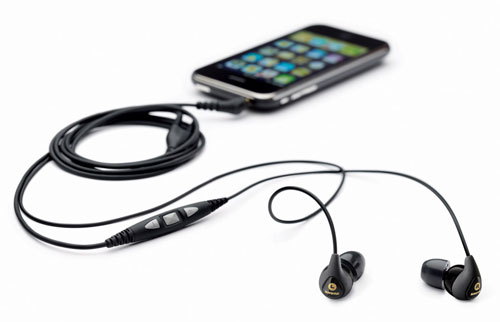
  • iPod Touch – new Apple MP3 and video player, and mobile web browser
  • Microsoft Zune – mp3 and video player
  • Video iPod – mp3 and video player
  • Creative Zen Vision – mp3 and video player
  • Sansa 1 gb MP3 player – mp3 player

What can you do with these? Some of them will allow you to listen to our OverDrive ebooks. Others won’t, but our patrons are using them – so get familiar with them! Find out what you can and can’t do – what free ebooks are out there that WILL work… free music sites, etc. Play with the video – see what the video you made with the video equipment (above) looks like in a tiny format… Again, it’s possible that Digital services will need to hook you up with the appropriate software to fully test these out – don’t be afraid to ask!

Miscellaneous:

  • Sony Reader – e-book reader
  • Belkin WiFi phone – wifi phone, can be set up to work with Skype

What can you do with these? The Sony reader already has some books (excerpts, I think) loaded onto it – try it out! Let others know how good/bad it is to read. With the WiFi phone, I plan to hook it up to a year long Skype phone plan for the library – then we can call people with it… using any wifi you can access.

So – that’s what we have. I plan on setting up a “show and tell” on these things, probably late November/early December. Stay tuned for more on that!

****************

So – what techie toys do other libraries have? Please share!

30 comments

Teaching Managers about Emerging Trends

by David Lee King on March 23, 2007

Here’s something I’m doing at my library right now, and thought I’d share. The managers at my library meet every week (I’m a manager, too). Part of that weekly meeting is “my time.” We’ve been calling it simply “Cool Stuff” – I usually do a short presentation on a Web 2.0 product or concept, or talk about an emerging techie trend, then we hold a discussion about it. It usually lasts for 10-20 minutes of our 2-hour meeting.

So far, here’s what I’ve talked about:

  • mindmapping software (showed MindJet’s MindManager Pro)
  • discussed our library’s Digital Branch plans and progress
  • Google Docs & Spreadsheets
  • AADL catalog and AquaBrowser
  • How I keep up with blogs
  • Twitter
  • Toured our Second Life storefront and discussed plans

Outcomes so far? We’re purchasing a 10 user license of MindManager; all managers know the direction we’re going with our digital branch; they’re getting familiar with web 2.0 tools; they’ve seen what OPACs can do (especially timely, since we’re a Horizon site); and they have been introduced to Second Life and know what we plan to do with our storefront.

So, IT/Technology manager – what are YOU doing to keep your managers up-to-date with technology?

10 comments

Becoming a Technology Agnostic

by David Lee King on March 21, 2007

I recently read an article about technology change on Lucas McDonnell’s unCommon Knowledge blog. This is definitely worth a read – especially for IT managers and IT departments.

Why? Lucas says this: “the increasing pace of technology change requires us to be more innovative in how we both adopt and maintain technologies,” and then provides some tips on how to do this. The tips are:

  1. Research technologies not only before you adopt them, but also while you’re using them.
  2. Don’t get emotionally attached to a particular technology.
  3. Continuously research competing technologies to the ones you are using now.
  4. Don’t build yourself into a corner.

I have heard more than one library IT department say things like “we are a Microsoft shop” or “we’ll never go Mac.” Instead of saying these things, why not do this instead: look at the technology landscape, assess your library’s needs, and then base your decisions on goals and potential outcomes? if you did that, it’s quite possible that some of those “Microsoft Shop” types of statements would go away.

For example, in the web world many libraries are traditionally IIS/.asp/MS SQL users. But if you really assess emerging web trends, you might notice that most of the emerging web uses Linux/Apache/MySQL/.php (better known as LAMP) these days. And many of the newer APIs and add-on web 2.0 services gravitate towards LAMP. So – is your web and/or IT department starting to look seriously at migrating from Microsoft to Linux? From IIS to Apache? And if not, why not?

Another thing to think about – how many of your IT departments understand web 2.0 – blogs, RSS, Wikis, and instant messaging, for starters? Not just grasping the general concept, but actually participating in it? Using and testing out these new web-based tools? My guess is not too many. It’s important for IT departments to not only understand how to maintain the back-end of a blog on a web server, but to also really know how they work. And that requires a certain amount of immersion into the technology. It requires them to read and subscribe to blogs; see how trackbacks work; find out how to hack into some APIs to make these fledgling services better. Etc.

Becoming a technology agnostic will steer us out of that corner and back onto the innovation track.

10 comments