Usability

The biggest web design mistakes in 2004

by David Lee King on February 4, 2005

This is a great post: Web Pages That Suck presents the biggest web design mistakes in 2004. It’s funny, but it also mentions some good stuff in the process. here’s the list:

1. Believing people care about you and your web site: A website is about customer’s needs… not staff’s needs.

2. A man from Mars can’t figure out what your web site is about in less than 4 seconds: This follows the logic in Steve Krug’s book “Don’t Make Me Think” – he compares a website to a billboard on the highway. that’s how much time you have to connect with your website visitors.

3. Mystical belief in the power of Web Standards, Usability, and tableless CSS: Here’s a great quote from the article: “Remember, nobody gets excited about the tools used to build a house (“Please tell me what brand of hammers you used!”). People get excited about how the house looks and performs.”

4. Using design elements that get in the way of your visitors: they’re talking about splash pages, animations, bad Flash navigation, etc. But I could add Library Catalog navigation to this list! Why do some ILS systems wig-out when I hit the back button – and why am I forced to use their “special” back button? You get the idea.

5. Navigational failure: No links back to the home page, poorly worded links, etc.

6. Using Mystery Meat Navigation: This is a great way to describe links that you have to hover over in order to find out what they link to…

7. Thinking your web site is your marketing strategy: Library websites don’t do this so much… the website is PART of your marketing strategy – not ALL of it.

8. Site lacks Heroin Content: By “heroin,” they mean content that keeps website visitors coming back for more. That’s the goal of my library’s Subject Guides. Another related area is frequently updating information on your library websites – update that tax forms page before you offer it again!

9. Forgetting the purpose of text: When you want to use text – do so. Don’t use graphics or flash.

10. Too much material on one page: pretty clear.

They actually list reasons 11-14, too… go read the article, and take the advice to heart!

3 comments

Update: here’s an article from CNN about the new study…

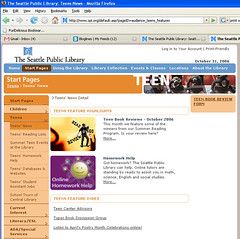
This is a must read: Usability of Websites for Teenagers (Jakob Nielsen’s Alertbox).

From the article: “Many people think teens are technowizards who surf the Web with abandon. It’s also commonly assumed that the best way to appeal to teens is to load up on heavy, glitzy, blinking graphics. Our study refuted these stereotypes.

Teens succeeded in the usability tests only 55% of the time, which in usability is BAD. The study showed that teens’ poor performance centered around three things: “insufficient reading skills, less sophisticated research strategies, and a dramatically lower patience level.” – in other words, they’re… well… teens.

Teens DO like cool-looking websites, and pay more attention to graphics… but found modest clean web design to be more usable.

Here’s another good quote from the article: “Teenagers like to do stuff on the Web, and dislike sites that are slow or that look fancy but behave clumsily.” – think about that one – can teens DO stuff on your library’s website? Or is your teen’s site made up primarily of lists of links and books?

Here are some suggestions from the article about interactive stuff to include on a teen’s website:

online quizzes: How about a Harry Potter quiz, with a drawing for free movie passes for the winners?

feedback/comment/question forms For starters, you could ask teens what they want the website to do (of course, then you just might have to DO what they asked for).

online voting: Have them vote on local issues, surround the voting page with explanations of the issues, and see what happens – could be fun.

games: Gaming is HUGE right now for teens. Buy books on gaming, point to gaming websites, or even go one further and set up gaming days at the library.

sharing pictures or stories: Hold a photography contest, and put the winner’s pictures online.

message boards: teen book/music/dvd clubs, local and world issues, etc – just a place for teens to connect with each other to get and share information.

offering and receiving advice: This can be where you use that virtual reference service to connect with teens.

a way to add their own content: We’ve thought about online poetry slams and articles written by teens/for teens…

These are just a few ideas. Go read the Nielsen article and start thinking!

4 comments

Usability testing with 5 users challenged

by David Lee King on December 27, 2004

Laura Faulkner wrote an interesting article “Beyond the five-user assumption: Benefits of increased sample sizes in usability testing.” I just heard about it at the UIDesigner blog, but the article has been around for awhile (published in Behavior Research Methods, Instruments, & Computers in August 2003).

In the article, Faulkner argues that “the risk of relying on any one set of 5 users was that nearly half of the identified problems could have been missed; however, each addition of users markedly increased the odds of finding the problems.” Here are some other interesting quotes from the article:

“the average percentage of problem areas found in 100 trials of 5 users was 85%” – this agrees with Nielsen’s claims of 5 users catching 85% of the problems. However…

“The percentage of problem areas found by any one set of 5 users ranged from 55% to nearly 100%. Thus, there was large variation between trials of small samples.” – wow! That’s one WIDE variation!

“groups of 5 found as few as 55% of the problems, whereas no group of 20 found fewer than 95%.” – the hint here is that more testers will find more problems.

Faulkner then goes on to discuss how her study still supports Nielsen’s claims, but that usability practitioners are incorrect about religiously using the 5-user test to always catch 85% of the problems.

The thing I found interesting was this: Faulkner’s article is based on using 5 users in single usability tests. But Nielsen doesn’t actually say to do that! In his article “Why You Only Need to Test With 5 Users” (I know, it sure SOUNDS like he recommends only using 5 users) he actually recommends doing “three tests with 5 users each” and correcting any errors found between each test. That’s VERY different than just testing 5 users, don’t you think?

I think Faulkner is REALLY talking about the perception that usability testers only do single tests, hoping to catch most problems, and then move on to other things. And it’s certainly possible that some testing is done this way. It’s just that, well… Nielsen didn’t suggest doing that (the basis of Faulkner’s article).

Here’s what Nielsen actually says to do:

  1. First test with 5 users: you’ll catch an average of 85% of usability problems
  2. THEN FIX THOSE PROBLEMS!!!
  3. Second test with 5 users: tests the corrections made from results of the first test, catches stuff your first 5 users might not have caught, and even better, “the second test will be able to probe deeper into the usability of the fundamental structure of the site, assessing issues like information architecture, task flow, and match with user needs.” So the second test fixes, tests, and probes much deeper than the first test.
  4. THEN FIX ANY PROBLEMS FOUND DURING THE SECOND TEST!!!
  5. Third test with 5 users: you just fixed more problems, so you need to test those fixes out… hence the third test.
  6. THEN FIX ANY MORE PROBLEMS!!!

One other difference I noticed. Faulkner’s focus in usability testing is the goal of catching all usability problems with testing, but Nielsen’s usability testing goals are different. His goal is “to improve the design and not just to document its weaknesses.” It’s possible that in a life-or-death, mission-critical (egad, did I just write “mission-critical?”) product (like healthcare or flight equipment) with high regulatory standards to meet, documenting weaknesses and catching EVEYTHING would be important. But remember – I’m a library web manager! This isn’t a life-or-death situation, and I’m not a brain surgeon.

Is there a big difference between testing 20 users or multiple groups of 5 users? I’ll let the Research Methods people figure that one out. But it sure seems like three groups of 5 users for usability testing still works just fine, and catches most, if not all, web usability problems.

2 comments

When to use Radio Buttons and Checkboxes

by David Lee King on October 11, 2004

Jakob Neilson’s newest Alertbox article discusses when to use checkboxes and radio buttons – good stuff that makes our web forms easier to use!

Here’s a useful little snippet:

  1. Radio buttons are used when there is a list of two or more options that are mutually exclusive and the user must select exactly one choice. In other words, clicking a non-selected radio button will deselect whatever other button was previously selected in the list.
  2. Checkboxes are used when there are lists of options and the user may select any number of choices, including zero, one, or several. In other words, each checkbox is independent of all other checkboxes in the list, so checking one box doesn’t uncheck the others.
  3. A stand-alone checkbox is used for a single option that the user can turn on or off.

Be the first to comment

MSU Usability & Accessibility Conference

by David Lee King on October 6, 2004

MSU Usability & Accessibility Conference Home Page

Look at this – MSU has set up a Usability center – very cool! They even have a conference (the link goes to the conference page).

I hope more academics start taking this kind of direction.

Be the first to comment

Following eye movement in usability

by David Lee King on September 16, 2004

Eyetrack III – What You Most Need to Know – very cool!

This summary shows what the eye does as it scans a webpage – and believe it or not, “The eyes most often fixated first in the upper left of the page, then hovered in that area before going left to right. Only after perusing the top portion of the page for some time did their eyes explore further down the page.”

Also – “Dominant headlines most often draw the eye first upon entering the page.”

Whoa, this one’s cool – “Smaller type encourages focused viewing behavior (that is, reading the words), while larger type promotes lighter scanning.”

And this – “Underlined headlines discouraged testers from viewing blurbs on the homepage… This may be related to a phenomenon that we noted throughout the testing: visual breaks — like a line or rule — discouraged people from looking at items beyond the break, like a blurb.”

And – “Eyetrack III found that people do typically look beyond the first screen. What happens, however, is that their eyes typically scan lower portions of the page seeking something to grab their attention. Their eyes may fixate on an interesting headline or a stand-out word, but not on other content. Again, this points to the necessity of sharp headline writing.”

Lots more stuff here – read it!

Be the first to comment