by David Lee King on September 22, 2009
I had a conversation with my supervisor (Rob Banks, Deputy Director of Operations at the library) a couple days ago, and thought it was worth sharing with y’all.
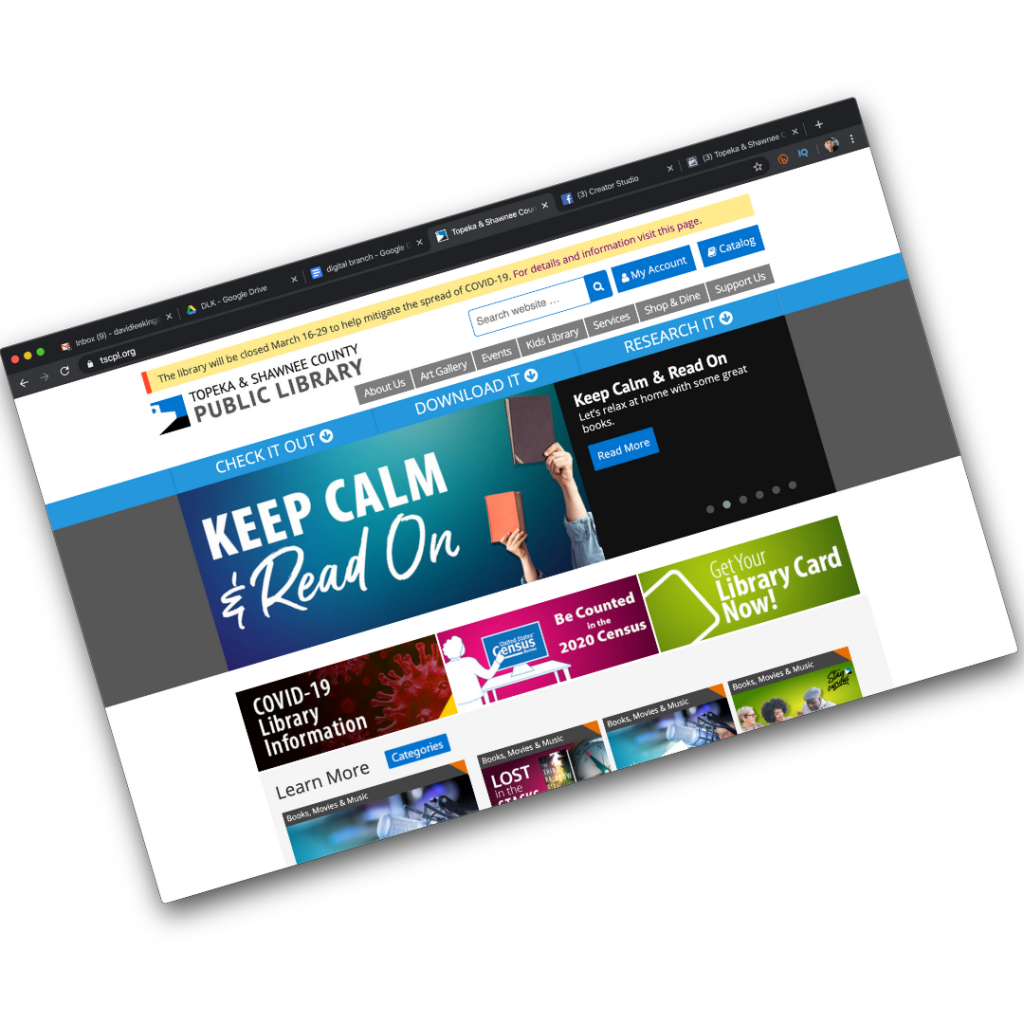
We were talking about our impending website redesign (yes, we’re at it again). I had sent him a rough draft of my redesign plan, and we were talking through it. He had been reading my book on digital experiences, and that had fired off some really cool thoughts about the concept of 3rd place for him… here’s what he said that made us start thinking:
“It’s not 3rd place – it’s The Place:”
- Typically, Rob has maybe 6 windows open on his computer while at work – email, a couple of work documents he’s working on, TweetDeck (ok – does YOUR deputy director have TweetDeck open constantly? Just sayin), and a couple of websites – usually including Facebook.
- He’s doing several things at the same time … but Facebook is always on, and he’s always connected to his Facebook friends.
- When he’s not at work, Rob has a Blackberry with a Facebook app – so Facebook is always on there, too. He can connect to Facebook whenever he wants to, no matter where he is.
- Rob can still be in his physical “3rd place” and (important point) STILL BE CONNECTED to Facebook and his friends.
- And that’s the idea that needs to be translated over to our library’s digital branch.
Our library websites/digital branches will probably never be a real 3rd place to people – and that’s ok. Instead of working towards that, let’s work harder to make this now-old phrase, “be where the patrons are,” a bit more seamless.
Rob can be in his 3rd place – but he is also constantly connected to friends/colleagues/family in Facebook at the same time. Facebook, in a way, has transcended the 3rd place to be “The Place.” It’s always on, always available to him, when he wants to be there.
Our library websites/digital branches can be like this, too! So… still developing, but this is definitely going in the redesign plan.
Thoughts? How are you “always there, always on” when patrons want to reach you?
Photo by javaturtle
Tagged as:
3rd place,
customer experience,
digital branch,
digital experience,
Experience Economy,
Third Place,
website,
websites
by David Lee King on September 14, 2009
Recently, while on a family vacation, I noticed something in a couple of stores … and thought I’d share.
My kids wanted to venture into the Disney Store and Build-A-Bear, and I went along for the ride. While in both stores, I saw signs that directed customers to check out the stores’ websites. But not just for kicks – look at what the signs said:
Disney: “Visit DisneyStore.com for an Additional Selection of …”
Build-A-Bear: “have fun and give back at Buildabearville.com.”
This is cool. Why? In both cases, the stores didn’t just have a sign letting customers know they have websites. Nope. Instead, they directed customers to visit the store websites for specific reasons.
By providing those reasons, they helped extend the customer experience with the store onto the web (and into our homes), after the fact. This type of after-the-purchase experience is sometimes called a “post-show” experience. The actual “show” was buying the product or visiting the store.
We can go a bit further with this, too. Look at the specific instructions we are given: Disney directs us to “an additional selection” of stuff. Think about that for a sec – they’re saying the larger, more complete store isn’t the physical store – it’s the digital store – the website.
Build-A-Bear directs us to their virtual world, where we can “have fun and give back.” OK – I don’t get the “”give back” part. But the “have fun” part I do understand! They’re giving you a specific reason to visit their website, and are suggesting it will be a fun experience. I’m guessing they get a lot of first-time traffic with those signs!
Guess what? We can do this too!
Look at this pic of a sign in my library, for instance (bigger version here). For a while, we had this large banner sign up by the exit doors – everyone walking past saw this sign. Our goal was simply to remind people that although they were leaving our physical building, their library experience didn’t have to end there. They can visit our digital branch and still do lots of stuff!
We could also direct customers to our “larger store.” Think about this for a sec – which place gives you a larger selection of library materials: browsing the shelves at the physical library … or visiting the online library catalog and putting stuff on hold?
Your larger, more complete library is NOT the physical building. It’s the website – the digital branch.
I’m guessing there are other ways to connect customers to your digital branch, as well as other reasons to do so… what are they? I’d love to hear them!
Tagged as:
digital branch,
digital experience,
experience,
post show experience,
websites
by David Lee King on February 7, 2009
Not too long ago, I posted Doing Stuff at the Library’s Website to my blog, and my good friend Darlene Fichter added her thoughts to the post. Here’s what she said:
David – Good post and everyone should be able to say the purpose quickly and succinctly and know what experience they are crafting for visitors to have.
But I’d like to pose the question – what can we do online that is part of the library experience that we can’t do in the “physical” building?
- time shifting comes to mind – the shift worker’s reading club
- write on the book cover
- write in the margins for the next reader (option to show or hide)
- hold your next concert from the reading room aka those Xmas cards with different backgrounds and sets
More ideas?
Gina Millsap, the library director at MPOW, says the same thing. A “Digital Branch” because of it’s very nature (ie., online, virtual, digital) has the great potential to do stuff simply not possible in a normal, physical library.
So – what do you think? What can we do in our digital branches that we can’t do in our physical branches? Any ideas?
photo by Cindi Trainor
Tagged as:
branch library,
buildings,
digital branch,
digital experience,
experience,
unique
by David Lee King on January 4, 2009
Here’s something to ponder, next time you’re looking for something to ponder. What can you actually DO at your website? Can you do most of the the real “stuff” that your library offers as activities?
“Well duh David, of course we can – we have a catalog…” you might say. Hmm…
If I walk into a library today, here are some things I can do there:
- check out a book
- read a book or magazine
- take notes and do research
- put a public PC on reserve for later
- pester the reference librarian with questions
- check stuff out when I’m done
- attend a training session or a fun program
Just a normal day at the library, right? How about at your library’s website? If your website is a “traditional” library website, there’s not much actual stuff to do. A traditional website exists mainly to point you to “the real thing” – the actual building and the catalog (in many cases anyway – not everyone is automated, yet!).
Anyone see a problem with that? The library can be much larger than its physical building, and considerably extend its reach without the building as the main focal point for library services.
Let’s look at some non-library examples for a sec. What are other businesses and organizations doing? Amazon? You can’t visit the “real thing” – it only exists online. Ebay? Same way. Barnes & Noble? Their “real place” exists both online and physically.
How about something boring like Sears? I can shop Sears anywhere – I don’t have to visit the “real thing” – because they’ve made their website a place where I can actually do “real stuff.” And in some cases, using the website is actually better than the “real thing” (for example, shopping for undies or pjs can be embarrassing in person – but online? Not so much). Businesses have turned their websites into the “real thing.”
So, back to your organization. Does your organization primarily exist in the brick and mortar world? And don’t tell me “well, yeah David, we have a website.” That’s not good enough anymore. What can you actually DO at your website?
Yes, in the library world, you probably have a library catalog in place, and some databases. Maybe an “email a question” service (“We’ll get back to you within 48 hours (excluding holidays and weekends)” – quote from a library’s Ask a Librarian service).
But what else? Can you browse your collection? Probably not. Can you subscribe to feeds, so you can get updates whenever a page is updated with new info? Maybe. Can you instantly contact a librarian to ask your burning question or get clarification through IM, chat, email, or Twitter? Probably not.
What if I want to start a conversation or attend a program? Can I do that at your digital branch?
Why not?
Tagged as:
digital branch,
websites
Dealing with Comments on your Website
by David Lee King on August 7, 2009
Guess what? People have been sharing back. Quite a few (check the comments! It’s interesting reading). That one post, so far, has gathered a whopping 89 comments (a first for us). Comments by 36 people, mostly from customers (there’s about 7 library staff who have chimed in, including me). One customer has posted 14 comments! It’s been a rather hot blog post for us.
Here’s how we’ve been handling our comments:
Otherwise, we let it go – after all, we created an open forum, and people can say whatever they want (for the most part). I am also working on some online Community Discussion Guidelines. We’ll probably put a link to them somewhere around our blog comment box. It’s been an interesting lesson in online forum management for me!
Why are we putting ourselves through this? Why don’t we just close comments and move on? Because we are in control of the conversation. Think about it. If people were talking about this issue on their own blogs, the library might or might not be able to respond. If people were discussing this on the newspapers editorials/comments (which they have been), we’re not in control of that conversation either – the newspaper is.
But when the conversation happens on our website … then we’re in control. We can correct misinformation easily, and point to the correct answer. We can add phone numbers, email addresses, etc. We can even email the commenter individually (assuming they used a valid email address).
This allows us to hold the conversation in “our building” – on our digital branch. One of my co-workers recently said she was putting on her fireman’s hat when we started getting negative comments. I reminded her that she was right – but we were doing a “controlled burn.” Because we’re in control of the conversation.
Have you had similar experiences with your organization’s blog and/or website? If so, how have you handled:
I’d love to know!
Pic by Vetustense
Tagged as: commenting, comments, community management, digital branch, forum managment
{ 15 comments }