http://www.davidleeking.com/wp-content/themes/thesis_16

Posts tagged as:

Experience Economy

Designing the Digital Experience Presentation

by David Lee King on January 7, 2010

On Tuesday, I gave a Designing the Digital Experience presentation at Nassau Library System in New York. It was a fun time – lots of good questions and discussion!

So … here are the slides from that talk. Enjoy!

{ 0 comments }

Stickers or Cushions?

by David Lee King on December 13, 2009

No seat or unintended consequences?Take a look at this pic – it’s at the Chicago O’Hare International Airport Denver airport. I really don’t know the why’s behind this sticker, but I can guess. And I’d guess it goes something like this:

When the moving walkway was installed, they made these little metal ledges. Maybe the ledge houses a belt, or gears … maybe it’s just for looks. Who knows?

Either way, as the airport got busier, and delays started happening more often, customers looked around for a seat and couldn’t find one. Then they eyed that handy, seat-sized ledge … and sat.

When airport staff noticed that lots of people needed seats, and were using those handy little seat-sized ledges, what did they do? Did they install more seats? An overflow room? Restaurants with more seating? Nope. They chose to put a big fat sticker on the seat-sized ledge that reads “no seat.”

So – a question. Who do you think airport administrators were thinking of when they created that sticker and stuck it to the makeshift overflow seating area? Were they thinking of their customers, who didn’t have a place to sit? Or were they thinking of their staff? I’d guess the airport’s decision had more to do with themselves than with their paying customers with tired legs.

Moral of the story? Always put your customers first. In the airport’s case – instead of a “no seat” sticker, how about putting out cushions? Work hard to always improve your customers’ experience while using your services, even with the seemingly innocuous things (like little seat-sized metal ledges).

Your customers will remember it and you will be a hero.

Update – Chuck Cannon, Director of Public Affairs at Denver International Airport pointed out that I had the wrong airport. Sorry! Just updated the post.

{ 16 comments }

IL2009: Experience Design Makeover

by David Lee King on October 28, 2009

Here’s my Tuesday morning presentation on Experience Design Makeovers for library websites. Even better – some of the presentation was livestreamed here and here!

Enjoy!

{ 3 comments }

Conversation is Experience

by David Lee King on October 8, 2009

Some web designers, especially those with a marketing or graphic design background, say they want to build an experience – but their designed experience, no matter who the website is for, tends to be designed like a movie or a rockstar’s website  – heavy on the Flash, on the intro page (complete with low-pitched ominous music), and it makes cute noises when you click on a link.

That’s great for a movie or a rockstar website. But most of us are building library, organization and company websites. What type of “experiences” should we be creating for those types of websites?

Conversation Spaces

Visitors to your website want to talk – with you, and with each other. Are you providing conversation spaces? The web is FULL of conversation now – check out Amazon, most newspaper and TV news sites, YouTube, this blog, Facebook, Twitter – all spaces where conversation can happen. And conversation DOES happen, because that’s what people do. We like to talk, we like to share, we like to voice our opinion (as I hope some of you do in the comments!).


So, my simple digital experience tip for today is this – make sure to create conversation spaces on your websites. Places like comment boxes, online forums or discussion groups around a topic, Twitter accounts for feedback, online places to Ask a Librarian, etc.

Enable Conversations

Also remember to actually enable conversations once you build the space. What’s that mean? In my library’s case, we allow unmoderated comments to fly free and easy onto our digital branch. I know what some of you are thinking – “OMG, David! Don’t you have a TON of cussing, swearing, name-calling, and other highly inappropriate things being posted? How could you EVER allow that!???!!??”

Um. No. We simply don’t have that. Yes, once in awhile we have some negative comments. But why would we moderate or not show those? Instead, we respond appropriately.

But some of you will need to moderate comments for one reason or the other (i.e., those old-fashioned city attorneys who haven’t yet discovered the joys of Facebook). If you DO moderate comments, make sure to do it quickly. Same day is good. Same hour is best. Why? Because it’s a CONVERSATION. If someone starts a conversation and you don’t get around to moderating the comment for a few days … well, you have killed the conversation. And that’s really no conversation at all.

pic by Adventures in Librarianship

{ 2 comments }

Rethinking the 3rd Place

by David Lee King on September 22, 2009

I had a conversation with my supervisor (Rob Banks, Deputy Director of Operations at the library) a couple days ago, and thought it was worth sharing with y’all.

We were talking about our impending website redesign (yes, we’re at it again). I had sent him a rough draft of my redesign plan, and we were talking through it. He had been reading my book on digital experiences, and that had fired off some really cool thoughts about the concept of 3rd place for him… here’s what he said that made us start thinking:

“It’s not 3rd place – it’s The Place:”

  • Typically, Rob has maybe 6 windows open on his computer while at work – email,   a couple of work documents he’s working on, TweetDeck (ok – does YOUR deputy director have TweetDeck open constantly? Just sayin), and a couple of websites – usually including Facebook.
  • He’s doing several things at the same time … but Facebook is always on, and he’s always connected to his Facebook friends.
  • When he’s not at work, Rob has a Blackberry with a Facebook app – so Facebook is always on there, too. He can connect to Facebook whenever he wants to, no matter where he is.
  • Rob can still be in his physical “3rd place” and (important point) STILL BE CONNECTED to Facebook and his friends.
  • And that’s the idea that needs to be translated over to our library’s digital branch.

Our library websites/digital branches will probably never be a real 3rd place to people – and that’s ok. Instead of working towards that, let’s work harder to make this now-old phrase, “be where the patrons are,” a bit more seamless.

good bookRob can be in his 3rd place – but he is also constantly connected to friends/colleagues/family in Facebook at the same time. Facebook, in a way, has transcended the 3rd place to be “The Place.” It’s always on, always available to him, when he wants to be there.

Our library websites/digital branches can be like this, too! So… still developing, but this is definitely going in the redesign plan.

Thoughts? How are you “always there, always on” when patrons want to reach you?

Photo by javaturtle

{ 10 comments }

Think Simple

by David Lee King on August 28, 2009

apple keySimple is good. But that doesn’t mean your site has to BE simple.

Let’s use Apple as an example of this. Apple computers tend to have a “simple” experience attached to them. When you pick one out, there are relatively few choices – three models to choose from (as opposed to Dell, which has LOTS of models to choose from). Macs come with all the software a consumer needs to start out – basic writing, email, photo, video, and web apps – all conveniently installed. And even those apps are simple – iMovie is extremely easy to use, for example – it’s highly visual. Even the power button is simple – it’s the only button on my Mac, as opposed to my kid’s HP laptops – they have a good 5-6 buttons that do a variety of things (including hiding the power button for the uninitiated).

But is my Mac REALLY simple? Think about iMovie again. That scrolling, visual timeline of the video is anything BUT simple to create. It’s simple for the user, sure… but I’ll bet there’s some extremely complicated coding going on on the back end of that visual scroll bar!

good bookNo, it’s anything but simple. Apple has designed my MacBook experience to make sense simply, so I can focus on other things (like write this post).

We can do this with our websites, too. Our goal should be this – Think simple… always. Can we have detailed functionality? Yes – as long as it doesn’t get in the customer’s way. Our goal should be to keep the customer focused on the task at hand – and that task should NEVER be to figure out how your website works. Let’s keep our website innards out of the customer’s way!

{ 3 comments }

Create an Experience

by David Lee King on July 18, 2009

Guess what? Your website visitors are experiencing something right now. Is it good or bad? Easy or hard? Do you know? The good web designer plans for and builds deliberate experiences into a website, rather than hoping for the best.

Think about it. Visitors to your website are always experiencing something while there that goes way beyond simple usability. Designing for usability alone only goes so far. You can test for usability until you’re blue in the face … and you know what you’ll end up with? A usable website. Period. Your customers might be able to navigate your website, but hate the overall experience. They might not have reached that user enchantment phase that Kathy Sierra talks about. Since you aren’t deliberately planning out the total digital experience your visitors have while on your site, their experience will be haphazard at best. You did, in fact, create an experience. Just an unplanned one.

good bookSo how do you plan an experience? For starters, do one thing – think about it. Sit down and deliberately think through the experience you want your customers to have while on your site. Have a brainstorming session. Out of that brainstorming session, create what’s called an Experience Brief – a short, no more than one-page document describing the experience customers should have while on your website. Don’t focus on products, content, or functionality – instead, describe the experience they have while there. Here’s a post that talks a bit more about writing experience briefs.

The key to writing an experience brief is this – focus on the customer at all times. Write the experiences your customer should have. Not key user interactions, not functionality the user should be able to do – but the experience the customer should have, from their viewpoint.

So – step one to creating an experience? Purposefully create and plan that experience.

pic by shifted, book by Aaron

{ 3 comments }

Designing the Digital Experience at NEFLIN

by David Lee King on June 22, 2009

Last Friday, I gave two presentations at NEFLIN’s technology conference in Jacksonville, FL. The first one was Designing the Digital Experience, which is based on my book. Here’s the Slideshare version of the presentation!

{ 0 comments }

Seen at the Richland County Public Library

by David Lee King on April 6, 2009

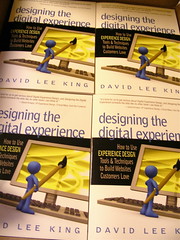
My book seen at Richland County Public libraryTyler, from the 344pounds.com blog, was kind enough to take this snapshot of Designing the Digital Experience sitting on the shelf at the Richland County Public Library and email it to me! Here’s what Tyler said about the book:

Hey David,

I bought your book off of Amazon yesterday, but also went down to the
Richland County Public library to check it out until it gets here.

Attached are the pics from that visit!

I found about you and your site a little while ago by searching for
something about designing a better blog for users (can’t remember exact term).  I started a personal blog, 344pounds.com, about 3 months ago — I
don’t have a huge technical background, but I’m learning as much as I can
so I can make sure my blog is “good” for my customers, aka readers.

While your book is *marketed* towards designers and business owners, I
think that anybody who has any type of website can benefit from the book,
even a small “not for profit” personal blog like mine.  I’ve already found
quite a few things from reading your book that I can apply to my blog.

Feel free to post this on your blog or testimonials page or whatnot — I’d
love to help sell the book, it’s great!

Tyler

Thanks Tyler for buying the book, taking the pics, and the kind words! You rock!

{ 2 comments }

Experience Economy Goes by Many Names

by David Lee King on February 17, 2009

Experience is called many thingsJoseph Pine and James Gilmore noticed this thing they called the Experience Economy. They think we’ve moved beyond purchasing mere goods and services – now, we can purchase “experiences” (hence, the experience Economy). In their newest book, they blend the idea of experience with something they call Authenticity.

But Experience or the Experience Economy isn’t the only thing this notion is called – this post will introduce you to some other similar terms.

For example, when I read their book, I didn’t see much in the way of website experience. Certainly, the underlying ideas were there, but no concrete examples were given (it was written in 1999, so I’ll give them a break). That bugged me enough to write my own book about it, and I called the website version of it the Digital Experience.

Rohit Bhargava, who writes the Influential Marketing Blog, comes from a customer engagement and marketing/PR background. In his book Personality Not Included: Why Companies Lose Their Authenticity and How Great Brands Get it Back, he calls it personality. Here’s a quote from the introduction that explains what personality is:

“The theory of Personality Not Included is that personality is the answer. Personality is the key element behind your brand and what it stands for, and the story that your products tell to your customers. Every element of your business, from your interactions with your customers to the packaging of your product is an element of your brand personality, and these are the elements that inspire delight or indifference among your customers. In short, personality matters.”

I heard Jane McGonigal speak last year at SXSWi 2008. She presented on gaming and alternate realities … and called it happiness. Here are some notes I took from her presentation:

Question – are you in the happiness business? Our primary product soon will be happiness… Happiness is the new capital

Four key principles of happiness:

  1. satisfying work to do
  2. experience of being good at something
  3. time spent with people we like
  4. chance to be a part of something bigger

McGonigal’s description of happiness sounds VERY similar to Pine & Gilmore’s description of experience and Bhargava’s description of a company with personality.

Ever heard of Touch Points? It’s sort of like usability … but doesn’t focus primarily on how the thing works. Instead, it focuses on the experience customers have during their interactions with the product or service or website.

Ok, one more. A few years back when Kathy Sierra was still blogging, many of her blog posts focused on this same concept – but she called it enchantment and kicking ass.

See what’s going on?

It’s not quite usability (but lives there). It’s not quite marketing (but it lives there). It’s not quite design (but it lives there too). It’s not quite customer service (yep – lives there). Not quite library 2.0 (even lives there).

There’s a convergence in many different fields right now – gaming, marketing, PR, web design, customer service, etc. – that all have, as their utmost goal, providing the customer with a positive experience … an authentic experience … happiness … attracting them with personality … enchanting them … helping them “kick patootie.” (ok, my wash-your-mouth-out-with-soap upbringing just kicked in – sorry ).

Question – how are you working to enchant your users? Not just meet their information needs … but delight them? Are you providing a positive experience, and if so – how?

{ 4 comments }