ipad

iPads in Libraries – Some Stories

by David Lee King on June 22, 2010

There are quite a few uses for an iPad in a library setting, and some libraries have already started experimenting. Here are two examples:

#1: Omaha Public Library

From Amy Mather – “For the past few years, the Omaha Public Library’s Summer Reading Program kick-off party has been held in Elmwood Park in Omaha and has attracted up to 2500 kids for kick-off activities including live music, games,  pony rides, etc. Although always a success, we had one glaring “missed opportunity” at these events: signing up kids & teens for the Summer Reading program “online” at an outside venue.”

“Gary Wasdin, director of Omaha Public Library, applied for a local grant to obtain 6 iPads in which we could use to signup kids & adults for the Summer Reading Program. The iPads would allow us to connect to the AT&T’s 3G network and signup patrons on the spot for the Summer Reading Program. On June 9th, we signed up over 500 kids, teens, and adults using iPads. The iPad allowed us to take the mobile library to the next level and we looked really cool too!”

#2: Genesee Valley Educational Partnership

From Christopher Harris – “I am at a school library system, a regional support center funded by NY state to provide services and resources for 22 small, rural school districts in Western NY. Since we got the iPads so late in the year, right now we are just loaning them to teachers and librarians to build awareness in our districts. Over the summer, we will be working on developing some best practice guidelines and suggested uses for the devices. We hope to begin lending them for student use in the fall, though they may be for in-school use only the first year as they remain a very high-value theft target. We have 150 iPod shuffles we send home with students without any problems, so hopefully we will get to that point soon with the iPads as well.”

“Right now, we are loaning books from iBooks. My reading of the terms of use suggest that we can do this within our system. I am also working directly with publishers to secure additional content. We have a number of graphic novel biographies from Rosen, as well as a large collection (125 sci-fi/fantasy books) that I just got from another publisher. As for other apps, we purchased Pages/Keynote/Numbers and have 5 keyboard docks we can send out. We also have Dragon Dictation, Sundry Notes, Complete Shakespeare, Historical Maps, and a few others.”

What are these two libraries doing?

  • fixing a problem (signing up kids online … in a park)
  • experimenting … but also developing guidelines and strategy for use
  • breaking out of the “this is the way we’ve always done it” syndrome
  • applying new technology to traditional library services

Is your library experimenting with iPads? If so – how are you using them?

22 comments

iPads in Libraries

by David Lee King on June 17, 2010

See the Youtube version in HD

Going to ALA 2010 in Washington, D. C.? If so, please consider participating in the BIGWIG Showcase! What is the BIGWIG Showcase? It’s a fun, highly interactive way to learn about a lot of topics at once! Here’s a list of the topics for this year’s Showcase:

  • Libraries MUST Have A New Electronic Content Access and Distribution Infrastructure  (Michael Porter)
  • User Research on a Shoestring (Erin White and Susan Teague-Rector)
  • Information Overload & Personal Information Management (Bohyun Kim)
  • iPad and Tablet computers (David Lee King)
  • Teaching with Twitter (Ellen Filgo)
  • Qrcodes & Mobile Knowledge Networks (Bonnie Rosalen and Kelly Sattler)

And yes – I’m doing one … my presentation is on the Apple iPad and the new breed of tablet PCs that are coming out in the next couple of years. I show off the iPad and provide some examples of how to use one in a library setting.

What do YOU need to do? Two simple things:

  1. Watch the video, and leave a comment if you want to
  2. Attend the Showcase! I’ll talk briefly about the iPad, possibly even show one off … then we’ll chat – answer questions, debate the merits of the iPad, etc… and then you’ll be able to rotate off and talk to the other amazing presenters (listed above).

Simple stuff, huh? Make SURE to attend the BIGWIG ShowcaseMonday, June 28, 2010 from 10:30am to Noon at the Renaissance Washington Grand BR South/Central. See you there!

11 comments

Playing with the iPad

by David Lee King on April 6, 2010

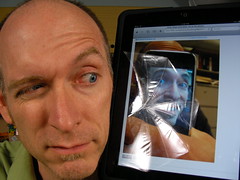
Playing with the iPadOK – we bought two iPads at work, and I was greeted with one this morning!

So I’m seeing if I can create a blog post using it. And guess what? I can!

But not easily, mind you. Let’s see – the pic, I was able to log into flickr and copy/paste the embed code for the image pretty easily. I was obviously able to log into my blog too, to do this post. Interestingly enough, for those of you familiar without he back end of WordPress – I’m using the HTML simple editor to type this. The fancier visual editor wouldn’t let me type in the text box. Go figure.

Also, to scroll around in the text box window, I just discovered I have to hold one finger down, then scroll with another finger. Otherwise, the whole screen moves. And I’ll have to get into the post on a pc to add categories to theta oust – I can’t scroll down on that window.

Typing is interesting, too – but possibly because I’m not used to the keyboard yet. It feels clunky to me, and I would suggest getting the external keyboard for any serious typing.

That said … websites are beautiful on this thing. In the vertical position, it shows more screen real estate. And the touch/use your finger thing instead of using a mouse is amazing, as should be expected.

The next couple of years in computer technology should be amazing, revolutionary ones, if my first experience with this thing is any indication.

Be the first to comment

Top Tech Trends – Ebook Readers and the iPad

by David Lee King on March 29, 2010

I was a panelist at PLA 2010′s Top Tech Trends session, and talked about ebook readers and the ipad as a top tech trend to watch in 2010. Here’s my outline for the session:

Ebook Readers and the iPad:

  • ebooks have been around wince 1971! that’s when the gutenberg project started!
  • 1998 – first ebook readers appeared

how many different models are there?

  • at least 20 different manufacturers

over 2 million free ebooks

  • 15 different file formats!
  • kindle, txt, epub, html, pdf, etc
  • epub
    • open free format – not proprietary
    • css, xml styling
    • default standard, not everyone (ie., kindle) uses it

Operating Systems on ebook readers:

  • linux
  • android
  • windows mobile/win ce
  • iphone OS

size

  • most are 6-8 inches or so
  • mobile version – iphone is an ebook reader, other phones

e-ink or LCD

  • e-ink – imitates the look and ease of readability of print while consuming little power

memory

  • most are in gigabytes
  • holds hundreds of books

connectivity

  • wifi
  • cellular networks
  • price – 150 to 750
still sorta like the 90s with cell phone or PDAs

why did I pick this for a top tech trend when they’ve been around for so long?
Apple likes to change things
  • Mac – changed the computer industry – mouse and GUI were pretty obscure untilt hat first mac came along in 1984
  • ipod – changed the music industry – pricing, formats, size, etc., mp3 players
  • iphone – changed the cell phone industry
    • touch screen
    • more than just a cell phone – games, internet, browsers, ipod, movies, calendar, email, twitter, facebook, etc, etc, etc
    • many copycats

iPad will do the same thing  – but to what industry?

  • gaming and movies
  • will probably change the ebook industry
    • better ebook reader
    • more like a book – flip the pages by touch
    • color
    • great screen
    • turn the thing to flip the screen
    • accessibility built in
    • and 5 of the 6 largest publishers are already on-board.

why?

  • money – they’ve seen itunes and the app store and want in

What might we have by end of 2010?

  • The iPad ships on April 3
  • iPad will be on version 2-3 by the end of 2010
  • will have made millions of publishers millions of dollars, Apple even more
  • price will have probably dropped
  • more publishers will be using the epub format (and wanting into itunes store)
  • copycats will start to appear

Issues for libraries to consider:

our patrons will start buying iPads soon.

  • does it work with Overdrive?
  • does it work with our catalogs?
  • can patrons plug them into your PCs?

staff issues

  • can your staff use them to help patrons who own one?

library stuff

  • can patrons check them out?
  • can your library buy them for patrons to use/check out?
  • battery life -do you charge the battery before handing them out to patrons? Do you have a place for multiple devices to be charged behind the circ desk (or wherever you might keep them)?

bigger issues

  • content licensing and DRM

12 comments

iPad – a Game Changer?

by David Lee King on January 28, 2010

I don’t attempt to predict stuff very often, but I think this one’s safe – I think Apple’s new iPad is most definitely a game changer.

Why? Because it combines so many things into one handy, easy-to-use device. Just watching the video about the iPad and poking around on the website a bit, you find out all that the iPad will supposedly do, including:

  • web browsing
  • email
  • photo viewing
  • watch videos (even YouTube videos)
  • listen to music (it has iTunes built in)
  • buy and read ebooks
  • a cool map
  • note taking
  • a calendar
  • Contacts list
  • iWork (Apple’s answer to Microsoft Office) is rebuilt for the iPad, so you have word processing, spreadsheets, and presentation software
  • The App Store works here, too, which opens up 140,000 apps that all do different things

And of course, it’s multi-touch. So instead of having to use a mouse or keyboard shortcuts to operate the thing … you just touch the screen. I’m just amazed that Apple seemingly rolled up a Microsoft Surface, a tablet PC, a video player, a netbook, an iPod, and an ebook reader, and came out with something light, cool, and truly unique. Except maybe the name – sorry Apple, but the iPad is a silly name.

Apple could turn this thing into a student’s best friend. Instead of carrying a heavy backpack around, students could use the iPad to carry all their textbooks (assuming Apple partners with textbook companies), any multimedia they need to watch, their word processor to write papers (or they could just use Google Docs via a wifi connection), multiple ways to take notes, communicate to classmates and teachers via email/IM/Facebook/Skype/etc. And still have their favorite photos, their grand music collection, and a couple of fun games with them, too.

How about for libraries? Think Reference Desk and roving reference here. It’s the same price as a netbook laptop. But probably easier to carry around, easier to show stuff to people, easier to make the text larger for people who need larger text (you just touch and stretch the screen with your fingers to make the text larger – just like an iPhone). And has a 178 degree viewing angle, so it would work well to show stuff to patrons.

Game changer? I think so … or maybe I’m just gushing at the cool new toy. What do you think?

27 comments