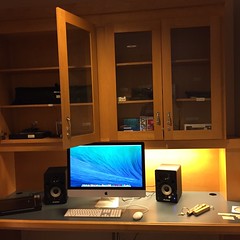
makerspace

Makerbot – Bre Pettis interview at CES 2013

by David Lee King on January 15, 2013

Just posting something from fellow library geek Jason Griffey. Did you know he’s like the ONLY librarian who goes to CES (i.e., Consumer Electronics Show)? This show is apparently HUGE, and there’s a lot of innovation that gets announced there.

This year – actually, the last couple of years – Jason has attended CES, and reported on what he found. One thing he found was the Makerbot booth and Bre Pettis, one of Makerbot’s founders.

In this video, Jason interviews Bre about what’s new for Makerbot, and what it might mean for libraries. Jason also has an accompanying blog post talking about new stuff for Makerbot.

Bre also mentions two books we should read before starting a hackerspace:

So – watch the video, read Jason’s post, read the books mentioned above … and make sure to subscribe to Jason’s blog, if you haven’t yet done that!

update – for some reason, the video disappeared. So I added it back in. Oops!

Be the first to comment

I was able to hear Lauren Britton, Transliteracy Development Director at Fayetteville Free Library, talk about their library’s Fab Lab (sweet!). Here are my notes from her session:

Their FFL Fab Lab is the first permanent makerspace in a public library

A little bit on what a makerspace is… a place where people come together to create and collaborate, to share resources, knowledge, and stuff. They give people tools to create, to hack, to remake their world for the better.

FFL Fab Lab Story - started as a student proposal! She has turned that into her full-time job – hope she got an A on that!

Funding:

  • her first task as a new librarian!
  • she writes a lot of grants
  • received some donations – both Makerbots were donated
  • develop community partners for funding, to teach classes, etc
  • alternative methods – awards and crowd-sourcing. Indiegogo (sort of like Kickstarter) – they raised $5000 that way.

MakerBot – one of the coolest companies she has worked with. Their 3D printers are affordable – under $2000. The plastics needed are about $40-50 a roll, and last a long time.

Developing a pricing strategy for the plastic – they’re using a time strategy – first 10 minutes of printing is free, then 10-15 cents a minute after that.

More than a MakerBot

  • not just about technology
  • Focus is on giving patrons the tools they need to create
  • example – help kids make their first book
  • then circulate those creations!

D.I.Y.

  • community is full of experts – use them!
  • You DO NOT need to be a digital fabrication expert – ie., use thingaverse
  • you DO need to provide the access

Building a Makerspace

  • don’t need much – space, money, equipment
  • programming ideas: open houses, bristlebot workshop, make your own book, Take-Apart-Thursdays – community donated things the kids can take apart (like a toaster) to learn about them.

3 comments

Content Creation, Media Labs, and Hackerspaces

by David Lee King on December 15, 2011

Skokie Public Library's Digital Media Lab

I’ve been thinking about content creation and libraries lately. Right now, we collect content – hence our shelves of stuff. Yes, we do many other things too. But if you look at our buildings, they have been, by and large, designed for collections of stuff – for collecting content.

Some libraries are changing that focus (or at least adding on to it) by enabling customers to create their own content in a variety of ways … and it’s pretty interesting stuff!

I’ll lump what I’m seeing into three loose categories:

  • Digital Media Labs
  • Hackerspaces
  • Coworking spaces

Digital Media Labs: These spaces have content creation tools that allow customers to create and share video, music, photography, and design projects. Customers have access to computers with editing software, cameras, camcorders, microphones, and musical keyboards.

The best examples I’ve seen of this so far are Skokie Public Library’s Digital Media Lab and Chicago Public Library’s YouMedia project. Skokie’s lab has a greenscreen wall for video projects; Youmedia includes a small recording studio space.

Hackerspaces: ”A hackerspace … is a location where people with common interests, often in computers, technology, science, or digital or electronic art (but also in many other realms) can meet, socialise and/or collaborate … hackers can come together to share resources and knowledge to build and make things” (from Wikipedia).

Basically, hackerspaces tend to be public spaces with tools – 3D printers, drill presses, etc. And people make stuff there. Who’s doing this? Well, Allen County Public Library and Fayetteville Free Library are, for starters.

Coworking Spaces: Coworking is a pretty simple concept. Independent workers, freelancers, small business owners, etc. gather in a shared space to share ideas, team up on projects, and get some work done in a more social setting. It’s an alternative to meeting at home or a local coffee shop.

Libraries have unofficially done this for years (how many of you have heard of a patron who runs his/her business from the library? I’ll bet some of you have). But some libraries are going a step or two further by embedding librarians in these spaces, or even offering coworking spaces as part of their services. Meg Knodl, a librarian at Hennepin County Library, is doing this – here’s an article on what Meg is doing. Helsinki City Library has created some coworking spaces – read more about it here.

For more info, check out these articles:

Question – is your library doing something like this? If so, let me know in the comments!

Photo by Skokie Public Library

8 comments