mobile

Smartphones, Libraries, and your website

by David Lee King on April 5, 2012

I was just looking at March 2012 statistics on my library’s website. Here’s what I saw:

  • 39,161 visits to our website in March
  • 3486 visits via a mobile device.
  • that means slightly more than 11% visited via a mobile device
  • Those devices? Mainly iPads, iPhones and iPod Touches – 57.89%
  • That fits with the web browsers that visited our site – 14.11% were Safari (think ithingies here)

Now look at Pew’s newest Smartphone Update, released on March 1: 46% of American adults are smartphone owners as of Feb 2012. There was an increase of 11% in just 9 months.

And check this out – it’s not just wealthy people getting smartphones:

“Nearly every major demographic group—men and women, younger and middle-aged adults, urban and rural residents, the wealthy and the less well-off—experienced a notable uptick in smartphone penetration over the last year. Overall adoption levels are at 60% or more within several cohorts, such as college graduates, 18-35 year olds and those with an annual household income of $75,000 or more.”

So my question to you: are you designing for mobile? A mobile app, or a mobile website?

If you haven’t yet started building with mobile in mind, now is definitely the time to start – you are very close to alienating almost half your customers. They are interacting with their favorite sites online using their smartphone (think Facebook, Amazon, Youtube, etc.).

Wanna be one of those favorite sites too? Then you had better get that mobile site up and running FAST.

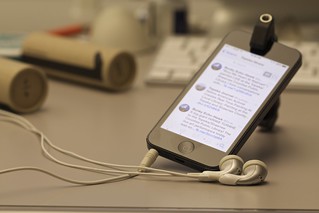
smartphone photo by Bigstock

3 comments

CILDC: Mobile Apps & Mobile Web Development

by David Lee King on March 21, 2012

Six speakers in 45 minutes! Here are some highlights…

MIT App Inventor and jQuery:

MIT App Inventor – a web-based Android app development tool. Store your code at the site, can test what you’re building by using the site. Has a designer that lets you add components, modules, etc.

Has an AppToMarket that uploads your app to the Android app stores (some registration and a small payment is required for that).

jQuery: mobile framework that’s completely web-based. Basically a cross-browser javascript library that could be pretty handy for web design, including mobile design. Also check jquerymobile.com – a mobile framework. Sweet.

Next up: what’s a mobile framework? Gave an example of mobile design and redesign… they used jquerymobi

Be the first to comment

CILDC Day One: Mobile and Augmented Reality

by David Lee King on March 21, 2012

So I’m at Computers in Libraries 2012 in Washington DC – always a great conference! Make sure to check out presentations online, and follow the #cildc hashtag on twitter… Here’s a couple of notes from a session … more to come later!

***********

I walked in late to this session, but what I heard was great.

Jeff Wisniewski was talking about mobile stuff, and said this:

mobile first is different than mobile-friendly! Then gave examples of how some people are redesigning websites with tablets and smartphone functionality in mind.

Good stuff…

Next up – Cindy Hart, talking about augmented reality and library resources for enhanced digital storytelling…

they used http://tagwhat.com/ to help them create stories. Looks like a cool tool to check out!

Be the first to comment

Developing a mobile presence: mobile web, usability, and devices

Ebsen Fjord, Nate Hill, Joel Shields

Dissemination with iPads – Ebsen

Boss wanted to spend some money on iPads … They first needed to figure out what they were going to do with them.

Goals for using iPads

  • Strengthen staff knowledge
  • Use as facilitator for interaction in the physical space
  • Educate our patrons
  • Be a tech-savvy library

What did we do?

  • 30 iPad2′s
  • Staff members knowledge and competences
  • Apps from apples AppStore – didn’t want to develop their own things, but just use what was already out there
  • The physical library

activities

  • Playing with music
  • Jane Austen reading club
  • Read the daily news on the iPad
  • Angry birds tournament
  • Book reviews on YouTube
  • Workshops

Playing with music

  • Playing instruments, working with sounds, chords, sheet music and mixing
  • 2-3 iPads with relevant apps
  • 1 iPad with musicquiz

Jane Austin

  • English language reading club for expats
  • iPads with Jane Austin manuscripts, books, analysis, and more
  • They found reading aids, etc – besides just the book

Workshops – patrons exchanging knowledge with each other

Handling and security
Patrons check them out like a book
Some are mounted in a kiosk

************

Nate Hill

San Jose – lessons learned

Scan Jose – historic photos used in a new way

Using google location API for gis stuff

Connected to layar -

Do as I say, not as I’ve done

Obstacles

  • It’s a moving target – platforms change fast
  • Staff changes – completely changed
  • Learned the tech on the fly
  • Content and communication – its not just technology, it’s storytelling. It’s hard!

Used storyboards for interaction prototyping

******************

Joel Shields

Developing a Mobile website for your library

How did I start?

Started by using mobile sites and realizing how not friendly for mobile they were

Created a wish list for the site

App or not – a consideration

  • 4 major platforms, each written in a different language, different developers fees, etc
  • So went with a web app – absolute control, your own standards,and it works on all devices

Used LAMP, written in php

iwebkit – simple framework of help build a mobile interface

Some catalogs have mobile versions too – he used an XML feed, did a bit of development work, and made a mobile version

Audience – targeting students.

M.wrlc.org – demo version

You can log in and make it personal – basically using the catalog account stuff

Now what?

  • Beta testing – find interested people who want to help
  • Advertise
  • Prove it – track use though google analytics

A few things to keep in mind

  • Brevityisthe squalor mobile design
  • Make the URL familiar and easy to typed a mobile device
  • Don’t overdo it
  • Merit personal
  • Ok to leave things out
  • Make it look good
    Plan for the future- leave room for growth
  • Advertise
  • Track usage

Be the first to comment

Topeka’s Mobile App

by David Lee King on February 15, 2011

Topeka has it’s first mobile library app – brought to you via the fine folks at Boopsie!

In the pic on the left, you can see the icon as it displays on my iPhone. It’s the one that’s titled “Topek….brary.” Apparently, “Topeka Library” doesn’t fit underneath the icon on an iPhone. “Topeka & Shawnee County Public Library” certainly wouldn’t fit! Oh well – not completely unheard of – I’ve seen a couple other app icon titles that do that, too.

So go ahead, download it, and play with it. There’s an iPhone, Android, and Blackberry app. Or, pretty much any phone with browser capabilities can go to tscpl.boopsie.com and you’ll either be directed to download the appropriate app or you’ll be dumped into the web version of the app.

Either way, pretty cool stuff for us!

Here’s what we’re doing with it. Check out the screenshot at the right (larger version here) – it’s the main page of the app. When creating the main functionality of the mobile app, our thinking went like this: when would someone use our mobile phone app, and what would they want to do with it?

We decided they’d be in line at the grocery store, or picking up their child from school. Or they’d be wherever, but have maybe a couple of minutes to quickly check on something. In those scenarios, how might they want to interact with the library?

Here’s what we came up with:

  • Library Catalog: search for something, put it on hold
  • My Account: see what’s due and renew it, etc
  • Ask a Librarian: ask a question – links provided for phone, text messaging, and email questions
  • Locations & Hours: links to addresses and maps for our main building, our bookmobile stops, and our book drop locations
  • Connect with us: links to our Facebook, Twitter, Youtube, and Flickr accounts
  • What’s missing? We wanted to know what our patrons wanted this app to do that wasn’t there yet, so we provided an easy way for them to tell us – it’s a simple form that sends an email to me.

What do our customers want to do that we’re not yet providing?

  • paying fines from their phones
  • checking out our calendar of events
  • checking out movies from our Mediabank DVD dispenser (it’s a separate catalog)

Otherwise, everyone that we’ve heard from has liked the app – we’re getting comments like “so cool! I already think we have the best library and then u show us just another reason to love @topekalibrary.”

Not bad at all!

12 comments