This year’s Computers in Libraries conference was a really good one for me! I had a great time learning, connecting with vendors, and presenting.
Here are my slides from the presentations:
and
Enjoy!
social media | emerging trends | libraries
This year’s Computers in Libraries conference was a really good one for me! I had a great time learning, connecting with vendors, and presenting.
Here are my slides from the presentations:
and
and
Last week, I visited Minneapolis, MN and presented a workshop on social media best practices. Here are my slides.
Also, for the attendees. I remember the Instagram analytics site now! It’s called StatShot, and I posted about it here. Check it out!
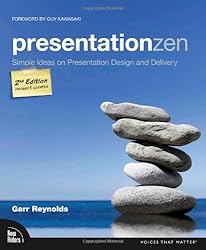 Just a follow-up to my last post. There are a lot of books out there that have some great tips on improving your presentations. Here are some good places to start:
And some awesome online resources:
What books, blogs, or other stuff would you add? Please add em in the comments!
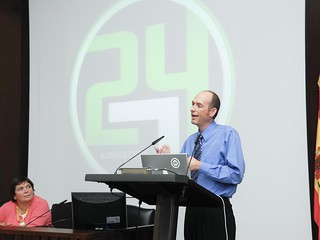 In the last couple of days, I’ve been working on a new presentation that I’m giving up in Toronto for Future Tech Strategies for Libraries. I’m looking forward to it! I’ll be giving the presentation around the same time you’ll be reading this 🙂
Over the years, I have given and attended a TON of presentations. Some I’ve learned from, some I’ve been entertained by, and some – honestly – have bored me to tears.
Here’s what I’ve learned – there are two things most of us could work on to raise the level of our presentations.
Let’s look a bit closer at each of these:
Tell a Story: We like stories. Heck, most of you work in libraries – places full of stories! Stories are good. One way to greatly improve your presentation is to treat your presentation like a story, or at least incorporate elements of a story into your presentation.
Why do this? Stories are easy to follow, and easy to remember. Stories have a beginning, a middle, and an end, which works great for a presentation outline. Stories have chapters, which can be individual slides, or sections of your presentation, complete with visual queues and themes. Stories have pictures – so emphasize visual elements on your slides, rather than a wordy outline.
Here are some examples stories you might tell in your presentation:
End with Next Steps: So many presentations just end. With an embarrassed “and that’s my last slide, so I guess I’m done.”
First things first – work on transitions and writing a good ending to the presentation. But even better – end with what’s next for your listener/participant/attendee. Here are some examples of next steps:
See how that works? Share stories and next steps .. and immediately improve the quality of those presentations!
Last week, I gave four presentations at Internet Librarian 2014. As usual, it was a really useful conference, full of takeaways for me.
Here are the presentations I gave:
Web Trends to Watch in 2015: web design trends to watch for, think about, and maybe adapt (included in this post).
Emerging Technology Trends in Libraries for 2015: 10 emerging technology trends, and how they might affect libraries. This was a three hour pre-conference session.
Make your Website UX ROCK: All about basic website UX improvements.
Five Firsts of Website Strategy: This one was presented at the Library Leaders Digital Strategy Summit, which ran concurrently to Internet Librarian. Fun time! I prepared slides, and then the format changed at the last minute. So instead of slides, I gave short table talks about my topic. Much fun and some good discussion happened.
Enjoy!