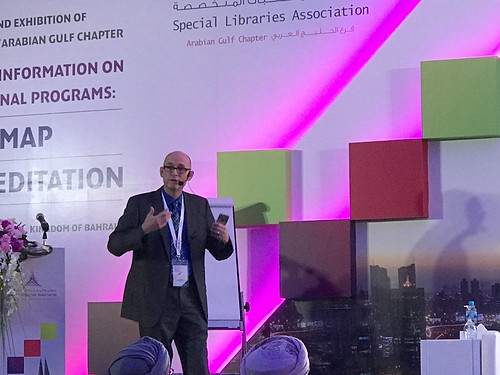
 I was recently in Bahrain at the SLA Arabian Gulf Chapter conference. What an amazing fun time!
While I was there, I gave two talks:
- A panel discussion on emerging technology trends with Marshall Breeding and Jason Griffey. It was lead by Houeida Kammourié.
- I was also a keynote speaker, and talked about improving the customer experience. You can find my slides here.
I made a couple of videos while I was in Bahrain (watch if you dare):
- Showing off my huge hotel room
- My visit to the Manama Souk (the Old Market)
I also experimented with something for the first time. When I give presentations, I usually use presentation mode (in Apple’s Keynote app).
I usually have facts, figures, or phrases I want to say in a specific way, or a reminder to do a transition to the next topic, and those don’t always stick in my head. So I dump them into the presenter notes, and can glance at them during my presentation.
Guess what? Once in awhile, that doesn’t work. For example, at this particular conference the A/V guys ran all presentations in the back of the room at the sound booth. No HDMI or VGA cable running to the podium.
So my laptop had to be at the back of the room. With my notes. Bummer!
What to do? Jason reminded me that Keynote has a mobile app. One feature of that app allows you to remotely run a presentation from your iPhone or iPad. You just have to pair the mobile device to the laptop. Then the phone acts as a remote to advance slides.
And more importantly, it shows all presenter notes. Problem solved!
So the night before my presentation, I quickly set it up, practiced once, and decided to use it the next day.
It worked “mostly” well! I say “mostly.” Not because of the devices, but because of the hotel wifi. It required re-connecting every 24 hours. I didn’t think about that the morning of the presentation, and as luck would have it the wifi on my phone decided it was time to stop working. On the next to last slide of my talk.
So I had to say “next slide please” a time or two. Otherwise, everything worked great.
Anyway – problem solved for the next time that type of awkward set up is required (it’s happened to me once before). It was also really fun to try out something new (for me). And it solved a huge issue and helped me successfully deliver my presentation.
Have you ever tried out new tech for the first time in front of other people, or started using something new because you really, really needed to? Please share!
Pic of me talking by Jason Griffey
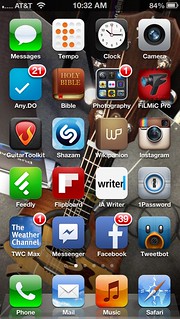 I’ve noticed that I use my iPhone for a bunch of stuff that I used to have another device or system for. Here’s what I mean:
 ALA 2013 is coming up in a few days, and I want all you iPad note-takers to be prepared! For the last year or so, when I take notes on my iPad, I’ve been using
  I think this type of setup could easily work in a library setting! Here are some starter thoughts on potential uses:
 I don’t attempt to predict stuff very often, but I think this one’s safe – I think