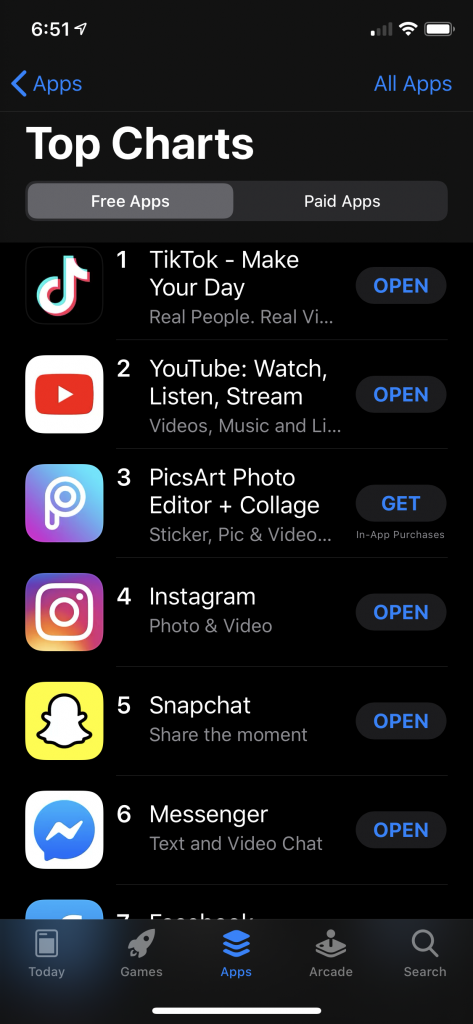
What’s going on? Why are these two sites so hot right now? Well… it’s because of this:
Pinterest = visual
Instagram = visual
Facebook = visual (depending on what you do with your status update)
Youtube = visual
etc.
Visual is in. Why? Because you visually “get it” immediately. It takes seconds to look at a photo and understand what’s going on. It’s very easy to look and like … and then click through to the meat of the post/site/message/video/etc if the visual carrot being displayed is interesting enough to make you click.
Is your website visual? Do you use visual parts and pieces to get people interested in your stuff? If not, you should maybe take a hint from the growing popularity of visual-based sites, and … add some things to look at.
Some visual starter ideas:
blog post – add an image that relates to the post. The image can help some people “get” the post better (I’ve had people tell me that about the images I use in my blog posts).
Video post – make a short video, showing off a new thing in your library. Videos are easy to watch and share. Since the video is usually embedded into a site, there’s a visual component, too. Do video well, and people will stick around (and hopefully click around, too).
Facebook – add an image of that packed program. This visually shows popularity – much better than having someone type “the event was really well-aattended.”
Twitter – tweet links to your photos and videos.
Pinterest, Instagram – start experimenting, and figure out how (or if) you can use one or both of these for your organization. I’ll bet you can.
Websites – add photos and graphics. That’s what we try to do on our website, and our customers love it (they’ve told me that numerous times).
How are you making your website visual? Adding visual elements to social media?
Here’s the first video for Library360, a new video series for my library. Our goals are pretty simple (or lofty): to introduce our library’s customers to the library – our services, staff, etc. All the cool stuff the library does that doesn’t always get noticed.
We’ll see what happens!
In the meantime, here’s what our plan looks like for the video series:
3 minutes or under (didn’t quite make it at 3:16, but we were close!)
big goal – make the library more visible to Topeka
post a new video every two weeks
do this for one year
ask for interaction (likes, comments, subscribers)
Question – anyone else doing a regular video series for your library? I’d love to know about it!
I recently purchased some iPhone photo/video lenses from Photojojo, and wanted to show you what they do to iPhone video.
I bought the 3 lens bundle, which includes a wide angle/macro lens, a telephoto lens, and a fisheye lens. They actually work pretty well. Watch my video to see the three lenses in action (along with my trusty iMicrophone).
Do you use your smart phone to take videos or photos? Check the lenses out.
Why have I been focused on Youtube? Well, a couple of reasons. One, I really needed to re-focus on Youtube a bit at work. Writing and thinking about this stuff really helps me figure out what I need to do next for my library’s Youtube account.
One more reason – Youtube is a social network, with subscribers, friends, content creators, comments, likes, and favorites. If you want friends, subscribers, comments … and more importantly, video viewers, you need to be there. You need to watch videos, leave comments, likes, favorites, share videos, etc. That gets you noticed by others in the Youtube community (and your local customers who use Youtube).
Try out some of my suggestions, and see if you can increase engagement in Youtube in 2012!
Youtube Annotations are cool. They’re an easy way to add in messages and links to a Youtube video without having to mess with fancy coding or weird additions within the video itself.
What are annotations? They are notes that can be placed within a video on Youtube. Annotations can contain links to other Youtube pages/videos/features or text.
Here’s a video I recently created (non-library video – it’s me telling the story of cracking my ankle. Pretty much all better now!). In the video, I use two annotations – check them out:
For libraries and other organizations, I can see three types of annotations being really useful:
subscribe button – ask people to subscribe to your Youtube channel
next/previous video – link to another video of yours – this keeps people watching your channel
Text annotation – use it to ask people to like the video, leave a comment, or subscribe…
Why do this? Easy. It’s an easy thing to add in to a video, and has the potential to be another way to help you connect to your customers. Ask customers to take a simple specific action (remember those calls to action mentioned in a previous post?) like subscribe to your youtube channel, like your video, or leave a comment. Doing this helps you increase viewership, engagement, and subscribers to your Youtube channel … and therefore to the cool stuff your organization does, too.