Almost forgot – here’s my presentation about making videos for the library. I gave it last week at the American Library Association’s annual conference.
Enjoy!
social media | emerging trends | libraries
Almost forgot – here’s my presentation about making videos for the library. I gave it last week at the American Library Association’s annual conference.
Enjoy!
 Going to ALA Annual in Chicago in a couple of days? If so – come see me speak!
I’m giving a talk about videos, along with Christina Norton, Justin Georges, and Steven Milewski.
Here’s the details:
When & Where: Saturday, June 24 3:00 PM – 4:00 PM Location: McCormick Place, W175a
Title: Rocking the Small Screen (Without Losing Your Mind): Planning and Managing Library Promotional Videos
Description: Video on the web is one of today’s hottest social networking trends. But what can online videos do to promote your library? A public library and a university library will both share what they have learned and how realistic expectations can bring success. The presenters will cover: planning and implementation, shortcuts, tips on what types of content work best, recording and editing the audio and video, accessibility, assessing traffic and impact, and how to create a video team. Learn why your library should create and post online videos!
So come check out our presentation, ask questions, etc. I’ll post my slide here after the presentation, if you miss it (but don’t miss it!).
See you on Saturday!
A couple of days ago, I saw a mention of the videos that Invercargill City Libraries & Archives, in New Zealand, has been making [saw the mention over at the Libraries and Social Media Group on Facebook. You should check em out!].
They are making some really fun videos! I have a couple of them embedded in this post – definitely watch them – they will make you smile.
Which, of course, is a great goal to have for video. With social media (they seem to be posting most of these videos on their Facebook Page, even though they also have a YouTube account that’s not linked on their website), making you smile most likely leads to making you click. Clicking Like, Sharing, adding a comment, etc.
And on Facebook, doing those types of actions means you will start seeing more of their Facebook posts. So – watching and liking a video could equal seeing something about a program at the library.
Also – what they have done with video isn’t hard to do – they have just done it really well. Short, to the point, a “story,” and they made me smile.
I especially love their Mean Tweets Videos – here’s one below.
Great job, Invercargill City Library!
 I recently read 10 Stats about Video that Marketers Need to Know from the Marketing Insider Group. Good article!
Here are some highlights that stood out to me:
Like I’ve said before … you probably need to take the plunge, and start making some videos if you haven’t already started. Your customers are responding to video marketing everywhere else. It makes sense that they would respond to your video experiments, too!.
Simple videos, when done well, can powerfully connect with your community.
Follow me! Twitter | Facebook | LinkedIn | Instagram | YouTube | Flickr
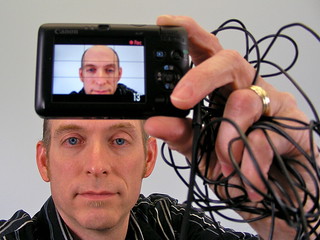
Do you make videos for your library? If so, you might try the camera I use in this video. It’s a Canon Powershot G7 Mark II. I’ve had it for about 9 months, and I have to say – I love it! It’s really easy to use, just like you’d expect from a point-and-shoot style camera.
Best of all – the microphone on this camera does a great job. Listen to the video – while the audio is certainly not studio quality, it does a fine job of picking up my voice. I didn’t have to boost the audio when I was editing the video, or play around with it in any way.
That said, I was about 18 inches away from the camera, too. If I was 6 feet away or more, it’d be pretty quiet. But still – it’s nice to not have to mess with audio if you don’t have to!
So – enjoy the video … give it a “listen” (weird to say for a video), and see for yourself.