Social Networking

Most Popular Posts and Videos of 2011

by David Lee King on December 30, 2011

Here’s a list of some of my most popular content from 2011, including blog posts, videos, photos, and presentations. I hope you enjoy poking through this list, and more importantly, following along – reading, watching, viewing, etc – in 2012!

Most Popular Blog Posts of 2011:

Most Popular Videos of 2011:

  • i-microphone for the iphone – the Edutige EIM-001 (embedded below) – me testing out an iPhone microphone. Viewed 5574 times and counting, mainly because the US distributor put a link to my video on their website.
  • Testing out my RØDE VideoMic Pro – me testing out another microphone. Viewed 2617 times – proper use of keywords put my video in the first page of hits for “RØDE VideoMic Pro.”
  • Morphwiz – an iPad Music Creation App – me playing with an iPad synthesizer. Viewed 2134 times. Proper use of keywords and tags is the culprit again – this video appears in the first page of hits for “Morphwiz.”
  • OK, and my most popular video ever –  Learning Blues Harp – viewed 63,469 times since 2007. Embarrassingly enough, I’m pretty certain it gets hit so much (and then gets some nasty comments) is because of my poor use of keywords! When I titled the video “Learning Blues harp,” I really meant “I’m just starting to learn blues harp.” Everyone else apparently clicks on the video, thinking “I’m going to learn HOW TO PLAY blues harp from an expert!” Oops.


Most Popular Presentation of 2011:

Most popular photos of 2011:

From Flickr: viewed 289 times…

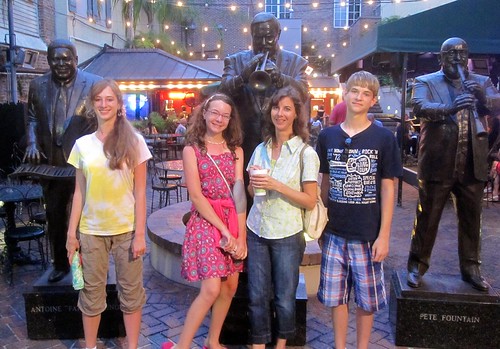
… and my personal favorite from 2011 in Flickr – my family. Viewed only 16 times, which is actually sorta amazing:

And my most popular pic in Instagram from 2011 (I’m davidleeking on instagram – Instagram is VERY COOL):

Here’s to a great 2011, and to an even better 2012!


Be the first to comment

Focus on Youtube – Summary and Why?

by David Lee King on December 8, 2011

If you haven’t noticed, I’ve been writing and thinking about Youtube for awhile. Here’s a list of my recent Youtube posts:

Why have I been focused on Youtube? Well, a couple of reasons. One, I really needed to re-focus on Youtube a bit at work. Writing and thinking about this stuff really helps me figure out what I need to do next for my library’s Youtube account.

One more reason – Youtube is a social network, with subscribers, friends, content creators, comments, likes, and favorites. If you want friends, subscribers, comments … and more importantly, video viewers, you need to be there. You need to watch videos, leave comments, likes, favorites, share videos, etc. That gets you noticed by others in the Youtube community (and your local customers who use Youtube).

Try out some of my suggestions, and see if you can increase engagement in Youtube in 2012!

Community pic by Bigstock

3 comments

Setting up a Google Plus Page for your Library is Easy

by David Lee King on November 9, 2011

g+A day or so ago, Google Plus finally opened up organizational Google Plus “Pages” to everyone. These are similar in concept to Facebook Pages: a Google Plus Page is for brands, organizations, and businesses, and a Google Plus Profile is for individuals.

I just set up my library’s Google Plus Page, and it was really easy to do. Here’s what I did:

  1. First, you need a personal Google Plus Profile. Just like Facebook, Google wants you to be a real person (here’s a link to mine if you’re curious).
  2. Go here -https://plus.google.com/u/0/pages/create - to set up the Page
  3. Choose a category for your library. I chose “Company, Institution or Organization” for ours.
  4. Fill in your Institution’s name and URL. I chose to put in our full name (Topeka & Shawnee County Public Library) rather than the shortened “topekelibrary” that we often use for social media sites, because our full name shows up on the account.
  5. Select a Category – really, a subcategory of the “Company, Institution or Organization” thing you picked up in #3 above. This gives you a lot of suggestions … none of which are Libraries. I ended up choosing Institution (though Government Agency, Education, or Other would have worked ok too).
  6. Click Create.
  7. Then, you’re given the option to Share your new Google Plus Page with all your Google Plus friends (I did that, but you don’t have to).

After that, I fleshed out our account info a little bit by doing these things:

  • Added a photo for the G+ icon (our library’s logo for now)
  • Asked our Marketing dept for some pictures to add on the Photos tab
  • Created some Circles – I kept the Following circle for random follows, then created these additional Circles: Customers (for library patrons), Staff (for library staff), and Librarians (for librarians who don’t work at my library but want to follow)
  • Added links to our Twitter, Facebook, Youtube, and Flickr accounts
  • Finally, I sent out our first status update message – “Just setting up Topeka Library’s dandy new Google Plus Page for organizations. Let’s explore it together!”

That’s pretty much it. What will we do with it? For starters, I’ll probably post a couple things a week there, to see if other people in our service area are interested in using Google Plus to connect with the library. After that (I’ll give it 6 months or so) we’ll see.

A couple other examples of Google Plus Library Pages:

updateJoe Murphy has a great post on Google Plus Pages for Libraries. Check it out!

Cool! Now the question is … what will your library DO with a Google Plus Page, now that they are available?

image by Bruce Clay

19 comments

Turning Strangers into Friends

by David Lee King on September 13, 2011

The Thank You Economy

I just read The Thank You Economy by Gary Vaynerchuk. Good read. Here’s an interesting thought I got out of it that relates to libraries.

On page 53, he writes about Nielson conducting a study on what drives consumer trust. 70% of people said they turn to family and friends for advice when making purchasing decisions.

Then Gary says this: “The ROI of your relationship with your mother is going to be much higher than that of the one you have with a good friend. Both, however, are more valuable than the one you have with an acquaintance, which trumps the relationship you have with a stranger. Without social media, you and your customer are relegated to strangers; with it, depending on your efforts, you can potentially upgrade your relationship to that of casual acquaintances, and even, in time, to friends. The power of that relationship can go so far as to convert a casual browser into a committed buyer, or a buyer into an advocate.” (pg 54-55).

This idea of turning strangers into friends works great in libraries, too. The goal is simply this – become casual acquaintances, or even friends, with our customers. We have done that for years in our buildings – I’d say that’s business as usual.

Online? We can do the same thing by using social media tools like Twitter and Facebook. Start friending people in your community. Your customers. That’s how you start turning strangers into friends … and into customers of your library.

Here’s what Gary did – he created Twitter alerts for wine words like Merlot. When someone had a question about that term, he answered it … and started growing a reputation about actually knowing something about wine.

We know stuff too – we are librarians, after all! Use a tool like Twitter. Do a zip code search for your local area or a town search … then add some words to that search, like book, reading, etc. Or business terms … or whatever the hot issues in your town happen to be.

Then start answering questions or making comments as they seem relevant. Point to your stuff, like the book that answers it, when it makes sense. Be helpful … like you already are in your building.

It’s a way to get out in the community without actually leaving the air conditioning!

Pic by Steven Rosenbaum

Be the first to comment

Article about Facebook Pages up at the NEKLS blog

by David Lee King on July 19, 2011

I just wrote a blog post for the Northeast Kansas Library System (NEKLS) about Facebook Pages – titled Facebook Pages for Kansas Libraries.

Here’s how it starts:

“What if there was a way for your library to get the attention of 51% of your local community? For free? Would you do it? I’m guessing so.

Guess what? There IS a way to potentially do that – by using Facebook! Edison Research (they do market research studies, among other things) recently announced that 51% of Americans age 12+ are using Facebook. And this stat is rapidly growing. Some other interesting Facebook facts on the average Facebook user:

  • They have 130 friends
  • They make 8 friend requests per month
  • They spend 15 hours a month on using Facebook
  • They visit Facebook 40 times a month, and spend 23 minutes per visit
  • They are connected to 80 organizational Facebook Pages, Groups, and Events

Nice statistics, David – but what does this mean for Kansas Libraries and librarians?”

If you’re interested, go read the rest at the NEKLS blog!

And for more interesting reading on Facebook, check these books out (Amazon Affiliate links):

pic by afagen

3 comments

What’s Up with the Mean People?

by David Lee King on July 7, 2011

The day after I got back home from ALA11, a weird thing happened with a friend of mine, and I thought it would be a good thing to share, think about, etc.

Many of you know Joe Murphy – Yale librarian, frequent speaker at library-related events, and all-around nice guy.

Last Wednesday, he had someone create a fake Twitter account named @JoeMChangeAgent (already deleted – we’ll get to that in a sec), use his picture for the account, friended a lot of people (myself included), and pretty much pretended to be Joe on Twitter for about a day.

Weird, huh? I asked Joe a few questions about the incident via email. Here’s what Joe had to say about it.

DLK: How do you use Twitter?
JM: I use a public/professional account (@libraryfuture) for current awareness, to share resources, and engage with professional communities. I also have a private twitter account for which I control the privacy at the audience level. I use my private account to share and communicate with my trusted contacts.

DLK: So what happened?
JM: One of our fellow librarians created a fake Twitter and FriendFeed account impersonating me. They used this false account in an attempt to deceive us all by pretending to be me and by engaging our colleagues under false pretenses as a way to personally attack me and to disrupt our professional community.

DLK: How did it stop? Did you report it, and did you hear back from Twitter?
JM: Twitter quickly suspended the account because it was a breach of its policy rules. Twitter also permanently barred the account’s creators after completing their own investigation. I also received wide and strong support in the form of fellow Twitter users who promptly blocked and reported the account as spam and for abuse.

DLK: Has that type of thing happened to you before? How did it make you feel?
JM: I wish I could say this was an isolated incident. Unfortunately, I have received a lot of negative attention in my few years as a librarian. But I’ve learned the value of ignoring the negativity, not taking it personally, and not giving them any time or energy from my day. This is not to say I am impervious to personal attacks, but not letting it get to me is an important skill that I continue to develop. I don’t let their hate infect my life, and I definitely don’t let it slow me down professionally.

It is a poor reflection upon our profession that lashing out at colleagues is all too normal, and it is not just me that ends up as the target. Every once in a while you will see people (quite often the same people and groups) attack our colleagues online with bitterness, name calling, deception, and personal attacks.

DLK: What’s up with the haters, anyway? Why pick on you?
JM: This is the key question. Haters in general exist because they feel a lack in themselves, a deficiency that they try to replace by extending their negativity to others. They will strike out at anything in easy view beyond themselves. I often end up as the recipient for their hate because I am out there in the spotlight through giving talks, writing, and making contributions. I am also an obvious target for them because I have my happiness and my health, success at a young age, and I have a sense of positivity. Nothing in particular happened to kick off this most recent instance; it was an example of people lashing out just for the sake of lashing out. These people are deeply troubled and I hope they receive the support they need to heal themselves. I try to stay sensitive towards them because ultimately, they are the only ones who have to live with themselves.

Luckily, I have a lot of experience and support dealing with these attacks. I know how to not take them personally, and I leave their hatred behind by separating it from my own life. Unfortunately some haters go even further to attack our personal lives by harassing friends and family and spreading lies. It is unbelievable how some people behave. But working together with friends in staying wise and careful successfully blocks these attempts as well. If I let it get me down every time a hater lashed out I would become depressed, this of course is their goal. So I shrug it off, move on and keep having fun.

DLK: Anything I’m missing? Anything you want to add?
JM: The thing to remember is that haters are acting out of insecurity. They strike out at any obvious lightning rod because they are unhappy about themselves. So do not take them seriously, don’t let them steal your energy, and definitely don’t take it personally. The negativity is about them, not you. Keep being yourself, and don’t let the haters cause you stress. They may fling venom but only you can control how you feel about yourself.

Haters also feel a sense of entitlement to their hate, and blocking, ignoring, and deflecting their attempts can often send them into a total fluster. So not feeding them and their negativity is often the best response. They say the best revenge is living well. I would also add that a good approach is not giving them what they want; denying them a moment in the spotlight that they think their negativity will win them.

I have seen such personal attacks deeply affect individuals, and it is our responsibility as a professional community to not support hateful attacks, to hold people responsible for their behavior, and to make sure we are all treated with respect.

Me again – so why bring this up?

It was one incident that happened, and was taken care of quickly by Twitter. Right? Well … it’s not really all that isolated in the library speaker world. Here’s an article Stephen Abram wrote awhile back on the same issue.

Something to remember: disagreements are great. Heated discussions and full-out arguments? Also fine. Not personally being everyone’s best bud? Also fine – you can’t like everyone, right? Calling people out for a bad idea – great, please do so (but then back it up, too).

But personal attacks (I’ve had some of those)? Not cool. Impersonating someone else? Way not cool (and possibly illegal, depending on what you did). Sending anonymous death threats to someone because you don’t like their ideas (yes, I know at least two library speaker types that have received those)? Really way not cool.

Play safe out there!

31 comments

I have an article about Facebook for Libraries – in American Libraries, the magazine of the American Library Association (ALA). Here’s an excerpt:

“Today, I spent part of the day connecting with people. I complained about a silly election video, chatted with a college friend about a band, and put some finishing touches on plans for a conference taking place at the library.

I did all this through Facebook. These days, it seems like everyone has a Facebook account. Quite a few of my professional colleagues and most of my family have Facebook accounts. Nationally, I’m a bit ahead of the curve: Approximately 41% of the U.S. population has a personal Facebook profile, according to a 2010 study from Edison Research (PDF file). According to Wikipedia, 50% of those Facebook users actually log into their Facebook accounts every day. Total Facebook population? Globally, over 600 million of us currently use Facebook, MSNBC reported in January, and most of them interact every day with an average of 130 Facebook friends and acquaintances.

Think about that for a second. What library wouldn’t love to have a direct, free line to potentially 41% of your community’s ear? Keep in mind, these people could be connected to another 130 people in your community. That’s a lot of free communication!

So, stake a claim in this digital land and create a Facebook Page for your library. Here’s how to set up a Facebook account, and how to use it to connect with your community.”

Go read the rest of the article!

5 comments

Marketing on Facebook

by David Lee King on May 19, 2011

I just finished reading Best Practice Guide: Marketing on Facebook. You might find it interesting, too – the guide has some great ideas for using Facebook as a marketing campaign tool. In fact, many of the suggestions would also work for other online social tools (think Twitter, Foursquare, Flickr, etc).

Here’s what you’ll find in the guide:

  • For starters, they describe what they call The Facebook Ecosystem, which includes three parts: Build, Engage, and Amplify:
    • Build – duh. Building your presence in that tool. creating a Facebook Page. Creating a Twitter account. Etc. Gotta start here.
    • Engage – use touch points, like the Facebook like button to start connecting with your fans. Also use the status update box to directly connect through conversations
    • Amplify – on Facebook, you need to be in your fans news feed. You can use Facebook ads and sponsored stories to help you do that.

After that, the Guide discusses what they call Facebook by Objective -  basically seven ways to use Facebook for your business. Each objective includes some interesting ideas on how to connect to your customers and grow your organization. The Objectives include:

  • Foster product development and innovation
  • Generate awareness
  • Drive preference and differentiation
  • Increase traffic and sales
  • Build loyalty and deepen relationships
  • Amplify recommendation and word of mouth
  • Gain insights

And guess what? With just a bit of tweaking, each of these ideas can work for libraries! So go read it, download it, etc … and share any cool ideas or library campaigns you create!

The F image … found at the ReadWrite Web

1 comment

Stalking – is it really a huge problem for libraries?

by David Lee King on December 17, 2010

I should state right up front that I know next to nothing about stalking or stalkers – never had it happen to me, never really thought much about it. But I said I’d write about it, so I am.

And I do know this: some librarians are really, really worried that putting themselves “out there” by listing their full names and sharing a picture of themselves on a library website, or even by including their full name on a name badge, will somehow point them out as victims-in-waiting. You told me so.

Here’s an example of that worry, from Nathan, who left a comment on my post about anonymity. Nathan says: “I won’t be pushing for them to have last names, because I know it won’t be accepted and it shouldn’t be. Stalking isn’t a ‘worst-case scenario’ here; it’s an everyday concern. We have a fairly large population of homeless people & mental patients in the city, & multiple stalking or harassment events each year.”

So – the issue is this: some librarians think that by giving out their last names, they’ll be set upon by stalkers. I certainly hear the concern, but before you get all up in my grill about this, let’s take a peek at some statistics, from Stalking Victimization in the United States – a national survey done in 2006.

What are the facts associated with stalking?

  • 14 in every 1000 people were victims of stalking – 3.4 million in 2006.
  • People who are divorced or separated are at the highest risk (34 out of 1000).
  • 3 out of 4 people already knew their stalker (i.e., it was a friend, acquaintance, ex-spouse or ex-boy/girlfriend – 30% were known intimate partners, 45% were acquaintances. Under 10% were strangers).
  • women age 34 and younger are the most at-risk group

So, perhaps a little perspective is needed on this whole stalking thing. Again, I’m certain that it’s a scary thing when it happens, and I’m really not trying to make light of the issue. I’ve known two three  people who have experienced it, and yep – freaked both of them out.

But – statistically speaking, stalkers aren’t going to the web to get your last name. They’re not eying your name badge in hopes of catching that last name either … because your stalker already knows who you are (creepy though that sounds).

So sure, stalking is a nasty problem. Sure, it’s probably not a good thing to publish your home address or cell phone number for the masses to find. Here’s a great resource for figuring out how to remove some of your personal information from public view.

But – most librarians simply don’t fit into the “most likely to be stalked” category. I’m not a female younger than 35. No one in my department is either. And librarians in general? Look around ALA Midwinter in a few weeks … again, not trying to come off as flippant (though some of you will no doubt suggest that I am) … most of us simply don’t fit that profile.

[edit - yep. This was a bad argument]

So – posting your last name on a library website or on a name badge? We ask much more than that of our patrons (first and last names, addresses, home phone numbers, proof of residence, etc). Yes, some of you have pointed out that waitresses, clerks, etc in other businesses don’t do this. Do you really want to compare our profession to part-time sales associate jobs?

I think not.

59 comments

Some of you might be interested in attending this webinar coming up on December 1 and Decomber 8 (two part series) that Robin Hastings and I are leading.

Here’s the details (and here’s where you can register):

The popularity of social networking software—tools like Twitter, Facebook and blogs—continues to skyrocket, particular among younger populations. For libraries in the 21st century, a presence on these social networking sites is an essential part of library outreach and patron services. In this exclusive event, librarians and social software experts David Lee King and Robin Hastings will teach you about what tools you can use to engage with your patrons and the best practices for using them.

You’ll learn about:

  • Collaboration with libraries and patrons using YouTube, Flickr and Dropbox
  • Marketing your library with Facebook and Twitter
  • 4 things your library must do when signing up for any social media tool (listen, plan, respond, and opening up)
  • Time-savers and tools to use for maximizing your library’s social media reach

About the Instructors

Robin Hastings is the Information Technology Manager for the Missouri River Regional Library in Jefferson City, Missouri. She manages the library’s network, websites and training classes, as well as social networking projects for the library. Recently, Robin went to England, Jamaica, California, Chicago (twice), St. Louis and Columbia, Missouri, giving presentations on Web 2.0, Learning 2.0, Library Mashups, RSS, OpenID and Web 3.0. When she’s not traveling, she spends most of her free time in front of a computer blogging at http://www.rhastings.net or writing articles, a book chapter on mashups in the library and a chapter on using Google Apps in the library, an issue of Library Technology Reports on Collaboration and a book on lifestreaming and microblogging.

David Lee King is the Digital Branch and Services Manager at the Topeka and Shawnee County Public Library, where he plans for, implements, and experiments with emerging technology trends. He speaks internationally about emerging trends, website usability and management, digital experience planning, and managing techie staff and has been published in many library-related journals. David was named a Library Journal “Mover and Shaker” for 2008 and recently published his first book, Designing the Digital Experience. David writes the Internet Spotlight column in Public Libraries magazine with Michael Porter and maintains a blog at www.davidleeking.com.

Interested? Go register today!

2 comments