friending

Humanizing your Facebook Pages

by David Lee King on February 9, 2010

A “Book and Digital Media Studies” student (wow – what a cool-sounding program!) emailed me last week, asking about my favorite university library Facebook Pages. Well … to be honest, I can’t say I frequent university library Facebook Pages much.

But I followed up a bit, and did a search in Facebook for university library then narrowed the search to Pages, and found over 500 university libraries with Facebook Pages.

As I browsed through the list, I started noticing that some Pages had low friend counts in the 0-30 range, and many were in the 70-200 range. And there were a handful that had thousands of friends:

Why do these Pages have more friends? Glancing through them, it looks like they are doing one thing – they are humanizing their Facebook Pages. What do I mean by that?

They’re “doing stuff.” Stuff like this:

  • Posting regular status updates
  • Interacting with visitors in the comments of status updates – some status updates have 20-30 comments, as well as “Likes”
  • Pointing to stuff that’s happening in the library (ie., lectures)
  • Regularly add photos and videos – sometimes hundreds of them.
  • They use Facebook’s Events feature to list events.

How about libraries with a low fan count? Here’s one example – the University of Illinois at Urbana-Champaign Main Library, with 7 fans. What are they doing? Nothing. They have 1 status update, from August 2009. Their most recent activity was adding the library’s website url, mailing address, and phone number.

So, to answer the question “Do students friend university library Facebook Pages?” (I hear that one a lot) the answer would be yes – IF those pages are being humanized. Looks like the pages with high fan counts have constant activity streams. Pretty much every day or so, something is happening on those Pages – there are regular status update posts, photos or videos are being added, and event reminders are being posted.

Basically, activity attracts Facebook users. Think of your Facebook Page like a party. Anyone ever attended a dead party? If there’s nothing going on, the party goers quickly find an excuse to leave, because the party is boring, right? In the same way, if your Facebook Page has no updates … your party is boring, and you are inviting your students to go do something else.

This is easily fixable if you do one simple thing. Post an update every day, and make it interesting. Examples from the Fan-heavy pages above include helping students out – pointing to a book/resource that has the “answers” for an assignment, just sharing an interesting tidbit of university or library news, sharing quotes, etc. Pretty normal stuff – just shared with Facebook users.

But if you’re not human, if nothing’s going on … no one will show up to your party.

Bunny by Alyssa Miller

22 comments

Making Connections – the Institutional Version

by David Lee King on May 29, 2009

Last post, I covered things I think about when making personal friend connections in a bunch of social networks I use. I also said “for MPOW, it’s slightly different – I might cover that in another post.” Here’s that other post.

As an institution, who should you friend? Why? This is pretty subjective of course, but here are some general guidelines to get you started:

Friend patrons/customers/members. Friend people living in your service area, or who are likely to use your services. Find them using tools like Twitter’s Find People search or any number of third party search services. Your goal is to share your stuff, your events, and yourselves with other people and organizations who can actually use and benefit your content in  a social network.

If someone friends you, check them out. Look at their posts, look at their bio, and where they’re from. If they live close by, friend them. Then start sharing.

Friend other local organizations. Again, the goal is to share your stuff with other organizations that can potentially partner with you, or otherwise send people your way.

Friend others who are interested in your stuff. Have a local history collection that focuses on a certain individual or era? Friend others who are interested in the same things. This should hold true especially on social networks that focus on multimedia, like Flickr and YouTube.

Other Considerations

Facebook Groups
– these can have a narrower focus, so you might be friending fewer people in a group, especially if it’s more of a niche group. For example, if you have a Facebook Group focused on teens, you’ll want to friend actual teens, rather than just anyone of any age.

YouTube – do your local news media outlets have YouTube accounts? Make sure to friend them, and favorite some of their videos.

Finally, be friend-neutral. Don’t agree with what the person says, or don’t like their content? Remind yourself that this isn’t your personal social network you’re developing, but your organization’s network. And most likeley, you take all shapes and sizes of friend connections.

Further reading: my set of posts on attracting friends, starting with Don’t Friend Me.

What am I missing? Any other groups it might be good to friend? Not to friend?

photo from sausyn

Be the first to comment

Making Connections

by David Lee King on May 23, 2009

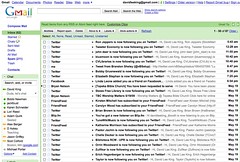
Social Media connections in my inboxIf you sign up and use social media tools, here’s what might happen to you: the image accompanying this post is my inbox. I recently visited my parents, and I only answered pressing emails … but didn’t really clear stuff out like normal.

Check out the pic – everyone wants to follow! Twitter follow requests … Facebook friend requests … blip.fm new listeners … Friendfeed subscribers … Flickr contacts … even a request to do something from church (they’re using a cool 2.0-ish tool for worship team scheduling). Probably a couple of blog comments in there, too. There were 2 pages of this.

And some of you play with this stuff more than me … I can only imagine what YOUR inbox looks like!

Who to friend? Who to ignore? Who to respond to? And when? Here’s what I do:

  • Twitter: I get more of these than the others, so I’m a bit pickier here. I friend you if you sound interesting and don’t look like a spammer. I read your bio and a couple of tweets. Sometimes, I look at your follow-to-follower ratio. I usually don’t follow other libraries or people that sound too much like snakeoil salesmen (i.e, that mention SEO/make money online/I’ll make your life better stuff).
  • Also picky with Flickr – I’ll follow you if I know you, if I’ve met you, or if I might meet you professionally (i.e., if you’re a librarian or a social media type).
  • Facebook: I follow most people who follow me. I recently had a run of high school chums discover Facebook.
  • blip.fm: If you follow me as a listener, I’ll follow you back.
  • Friendfeed: Same – I follow back almost everyone who follows me.
  • In any of these, if you send me a message/tweet me/write on my wall, I’ll read it and usually respond if it makes sense to do so. Sometimes I read it, think “huh” and move on – no response needed.
  • Also – if I come across your blog, your book, or an interesting tweet/post, I might friend/follow you – so I can receive more interesting content from you!

When do I do this? Personally, I usually when I read it and/or when it’s convenient to do so (for MPOW, it’s slightly different – I might cover that in another post). I think of follow requests and comments/tweets/wall posts as introductions and conversation, so it makes sense to me to do it sooner rather than later. But then, I don’t have a ton of them, and find it’s simply easier to quickly deal with a follow request quickly and move on, rather than letting them pile up (unless I’m out of town or away from the web for a bit).

What do you do? Who do you friend? And when do you find the time? Stuff to think about…

25 comments

Friend Customers like Gary Vaynerchuk

by David Lee King on February 19, 2009

Gary Vaynerchuk has some good things to say about social media. Here’s one example (embedded above) discussing how to “make friends” – watch it, then let’s discuss.

In this video, Gary talks about how to participate in social networks and how to friend people – this is essential for libraries! Some big points from his video:

  • think of the internet as a big conference or room or a mixer – in those settings, you find a group to talk to and jump right in
  • in social networks, you do the very same thing – you walk in, and you start saying hello (it’s not stalking)
  • if people are putting stuff out there, they know that people can see it (so it’s really ok to friend them)

Take-aways? Don’t be scared to friend people. Set up a library twitter account, facebook or myspace account, etc… then search for people using those tools who live in your community, and say hello by friending them.

Then start participating in their conversations.

OK – someone will say “but David, that’s weird.” No it’s not – it’s how the emerging online world works. Businesses are already doing this successfully (ie., Gary’s doing just this thing for his Wine business).

7 comments

Attracting Friends, Part 3: Facebook

by David Lee King on December 2, 2008

This is part 3 (or really part 4 or 5) of my slowly-growing series on organization-based friending in social networks. Here’s what I have so far:

Now, on to Facebook. How do you attract friends using Facebook? You really have to think of your organization two different ways with Facebook – think in terms of organizations and of people. Organizationally, you can create Pages and Groups. Personally, you can create an individual Facebook account that you use professionally.

For example, one of our Youth Services librarians has created a personal Facebook account specifically to connect with our teen audience. It’s working – she’s gathered over 500 friends – mostly teens in Topeka. And she uses the account to push out stuff to that group.

Ideas on attracting friends in Facebook:

  • search for local people, request to friend them
  • friend local Facebook Pages – businesses, authors, etc.
  • Advertise your Facebook Page outside of Facebook (i.e., website, twitter, myspace, email newsletter, etc)
  • Business cards with Facebook contact info at a public services desk, passed out at programs
  • Teach a class on Facebook
  • Create a Facebook Ad to advertise your Page to other Facebook users (there’s a cost attached)
  • Leave those business cards at place local Facebook users hang out, like coffee shops
  • Have good content on your page – send your blog there, add some photos that connect to flickr, same with youtube
  • photos and visuals are important – helps you look more real
  • Especially for people using a personal Facebook account – interact with your Facebook friends!

What else? How do you attract friends using Facebook?

18 comments

Attracting Friends, Part 2: Twitter

by David Lee King on November 22, 2008

In my last post, Attracting Friends, Part 1, I discussed how to attract friends for your library social networks generally … by doing the hard work. Now on to the specific tools – how do you find and attract friends, as an organization, using Twitter? Here are some ideas:

  • use local services like TwitterLocal or TwitterMap to discover local twitter users, and subscribe to their feed. Say hi. Interact with them. They won’t friend you if they don’t know you’re there.
  • put a Twitter chicklet on your site. You can use a chicklet that does a specific thing, like TwitterCounter (shows the number of people following you – I have an example on my site), or a generic chicklet/graphic link that simply announces that you use twitter. Go one better, and say “follow me on Twitter” in your link/chicklet. This announces that you’re looking for followers.
  • Does your organization have accounts set up in other social networks, like Facebook, flickr, or YouTube? Mention your Twitter account on those other profile pages.
  • Do local media/businesses use twitter? Connect with them. For example, in Topeka, my twitter friends include some tv news anchors and the general manager of a local news station. Connect with them, and start talking. Others that have connected with them will notice, and maybe follow you.

What am I missing? Please share!

Update: This is part of my slowly-growing series on organization-based friending in social networks. Here’s what I have so far:

9 comments

Attracting Friends, Part 1

by David Lee King on November 17, 2008

A couple posts ago, I suggested that libraries stop friending other libraries and to focus instead on their local community. (aside – If you need/want to connect with other librarians, that’s great – make your own personal account for that).

Now, on to how? What are the different ways one can friend others in popular social networking sites, and how can you find and attract friends in each? That’s a bit more difficult, and takes a bit more work. I’ll take a couple of posts and give some pointers (and would love for you to join in and suggest your own idea,s too!).

Here are some general ideas that work for most of the new social networking tools:

  • Setting goals (have I mentioned this one enough?). You need to figure out what you want to achieve with your twitter/facebook/etc account. Do this first!
  • Focus on a target audience – it might help to focus on a target audience, rather than to focus on a generic “patron.”
  • Be human, instead of a stuffy organization. @Zappos and @Timbuk2 do this well in Twitter – when you send them a question or comment about their product, you generally get a real, live person replying, being helpful, answering questions, etc. (hmm… that sorta sounds like a reference librarian).
  • Good content rules! Make interesting posts/tweets/updates
  • Advertise/promote it! Think business cards in the library, articles in the library newsletter, etc.
  • Link to it on your website, and explain what it is and why I should care.
  • Find out where people who use these tools hang out, and go there. And post flyers, pass out cards with your social networking info on it, etc. in those establishments (I’m thinking bulletin board in a coffee shop here).
  • Teach classes on the tool. Show attendees how to set up an account, and how to follow the library. Instant followers!
  • Even better – do the same thing at a local chamber brown bag lunch or other business oriented gathering. Show them how the library can meet real needs via these tools.
  • Library programs/events? Take the first 2 minutes and push it there.
  • Colleges/high schools nearby? Put an ad in their newspapers.
  • How about a local newspaper or local magazine? Put an ad there or check into writing an article for them (better yet, a weekly tech column).

You might have noticed that most of my suggestions on getting friends for social networking tools … doesn’t involve using the tool to make friends. Instead, it’s all about YOU leaving the library and meeting your community. Getting out of the building. Actively introducing your community to these tools. Or even talking to peole inside your library that you notice use the tools.

That’s the hard part – lots of walking and talking and meeting people, physically and digitally. But it will pay off.

Next post – I’ll look at some specifics of finding friends by using the tools – Twitter, Facebook, MySpace, YouTube and Flickr.

Now – on to your ideas. How do you get friends with social networking tools? Have I left off anything?

photo credit

Update: This is part of my slowly-growing series on organization-based friending in social networks. Here’s what I have so far:

4 comments

More on Friending

by David Lee King on November 12, 2008

i just bought a macOne of my last posts, Don’t Friend Me, discussed my thoughts on libraries friending other libraries. A couple of commenters didn’t agree, and said so in my comments – which is cool – in fact, you might want to check out the discussion and chime in yourself, if you haven’t yet.

Instead of answering individual comments with another comment, I thought I’d lump a couple of comments/questions together and make another post out of it. See what you think, and feel free to comment, as always.

But first, you have some required reading. Go read Darren Rowse’s (the problogger guy) post, Defining Twitter Goals: A Tip for Successful Use of Twitter (on his new twitip blog). A quote: “Being successful at something is very hard if you don’t know what you want to achieve. It’s much easier to hit your target… if you know what it is.” He goes on to explain how goals are needed in the use of social networking sites. So… go read it … I’m waiting …

OK then. Here’s where I’m going … I think that many libraries haven’t really figured out goals for their shiny, new social networking sites/tools. When they start collecting friends, they immediately pick the safe route – friending primarily other libraries that are doing the same thing.

And that’s great for learning the new tool. But at some point, it’s a good thing to figure out what you really want out of the SN site, and then start pursuing that. My guess is this: the goal in friending isn’t to gather other libraries – it’s to gather patrons as friends.

Now, on to the comments:

Bobbi said:

“By nature people are joiners”

Have you read Groundswell? It purports that only a percentage of people are joiners. Check out their profile tool – for example, I put myself into it (42 year old US-based male), and here’s what their research shows: only 34% of my age group are joiners. More in the next quote…

“I’m not sure they do look to see who else is friends unless they are looking for people they know…”

Speaking for myself, I always look – I don’t want to friend a spam site, a person more interested in selling me something, etc… And I’ve read danah boyd, who says “… that “public displays of connection” serve as important identity signals that help people navigate the networked social world, in that an extended network may serve to validate identity information presented in profiles.” danah’s research implies that they do, in fact, look.

Kelly:

“If a patron wants to use a library Facebook or MySpace page, they will, if it works for them and fills a need they have”

Agreed – I have no beef with that. I think that’s putting all the responsibility on the patron, though. Libraries can do their part, too – by creating goals for a social networking site, and then working to meet those goals.

Susan:

“Why tell libraries/librarians that they are … friending all wrong?”

Because I have a lot of libraries asking me why they aren’t getting any friends, or complaining that their friends are all from other libraries … they see that, then assume “it must not be working, right?” Those libraries have already noticed that they aren’t connecting with their local communities (that’s what they tell me they want to do), and are wondering what to do about it. So I’m trying to help.

“Fear of change” and “not being perfect” as I recall are factors that we are encouraging librarians not to be.”

Exactly. That’s why I write – to throw out ideas. Hopefully some of them work for some people. No one’s perfect – but we can all improve, right?

“Why not talk about this issue the other way around, perhaps a post about the hierarchy of friending?”

I’m planning on that in a future post…

John:

“Then I began thinking about the great opportunity missed out by not intermingling here”

Right – that’s why we have a library/organizational account, and I have my personal account.

***************

Libraries do indeed exist to connect with their local communities – we’ve done this way before the web was around! A digital social network like Facebook or Twitter is no different. Our goals should still include connecting with and serving our patrons.

Update: This is part of my slowly-growing series on organization-based friending in social networks. Here’s what I have so far:

14 comments

Don’t Friend Me!

by David Lee King on November 7, 2008

do your library friends look like this?Libraries… stop friending me! What???

I’m noticing that when a library decides to start a flickr account, a twitter feed, or create a Facebook page, they naturally want to start “making friends.” So what do they do? They friend me. Or you. Or they friend other libraries.

This is bad.

Why?

Social networks exist to connect with other people, right? When your organization decides, say, to create a Facebook page … who are you trying to connect with? Me? I don’t live in your neighborhood. Another library on the other side of the world? They’re not going to use your services.

Who are you trying to connect with? If you can’t answer this question, take a breather from the web for a couple of days and figure out your answer. Think about it for a sec – you wouldn’t open a new branch if you didn’t know your target audience, would you? Do you invite people to a book group with no idea of what book to read or who the target audience is? I hope not.

It’s the same with social network sites – you need to establish a target audience, and then work on finding that audience. Once you do that, my guess is this – the friends you want to attract probably don’t include me or a library from the other side of the country!

Another way to look at this is from your customers’ point of view. If I use [fill in your favorite social tool here], and I discover your page, one of the first things I might do is check out who your friends are. If they are mainly other libraries, I might decide it’s a librarian thing, and not for me. I’m gone!

Don’t get me wrong. It’s great to get ideas from other libraries, and to spy on their social media tools to see what they’re doing. But if you can, try not to accept too many friend requests from other libraries … or your friend page will look more like an ALA reunion rather than a true reflection of your local community.

Update: This is part of my slowly-growing series on organization-based friending in social networks. Here’s what I have so far:

41 comments